

P: Rotating text is causing scale issue
Experiencing a very strange bug/issue when rotating text in Photoshop.
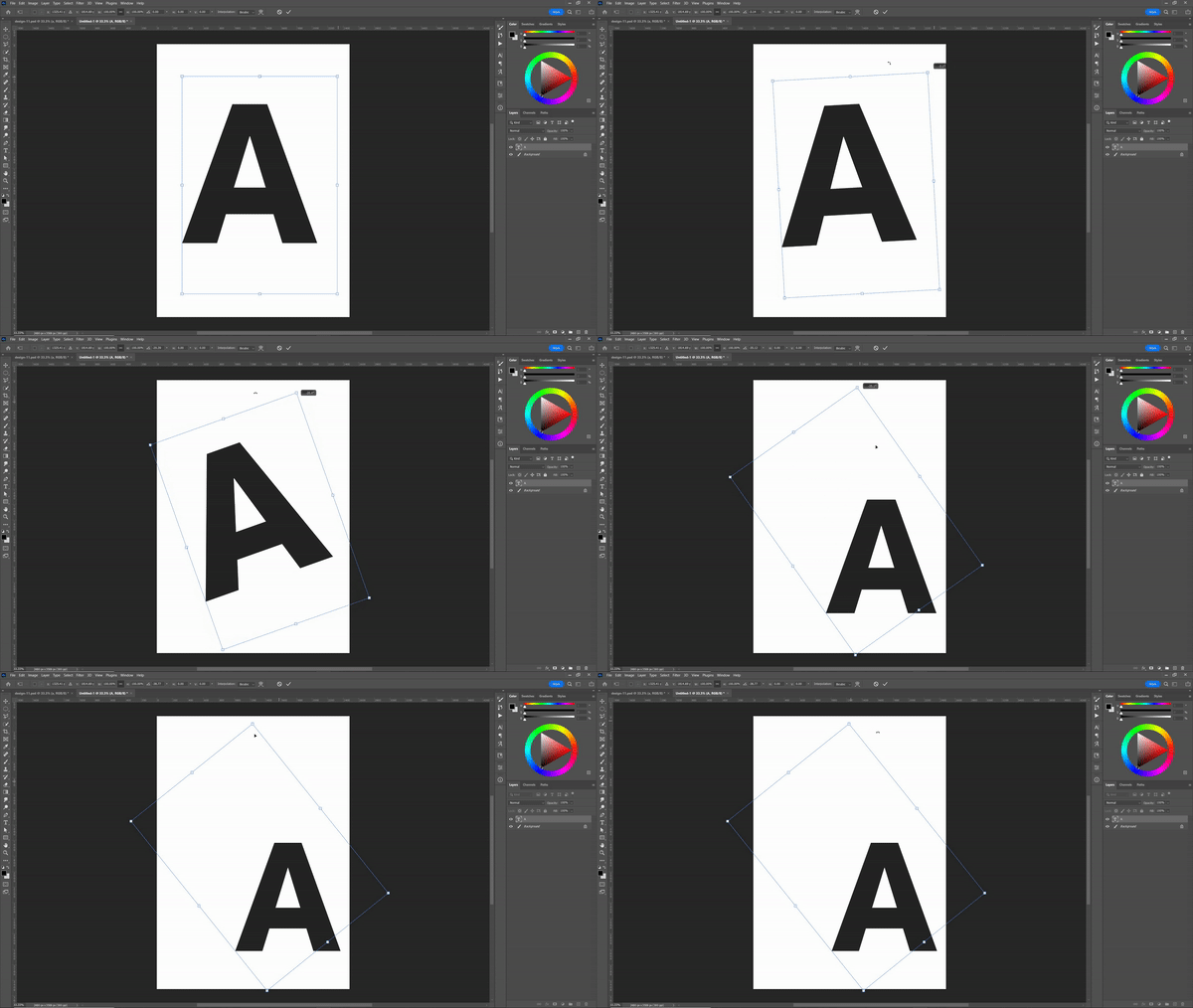
If you're using large text (very large, for typographic posters etc) and use the free transform to rotate the text layer, it does so to a certain point then begins to scale the text down.
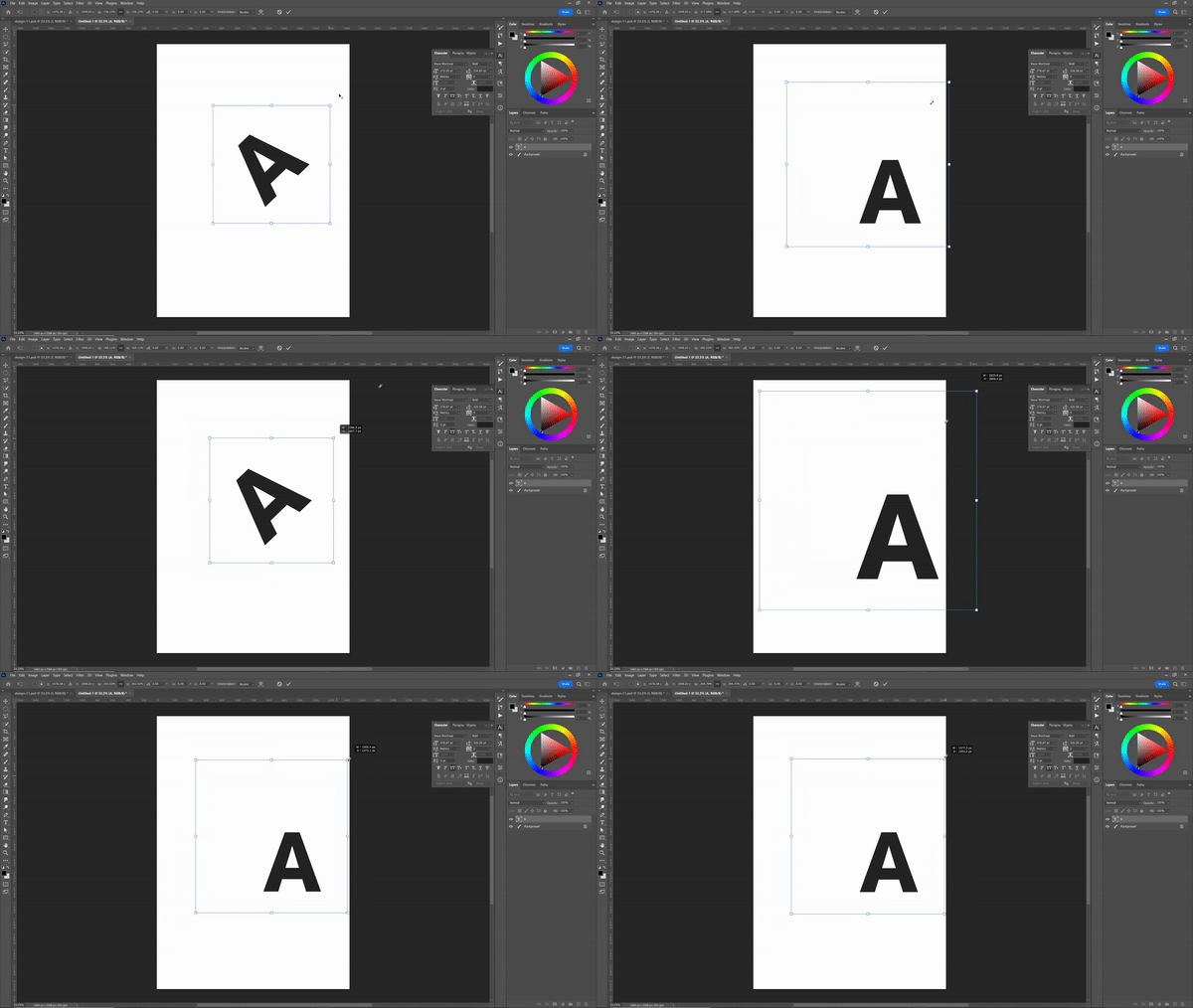
I tried reverse engineering the problem; rotating smaller text then use the free transform to scale it up, it goes to a certain point then the rotation gets removed. Strangely you can rotate further using the corner handles of a text frame (with the type tool selected). However scaling up still cancels this out.
Also tried converting the text to point text, but made no difference.
Using the latest build 23.3.1 (previous build had the same issue). Windows 10. 12 core and 64GB RAM.
Any ideas what the heck is going on here?
Attached a couple og gifs that I hope explain things.


 AdChoices