


Released
P: Rounded Rectangle Live Shapes allow for negative corner radii under certain conditions
Here's how to reproduce these conditions:
1) Draw some rounded rectangle.
2) Unlink the corner radius values and make one radius really big.
3) Re-link them again and make that big radius smaller again.
The other corner radii will follow and while their values won't go below 0 in the input fields the actual shape will get distorted: 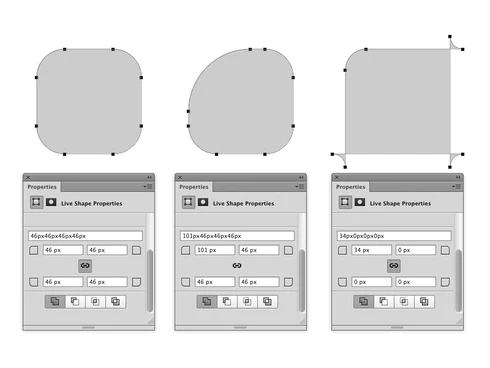
Also after doing this my Rectangle tool (not Rounded Rectangle!) looks like this, although the shape snaps back to regular corners once it's been placed on the document: 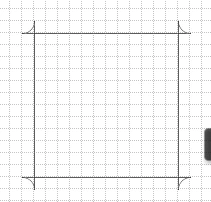
Using "Reset Tool" from the preset menu doesn't fix this.
 AdChoices