



P: Strange color shifts in photos when filter adjustment layers are package into a Smart Object
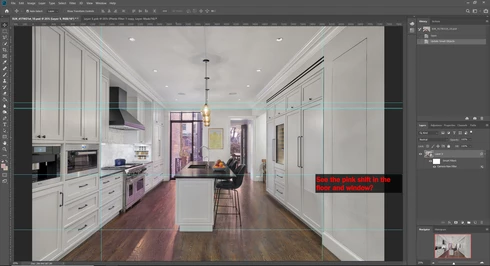
I edit photos with a lot of adjustment layers (15 or more). Occasionally, one of the layers is a photo filter layer, to warm part of the image. After making all these adjustments, the last thing I do is combine everything (background image and all it's layers) into a smart object where I do my final sharpening. I've noticed that in Photoshop CC 2019, when I package everything into a smart object, a color shift appears in the new smart object anywhere that I used an adjustment photo filter. Those parts shift from the yellow it was to pink/fuscia in tone. So, I open the smart object, and now the same problem is there. So, I re-adjust the adjustment photo filter. First, I highlight that layer, open the properties menu, and click the color so that the Color Picker pops up. As soon as I touch the scroll for the color everything pops back to the way it should be. It's as if there was no problem at all. So I save the psb, which updates the smart object. Most of the time this has fixed the problem. But now, for some files it doesn't seem to fix anything. In the psb, everything looks fine. But in the smart object, everything looks pinkish. I'm not sure what's going on. I've used this technique many times before in Photoshop CC 2018, and in versions for at least 5 years older. What's going on?!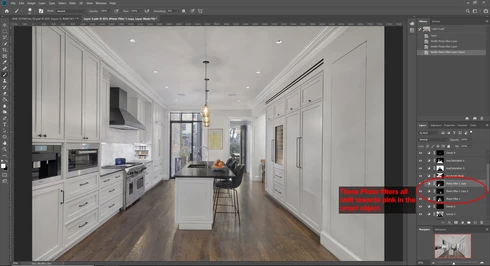
 AdChoices