



P: Switching between documents in Full Screen Mode displays black areas (macOS GPU issue)
I use switching between images using Command ~ shortcut in the Full Screen Mode with Menu Bar, or Full Screen Mode to compare the changes I've done between 2 versions of an image.
This isn't working on 21.1.0 on the new Mac Pro. When in Full Screen Mode (with or without Menu Bar), once I switch between 2 images twice, regardless if I select them in the menu or press Command ~ the image shifts to the left half of the screen and the rest of the screen is black.
Screengrab attached, the pixellated thing is sample image. It's not showing anything in the black area.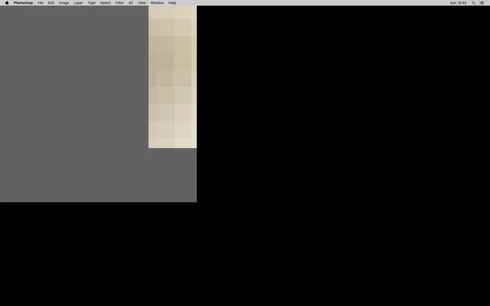
The only way to get rid of this problem is to untick 'Use Graphics Processor' in Performance, which obviously I don't want to do. The settings in 'Advanced Graphics Processor Settings' have no effect on it, tried unticking all boxes and using 'Basic' drawing mode, and some other combinations.
System info:
Mac Pro 7,1 2019
GPU AMD 580X
OS X Catalina 10.15.3
I tried 21.1.0 on my old 2013 Mac Pro and no problems. Though it runs on Mojave, not Catalina.
 AdChoices