


Inspiring
June 21, 2014

P: Text tool program error on duplicated documents

  • June 21, 2014
  • 6 replies
  • 536 views

I believe I have found a bug on Photoshop CC 2014 with the Text Tool. I have already contacted Adobe Support, but here's how to reproduce it, just in case someone is getting the same problem

1- Open a PSD file with text layers.
2- Click on Image Menu, then select Duplicate.
3- Close the original file ( no the duplicated one )
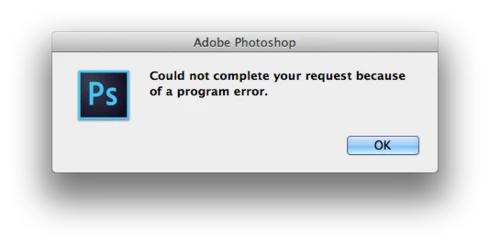
4- Try to modify those text layers on the duplicated file, ( color, font or even the text ) ... I end up getting an error box : " Could not complete your request because of a program error."

I could reproduce it on all my Macs running OS X 10.9.3 and Photoshop CC 2014.
I can't deny I'm very disappointed with Adobe Customer Care, because took me more than 2 hours with the support, sending even video files reproducing the bug and trying to convince there's a problem with Photoshop CC 2014, and after all that time, I got a confirmation that there was a bug and a thank you very much message... Should be easier to report bugs to Adobe.
This topic has been closed for replies.

6 replies

Inspiring
October 17, 2014
The duplicated text layer/document issue is solved in Photoshop CC 2014.2.
David Mohr
Participating Frequently
October 17, 2014
Hi Etienne,

The error message that you are seeing implies a different problem, cause, and solution.  My first thought would be to have you check your fonts.  You can find full details on how to do that here: http://helpx.adobe.com/photoshop/kb/troubleshoot-fonts-photoshop-cs5.html  We are currently rewriting the test script for solution #5, but you can use the existing one for now if you simply uncheck Clear Font Cache.

If you continue to experience a problem after trying these solutions, respond again here and I will help you troubleshoot the problem.

Thanks,
David
Inspiring
October 17, 2014
This is not the only bug with the text tool! Here what I get very regularly. To be able to use the text tool again after, I need to restart Photoshop! So annoying!!!

Participating Frequently
September 7, 2014


Hi Jeff,

Here is a reproducible issue on Mac Pro, early 2009, and on a brand new MBPro 15”.

A:
Create a new file.
Enter some Paragraph text.
Duplicate file (Image > Duplicate...)
Close original file.
Try to Edit Duplicate file.
I get the following:

“Could not complete your request because of a program error.”

If you try to do any kind of further Text editing (try deleting the Text Layer) with the Text tool (Paragraph, or Character), you might also get:

“Could not complete your request because something prevented the text engine from being inititalized”.

This Duplicate file is no longer editible with original or any new Text Layer, Paragraph, or Character

B:
Repeat, but, do NOT close original file.
Now it is possible to Edit the Duplicate file normally.

Both computers running 10.9.4
FontBook App checked out fine.

Thanks,

Sonny Taylor
Participating Frequently
July 12, 2014
I am having the same problem! Saving and closing photoshop is the only thing that helps. Now that I know it's because of a duplicated document I can at least avoid that until it's fixed... Thanks for looking into it, and isolating the problem, as I've been having one heck of a time deleting preferences after only having recently set up photoshop cc 2014 the way I want... Only to have it happen again and again!
David Mohr
Participating Frequently
June 23, 2014
Howdy Bruno,

You're completely right. I've gone ahead, verified your problem on both platforms, and submitted a bug report. Hopefully this will be fixed very soon.

Sorry about your experience with Customer Care. For what it's worth, in the future, please feel free to submit any Photoshop bugs you find via this forum. Several of us check it regularly.

Thanks,
David