steveisgracerx
Participating Frequently
December 23, 2021

P: The line tool is creating a box instead of a line in Photoshop 23.1 on macOS

  • December 23, 2021
  • 4 replies
  • 340 views

Photoshop 2022 - 23.1.0

When I go to create a dashed line: 

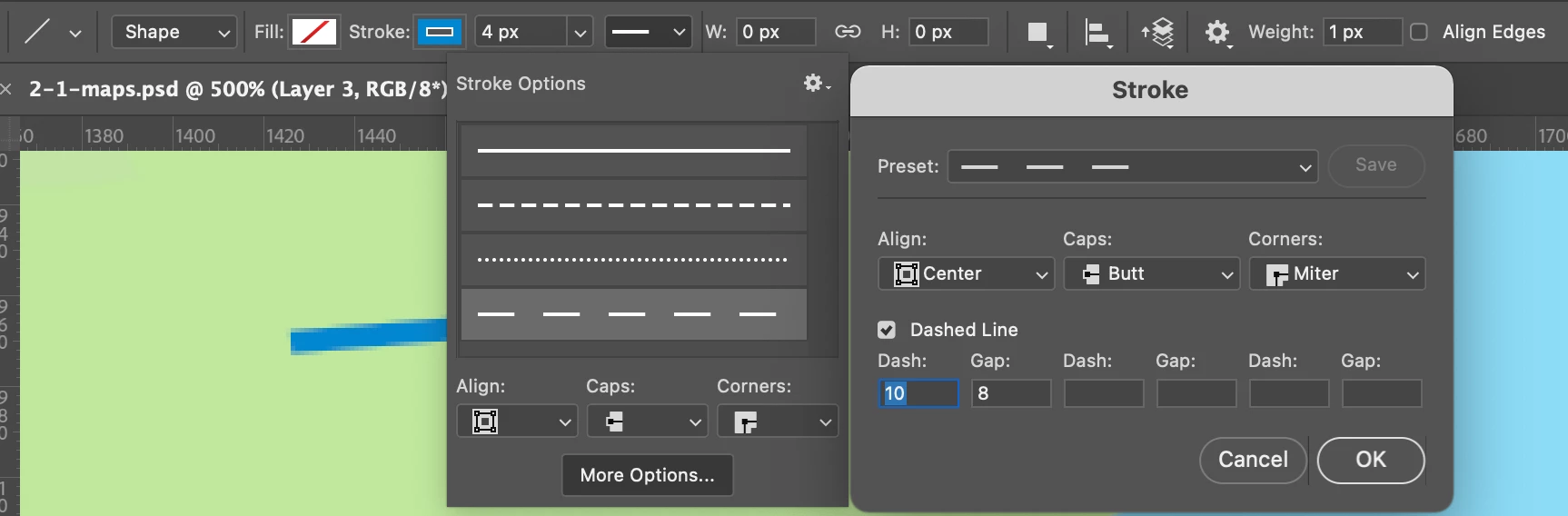
Line / Shape / Fill - off / Stroke - on / 4px / Stroke: Align: Center, Caps: butt, Corners: miter, Dashed line: checked, Dash 10-Gap 8

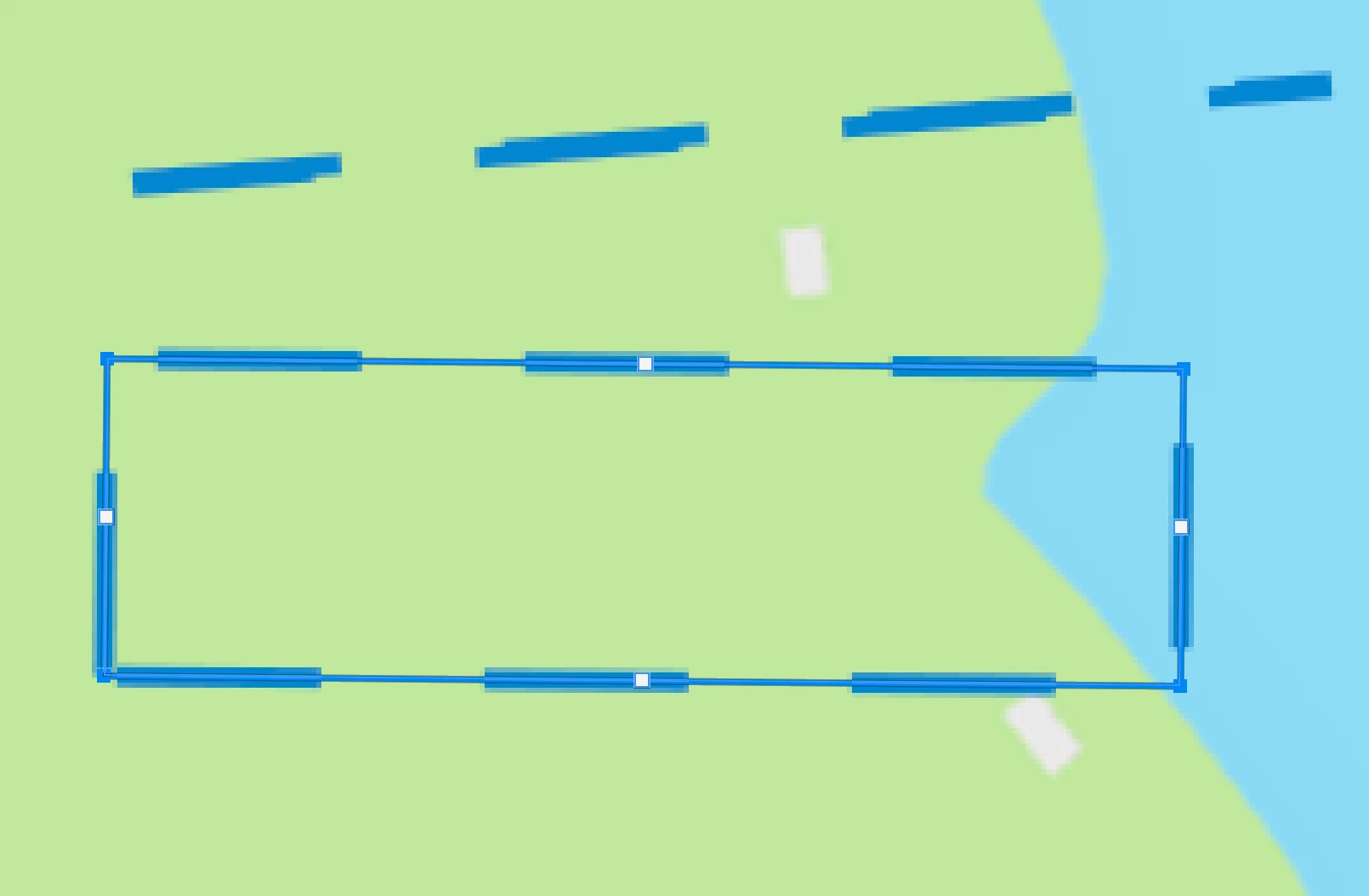
When I drag out the line it looks like there are two lines and if I grab and expand the handles in the middle it becomes a box. This isn't helpful. I specifically selected Line, not Box. Is this a bug or a setting? 


{Thread title edited by moderator}

This topic has been closed for replies.

4 replies

Legend
December 30, 2021

I've asked engineering to investigate.

steveisgracerx
Participating Frequently
December 24, 2021

Here's another example: 

As you can see when I'm zoomed in my two pixel "line" is actually two lines dashed on the outside. 

steveisgracerx
Participating Frequently
December 24, 2021

I also responded in email: 
macOS Monterey

Version 12.0.1
MacBook Air (M1, 2020)
Chip Apple M1
Memory 8GB
 
Resetting the tool didn’t do anything. 
 
Thanks for your timely response,
Steve
nikunj.m
Legend
December 23, 2021

Hi,


We're sorry about the trouble with Photoshop. Would you mind telling us which macOS version are you working on?

You can try resetting the Line tool using the steps suggested here: https://helpx.adobe.com/photoshop/kb/basic-troubleshooting.html#tool


Let us know if it helps!

Regards,

Nikunj