



Bentoki
Participating Frequently
November 17, 2021

P: Using tool preset for the type tool with kerning set to optical doesn't get applied to new layers

  • November 17, 2021
  • 8 replies
  • 5939 views

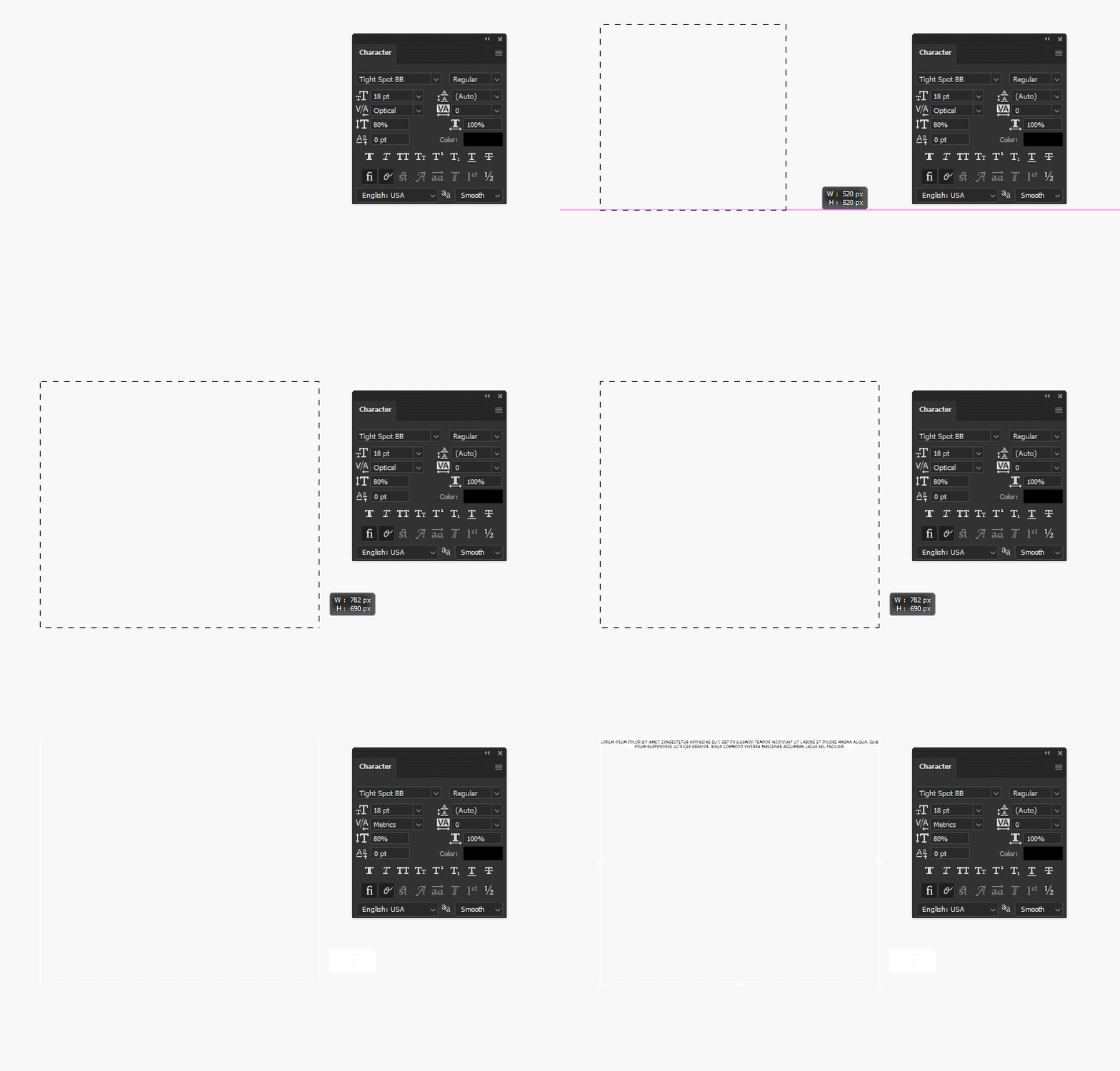
Click on tool preset which is set to optical

Create new text layer

Entire layer is now using metrics kerning?


I am using the most recent version of photoshop, is there a way to fix this? It completely defeats the purpose of using a tool preset if it doesn't save information such as kerning...
This topic has been closed for replies.

8 replies

Mohit Goyal
Community Manager
Community Manager
June 14, 2022

Hi all,


We're happy to announce the release of Photoshop 23.4. This update includes the fix for this issue. To see the list of all fixed issues, click here


To update Photoshop to 23.4, click "Update" in the Creative Cloud desktop app next to Photoshop. More detailed instructions for updating


Let us know if the update resolves the problem for those affected, and share your feedback.


Thanks,

Mohit

Participating Frequently
May 16, 2022

Issue persists in 23.3.2

Participating Frequently
February 24, 2022

Just an update:
Issue persists in 23.2.1

Participating Frequently
December 19, 2021

Just updated to photoshop 23.1.0

This issue still persists.

iZN1337
Participant
November 25, 2021

Can confirm this has been an issue since 2020 version. In 2019 it was somehow fixed but it got reverted back to pre-2019 after that.

Legend
November 24, 2021

Thanks for reporting. I've asked engineering to investigate.

Participating Frequently
November 23, 2021

I just so happen to see the newest version of photoshop 23.0.2 shortly after I posted my bug; I installed it to double check and update my previous post.

Just as an FYI, it's still there. So please look into this. Thanks

Participating Frequently
November 23, 2021

Imgur Link to Video (Screen recording also attached below)

PS CC v23.0.1 on a M1 Mac (big sur and monterey).

This issue has been around since v22.0.0 (earliest version I can install from cc. I tested on that version as well; same issue)

It persists even if you change the kerning to optical and save the file.

Whenever a new text layer is created, it sit in an ambigious mode with metric ticked as it's default.
A full uninstall (with caches cleaned) and fresh install does not fix this issue.


This doesn't appear to be an issue with PS CC v20.0.0

You should probably fix since this ASAP since it has been broken for at least one major version (22.0->23.0)


Steps to reproduce:

1. Select text tool
2. Create a text layer (text box or standard text layer)
3. See that the kerning is metric. Change it to optical. Esc to exit editing.
4. Create a new another text layer.
5. See that kerning is still broken.