


Inspiring
November 12, 2015

P: View > Fit Artboard on Screen is disabled

  • November 12, 2015
  • 5 replies
  • 203 views

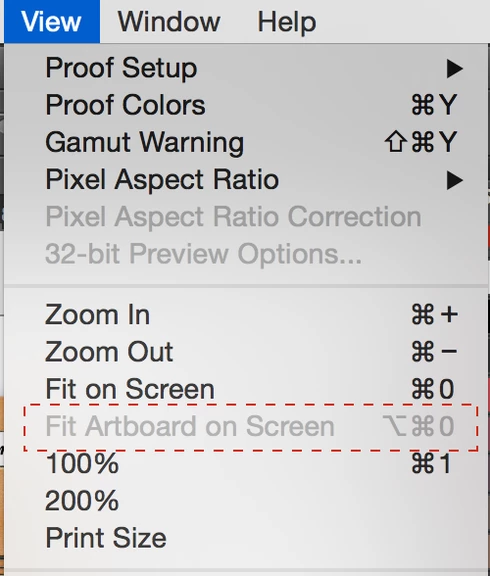
When working with layers within artboards Fit Artboard on Screen command in View menu is disabled and assigned keyboard shortcut doesn't work. To get it work you only need to actively select artboard, which is completely inconvenient and annoying. I guess the app may clearly 'know' that currently selected layer is within a particular artboard, so Fit Artboard on Screen can be successfully applied to the artboard that contains currently selected layer.

Let me know if any more details are needed.
This topic has been closed for replies.

5 replies

Legend
January 17, 2022

Fixed in the Photoshop 20.0 update or later.

Participant
November 13, 2016
This came up wth the latest update a few days ago - it was never a problem before
Participant
November 13, 2016
I don't see a solution posted yet - I am finding it VERY hard to work without having access to Fit Artboard on Screen. The Artboard is there - I have unlocked the layer - what next?
Legend
March 31, 2016
I believe this happens when no Artboard is selected. If an Artboard isn't selected, we don't know what to fit on screen. Is this what you are seeing?
Inspiring
March 31, 2016
hi, I have this situation now, that suddenly the psd artboard is too big for the screen, I can't drag the window smaller because the bottom corners are out of reach, and the Fit Artboard on Screen command in View menu is disabled. It is completely inconvenient and annoying. How do I get the window fitting the screen again? thanks