


Inspiring
March 4, 2022

P: Webp files from Wix.com creates an error message when exporting image via "Save for Web Option"

  • March 4, 2022
  • 27 replies
  • 12466 views

Photoshop 23.2.1 Mac

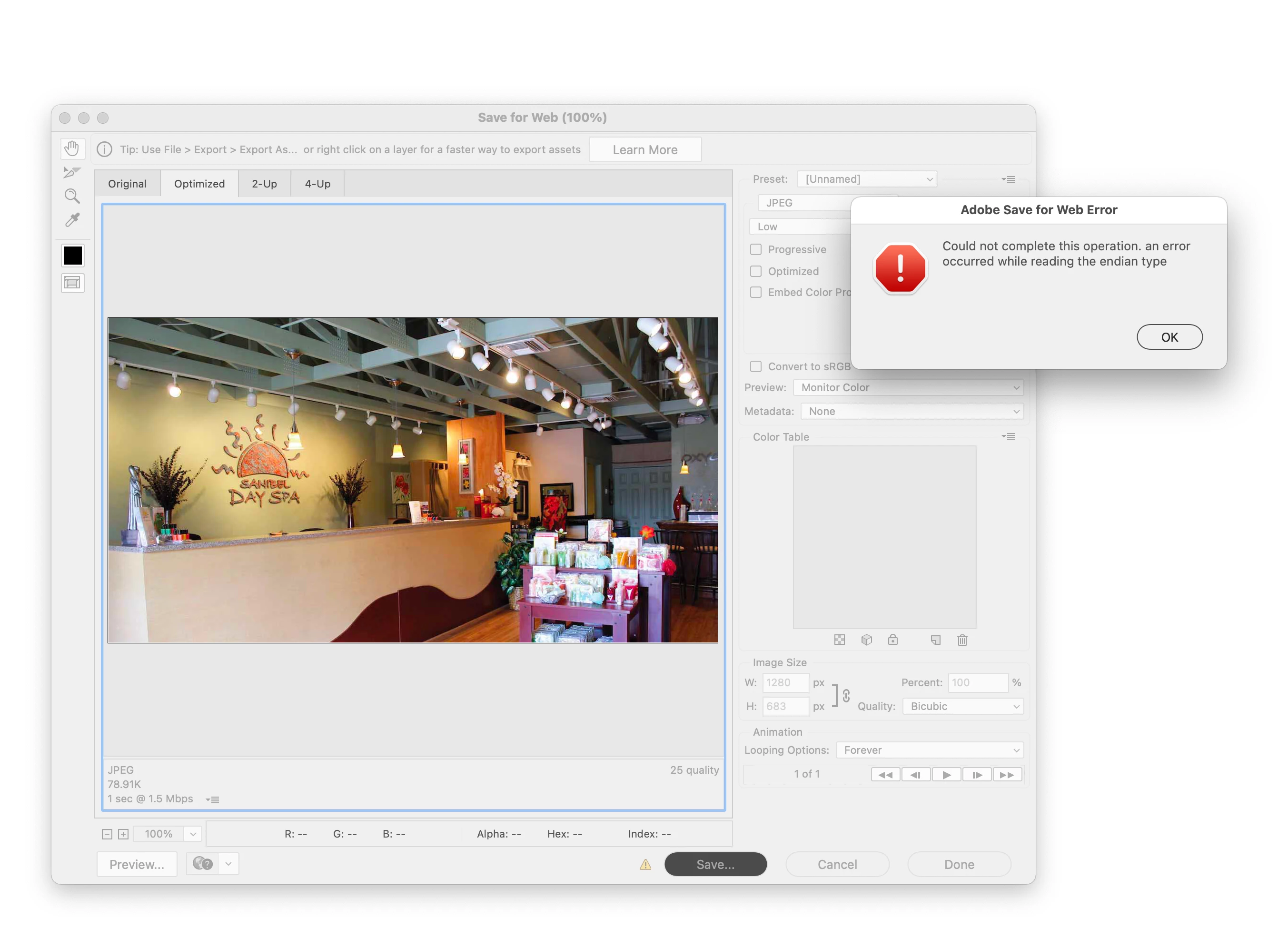
When you open a webp file and try to Export it with the "Save for Web (Legacy)" command, I get this error.

"Could not complete this operation. an error occurred while reading the endian type"

fyi The 'save as' option works.
27 replies

retlaw734
Participant
September 20, 2022

For anyone curious, @default4i2sidghsin2 pointed me to a solution. Instead of File > Export > Save for Web (Legacy) as we've always used. Just use Adobe's new export, File > Export As, and select your file type. I was able to do a jpg just fine. I noticed that under the metadata section it defaults to "none", which may help solve the issue, as someone below was saying that metadata is corrupt in webP files (tho I'm not sure if that's accurate). But we have a solution 👍

davescm
Community Expert
Community Expert
August 29, 2022

@default4i2sidghsin2 You are being very selective in your quote. BretN said Save for Web will not be fixed, but goes on to say Export As is being developed to take over that functionality and address any bugs. So not an easy solution, but just a realistic development path.


Dave


Participant
August 29, 2022

"Save for Web is a "legacy" feature, meaning it is no longer under development and it's bugs are not going to be fixed."


That's an easy solution for a company that charges premium prices and want's to take a leading position. You see how many of your customers use this solution and ignore their problems full force. Disappointments like this make us to look for other solutions.

Participating Frequently
May 6, 2022

I'm running into this as well. Another solution is to "create new document from current state." This sheds off all the bad juju from the original webp, and preserves your layers as well.

Participant
March 31, 2022

I just hit this problem for the first time ever myself as well with a bunch of different images tonight. Since Adobe's solution for its paying customers is "We know the problem is there and we won't fix it", I'll share my own solution which may actually help someone.

All of the images can still be saved using "save for web" just fine with a very, very simple trick. Simply select all, copy, paste it as a new image and now save *that* for web instead.

BrettN
Community Manager
Community Manager
March 18, 2022

@Tim23644061crx4 Since the same file downloaded from a different browser works, we have a bug with the browser. Since the same file works with some features of Photoshop but not others, then there is a bug there as well. Unfortunately, Save for Web is a "legacy" feature, meaning it is no longer under development and it's bugs are not going to be fixed. Our current goals are to improve Export As so that use of Legacy features is obsolete and to address any bugs it may have. 


You may be right that the change in behavior came with Photoshop introducing native support for .webp. With native support comes the fact that we are no longer importing the file, but opening it directly. So the importer may have been doing a conversion, as you suggest, making it a different file once in Photoshop, and thus more compatible with various features. With native support, we would no longer be doing such conversions, but working with the file data "as is", which means any bad information would remain with in the file. 

Participant
March 18, 2022

I am also having issues with the very common web browser downloaded webp shopify files in Photoshop 23.2.1.

I thought it was working fine with an older version of Photoshop before you added native support for .webp and you instead had to use a plug-in for webp (https://helpx.adobe.com/photoshop/kb/support-webp-image-format.html). Or it is possible maybe I was just using legacy export which gives the option of 1 - 100 quality.


To me it is a bug in PS. Because if PS can import the file, edit it and export it using Export As but not Save For Web, then that is a bug in PS because when a file is exported you are essentially creating a new file. Even if a file had some type of corrupt metadata then Photoshop should be able to recognise that and overcome it.


BTW the reason I might use the 'Save for Web' option to export is because there isn't the same way to fine tune file size or quality like there is with the normal export. A work around is to go to Preferences > Export > enable 'legacy export', that way you can choose a percentage for quality instead of just 1 - 7 levels of quality.

samj75026027
Participant
March 14, 2022

Can confirm this exactly.
A .webp downloaded through a browser from Shopify cannot be exported as anything from Photoshop 23.2.1

Participant
March 11, 2022

I am having the same issue with images hosted on Shopify. For example:

https://cdn.shopify.com/s/files/1/0610/6018/6326/files/main_Banner_2x_dda7d9b2-178b-4775-8acb-c02696c8a4ff.png


The images are PNGs but when downloading them with the Chrome browser (via right-click and selecting "save image as"), the image gets saved as WEBP. This webp file, once opened in Photoshop, cannot be "saved for web" as a JPG, PNG, or GIF. Each option results in the error "Could not complete this operation. an error occurred while reading the endian type". Using another browser, e.g. Safari, will correctly save the file as a PNG.

According to this link, https://superuser.com/a/1541501, the content-type might be set by Shopify's server as "webp" to reduce server load if you are accessing the content via Chrome, regardless of what the original file extension is. Photoshop seems to have a problem with this kind of downloaded and converted file. 

Legend
March 7, 2022

I've reached out to the folks at Wix.