
P: (Win/macOS) PS 28.0 MUI: UI Scaling and Scale UI to Font preference not resizing Toolbar Icons
Subject: UI Scaling and "Scale UI to Font" Not Resizing Toolbar Icons in Photoshop 28
Photoshop Version: Photoshop 28.0 (Updated from Photoshop 27)
Operating System: Windows 11
Display Resolution & Scaling: 1920 x 1200 at 100% Windows Scaling (Recommended)
Description of the Issue:
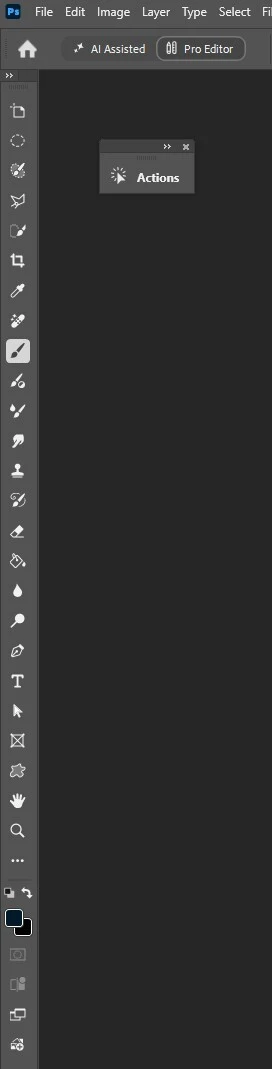
After updating from Photoshop 27 to Photoshop 28, changing the Interface scaling settings no longer increases the size of the toolbar icons. In Photoshop 27, setting the UI Font Size to Large with "Scale UI to Font" enabled enlarged the tool icons as expected. In Photoshop 28, the tool icons remain locked at their small default size regardless of which scaling options are chosen.
Steps to Reproduce:
1. Open Photoshop 28 and go to Edit > Preferences > Interface.
2. Set UI Font Size to Large and ensure Scale UI to Font is checked.
3. Also tested changing UI Scaling manually between Auto, 100%, and 200%.
4. Click OK and completely restart Photoshop.
Expected Result:
The toolbar icons and interface panels should enlarge to match the Large UI Font Size and 200% UI Scaling settings, just as they did in Photoshop 27.
Actual Result:
After restarting Photoshop, the toolbar icons remain completely unchanged in size across all UI Scaling options (Auto, 100%, and 200%).
 AdChoices