


P: (Win) Photoshop 27.9.1 Line Tool: Arrow shaft protrudes through arrowhead at small arrowhead widths
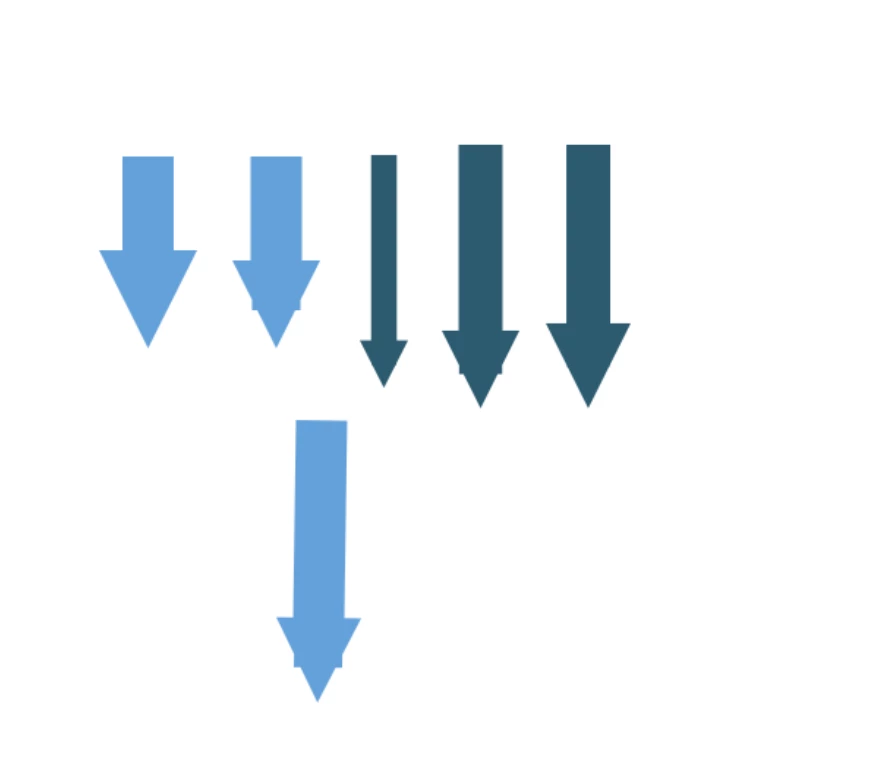
When using the Photoshop Line Tool with an arrowhead, the rectangular line shaft can protrude through the sloping sides of the arrowhead if a small arrowhead width is used. This creates two small but clearly visible spikes on either side of the arrowhead.
Photoshop version:
27.9.1
OS:
Windows 11
Steps to reproduce:
- Create a new document.
- Select the Line Tool in Shape mode.
- Make sure both Fill and Stroke are enabled.
- Set the Stroke width for example to 34 px.
- Enable an arrowhead at the end of the line.
- Set the arrowhead width to 3 px and draw an arrow.
- Zoom in on the transition between the shaft and the arrowhead.
At this point, the two bottom corners of the rectangular shaft protrude through the diagonal sides of the arrowhead.
Changing only the arrowhead width from 3 px to 5 px makes the artifacts disappear.
Expected result:
The shaft should be fully contained within the arrowhead, and the arrowhead should have clean, uninterrupted diagonal edges regardless of the selected arrowhead width.
Actual result:
At small arrowhead widths, the rectangular shaft becomes visible through both sides of the arrowhead, producing two small spikes.
Real-world example:
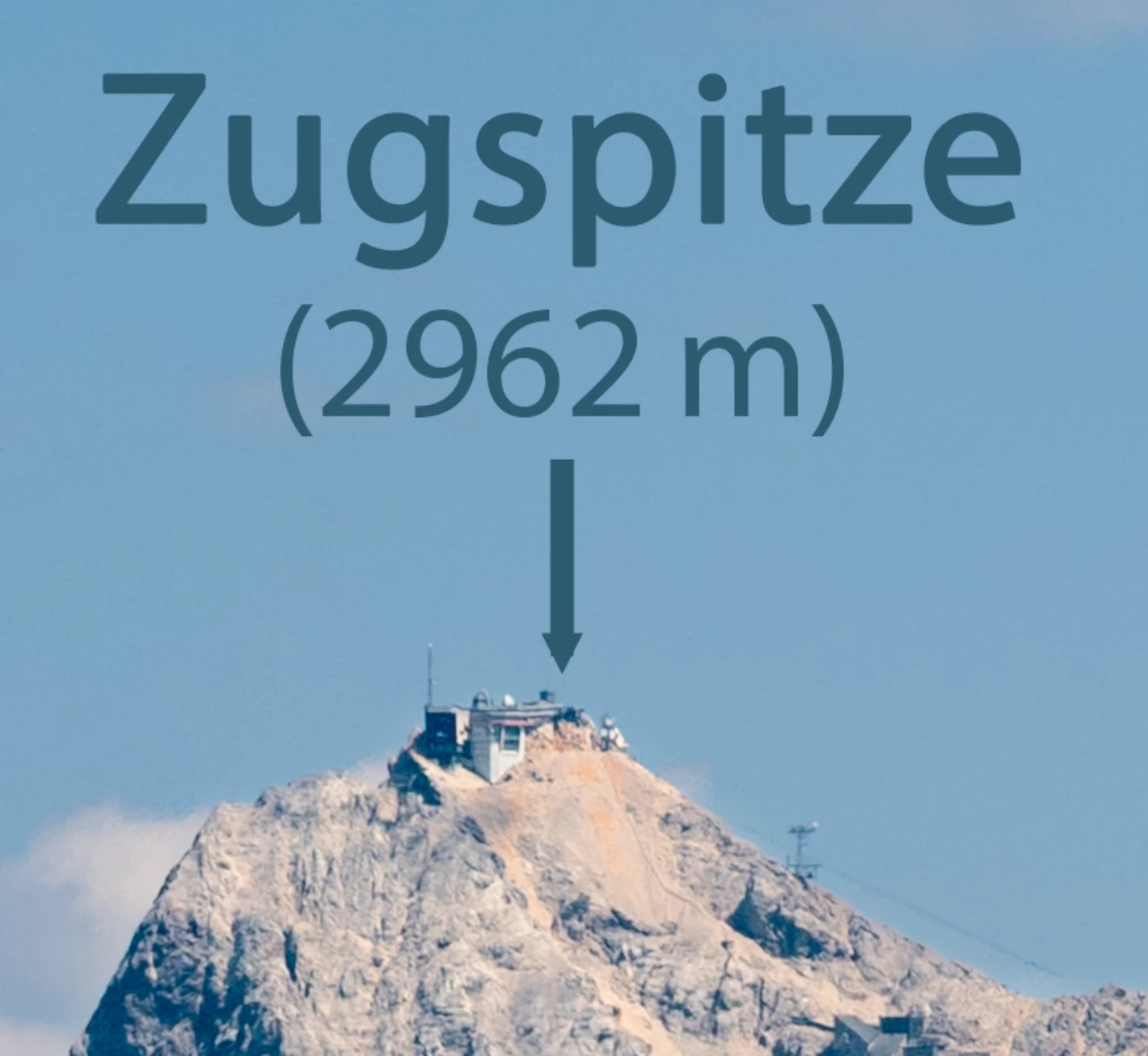
I encountered the issue while creating mountain labels for a 38,000-pixel-wide high-resolution panorama. The attached screenshot shows the artifact in actual use. I have also attached a minimal example demonstrating the problem independently of the panorama.
Example file: PS-Arrow-Bug
 AdChoices