


Participant
February 13, 2026

P: (Win) PS v27.3.1 Symmetry tool not mirroring brush-settings correctly

  • February 13, 2026
  • 2 replies
  • 103 views

OS: Latest Windows version.
Photoshop: 27.3.1

GPU: RTX 5070, latest driver. 

When using the Symmetry Tool to draw, the mirrored side doesn’t seem to take some brush settings into account and redraws an off-looking line, but brush path and stylus pressure sensitivity is still correctly mirrored.

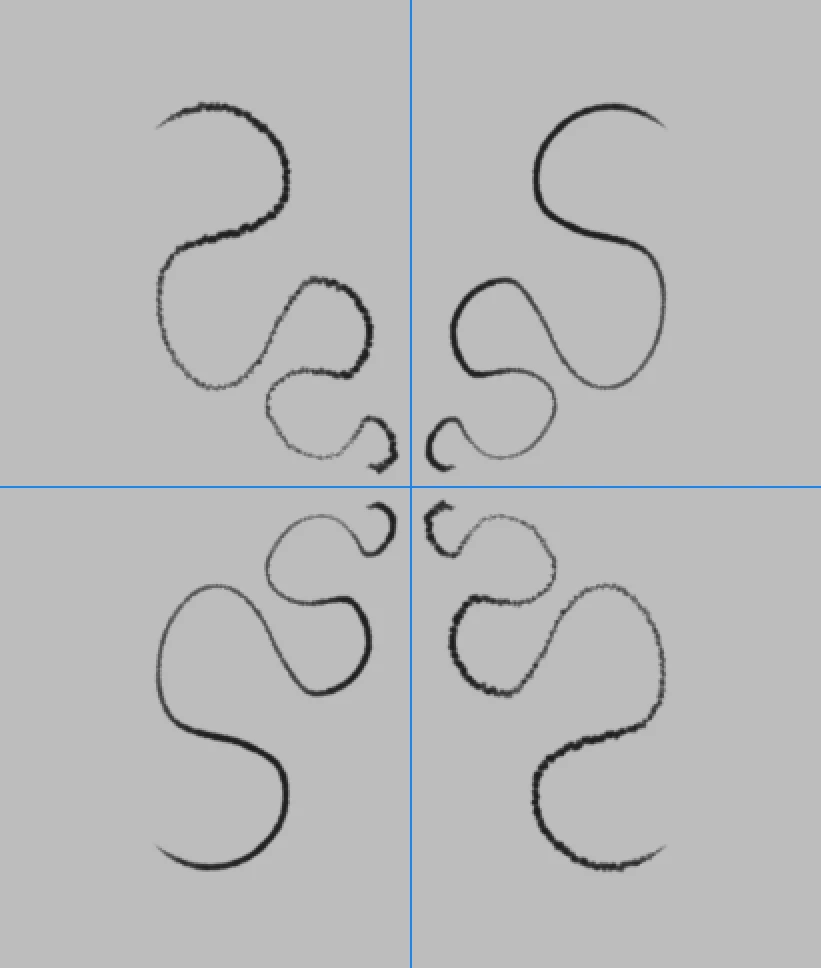
This is always true for both vertical and horizontal symmetry, but somehow redraws a perfect looking line in the opposite corner of a Dual Axis symmetry. Same for Mandala symmetry.
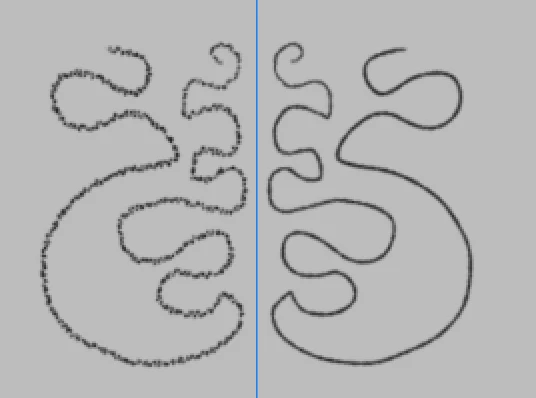
Right side is the Original
Top Right is the Original


The only exception is the Radial symmetry which reproduces perfect looking lines. Though I’m guessing the “nice looking lines” are only rotated, not flipped/mirrored.
The bad looking results get worse the smaller the pixel size of the brush is.
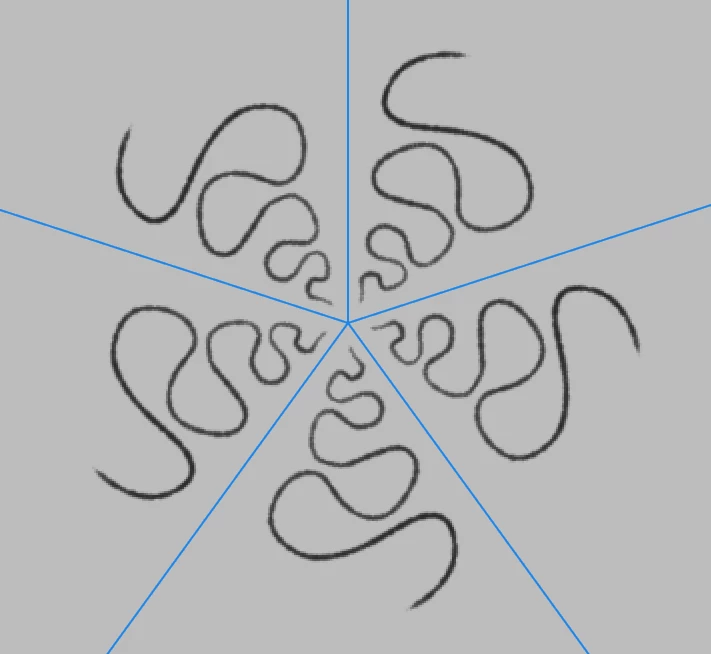
 

Top Right is the Original

My pen input is represented by the right hand (or top right hand) side of each screenshot, using a 4px size brush (except for the horizontal example where I used a 3px brush to emphasize that pixel size mattered).
Brush settings included if find it hard to reproduce with your own.
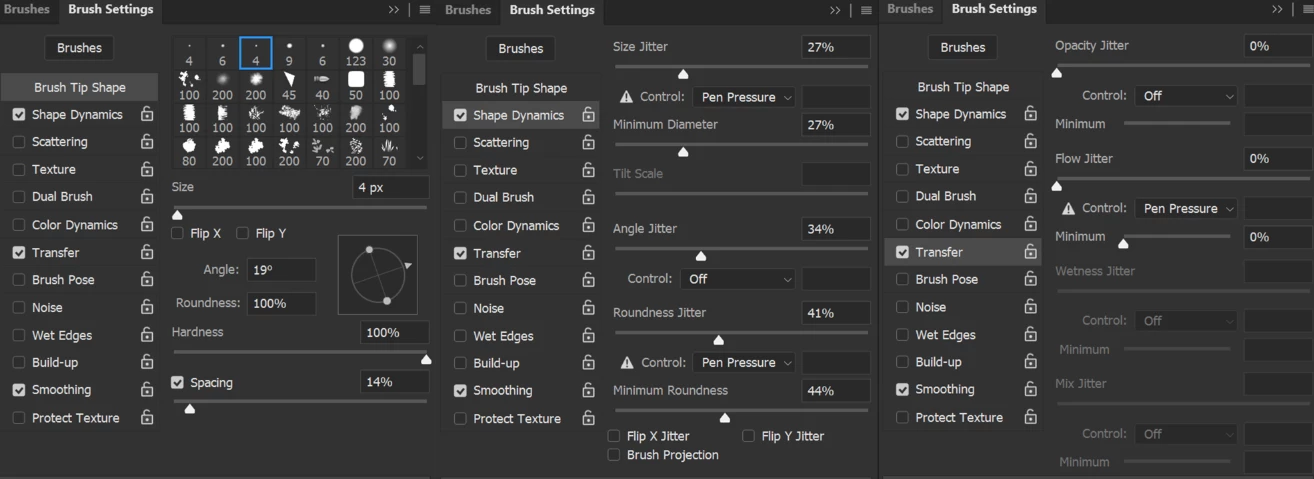

Canvas setting is 300dpi.


Thank you for looking into this,

H

    2 replies

    Sameer K
    Community Manager
    Community Manager
    February 16, 2026

    Hey, ​@Hushabye_Valley! Thanks for reporting this, and ​@davescm for verifying this in detail. I’ve shared this with the team for review. 

    Additionally, could either of you share a video of this behavior and confirm whether Photoshop (beta) exhibits this behavior?


    Thanks!
    Sameer K

    Participant
    February 22, 2026

    Sorry for the late response! It is indeed also present in PS Beta 27.5
    I don’t have a way to record video, sadly. If it’s super valuable, I’d try to figure something out, though!

    davescm
    Community Expert
    Community Expert
    February 13, 2026

    I was able to reproduce this and also narrow it down to the combination of Angle Jitter and Minimum Roundness. If you remove ‘transfer’ settings completely and under shape dynamics only set Angle jitter (set to 100%) and Pen Pressure controlled Minimum Roundness to 99% you get a smooth line drawn but a very jittery line reflected.
    It looks like a bug.
    Reproduced in v27.3.1 on Windows 11 with RTX3090 24GB GPU Studio driver 580.97

    Dave

    Chad Rolfs
    Adobe Employee
    Adobe Employee
    February 26, 2026

    I’ve been trying to reproduce but haven’t been able to so I’m missing something. Could either or both of you export and attach a brush preset that exhibits the issue and post it here please?

    Thanks!
    Chad

    Participant
    February 27, 2026

    I’m not using WinTab because brush performance is just so ghastly bad with it and has been for the last 5-6 years since the canvas back-end thing got changed. (Even if I have to deal with weird selection move snapping behavior and odd slider dragging jumping while using Windows Ink.)

    I’m using a Cintiq Pro 27 with a Pro Pen 3.

    The weird mirrored behavior is more apparent at smaller brush tip sizes, so I’ll include my brush at 3px here.

    Using Photoshop Beta 27.5

    Thanks!