


Participant
August 18, 2024

photopshop opening psd file as jpg

  • August 18, 2024
  • 5 replies
  • 350 views

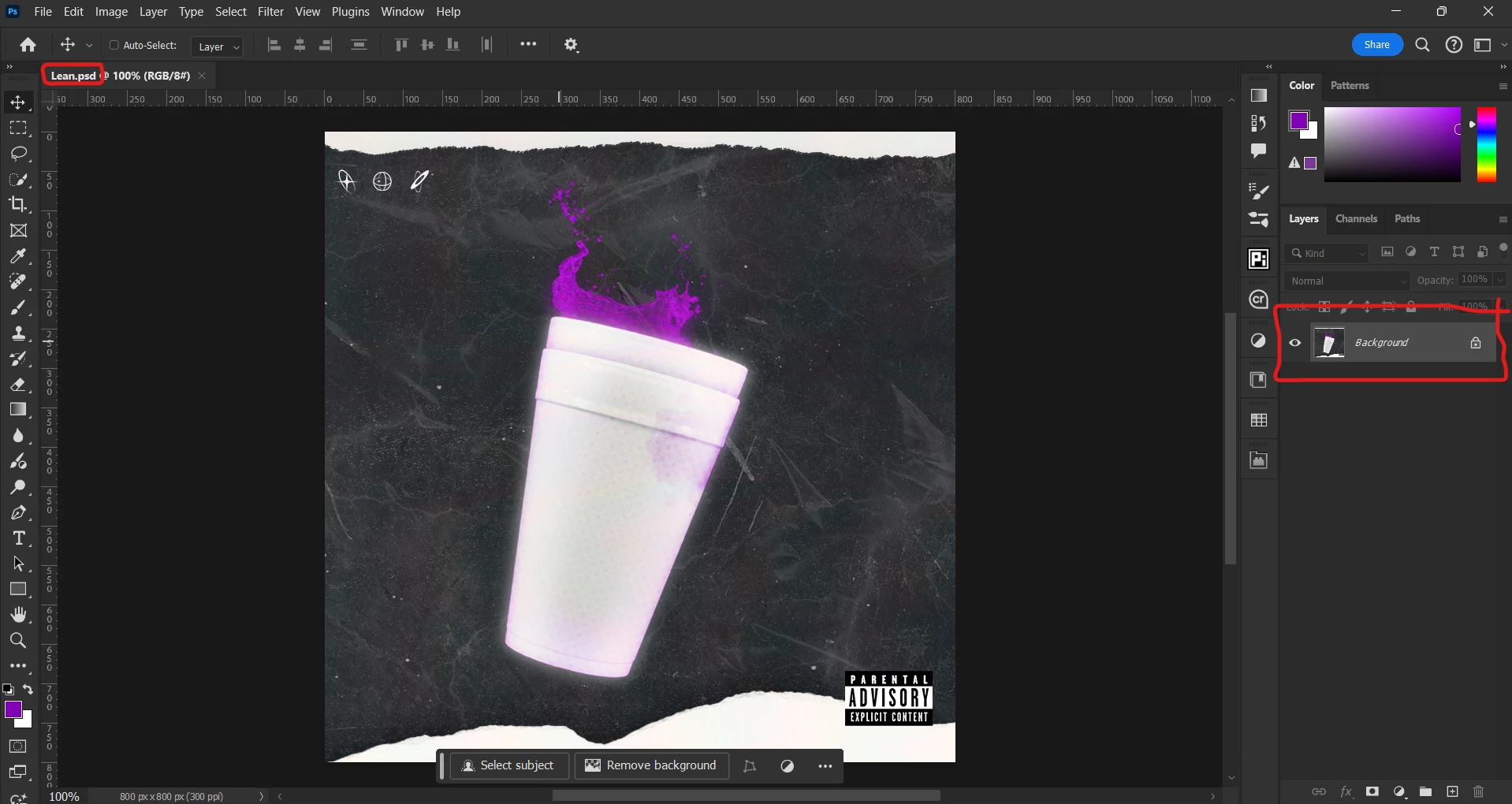
so I just finished a project and I saved the design as PSD and when I opened that again photoshop displayed it as an image, help, please.

5 replies

D Fosse
Community Expert
Community Expert
August 19, 2024

Can a moderator move this to Discussions? It's not a bug.


The only possible scenario where you would lose layers, is if you opened the file through Lightroom. Lightroom doesn't support layers and will always open the flattened composite, even if the original PSD has layers.


Other than that, you have accidentally flattened the file at some point. If you then close the file, the layers are gone permanently and there's no way to get them back.

Legend
August 19, 2024

You can use a backup copy of the file.

Legend
August 19, 2024

First of all its not a JPG. Second, at some point you flattened the file which discards the layers.

smokojrAuthor
Participant
August 19, 2024
There is any way of fixing that?
Semaphoric
Community Expert
Community Expert
August 19, 2024

As D Fosse said, it's  a flat PSD. What are you expecting to see instead?

smokojrAuthor
Participant
August 19, 2024
All the layers
D Fosse
Community Expert
Community Expert
August 18, 2024

Your screenshot shows a flat PSD. Where does jpeg come into it?

smokojrAuthor
Participant
August 18, 2024
you didn’t get it the file it self saved as PSD but in photoshop the file
displayed as I opened a jpg file but it’s a PSD