
Photoshop 28.0.0 – Content-Aware Crop creates visible seams and distorts subjects when extending studio backgrounds
Hello Adobe Photoshop Team,
I am a professional photographer, and I would like to report a regression in the Content-Aware Crop feature in Photoshop 28.0.0 (Windows).
I have been using this tool successfully for years when cropping and straightening studio portraits, especially full-length photographs of children against a smooth, uniform grey background.
Until recently, the feature worked reliably and produced seamless background extensions. However, over the past few weeks, I have noticed two serious problems.
Problem 1: Visible seams in the extended background
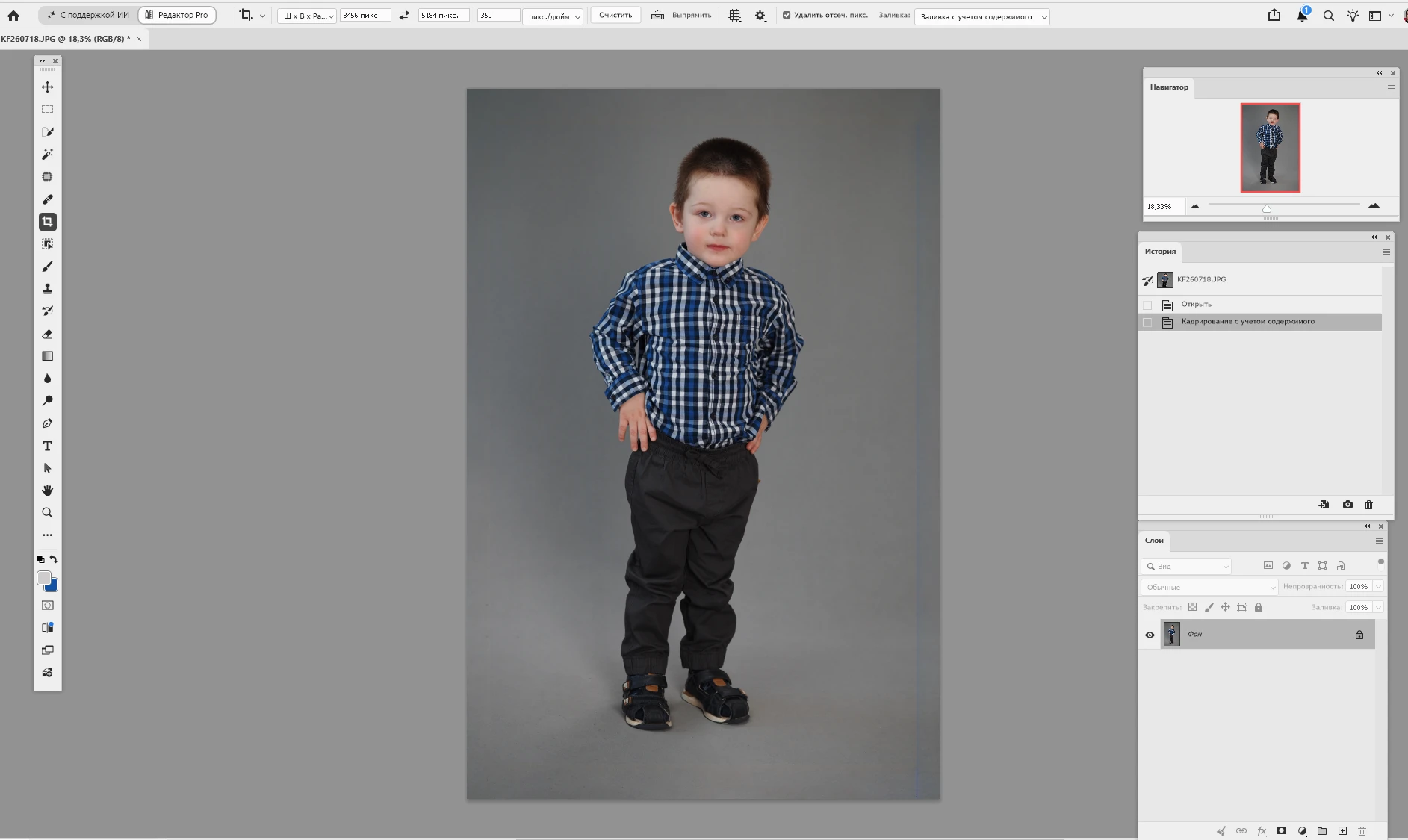
When extending or slightly rotating a photograph using Content-Aware Crop, Photoshop creates noticeable vertical or horizontal lines at the boundary between the original image and the newly filled area.
Even when the affected area contains only a smooth grey studio background, the transition is not seamless. A visible pixel-level boundary remains, making the extension obvious.
Problem 2: Incorrect duplication and distortion of the subject
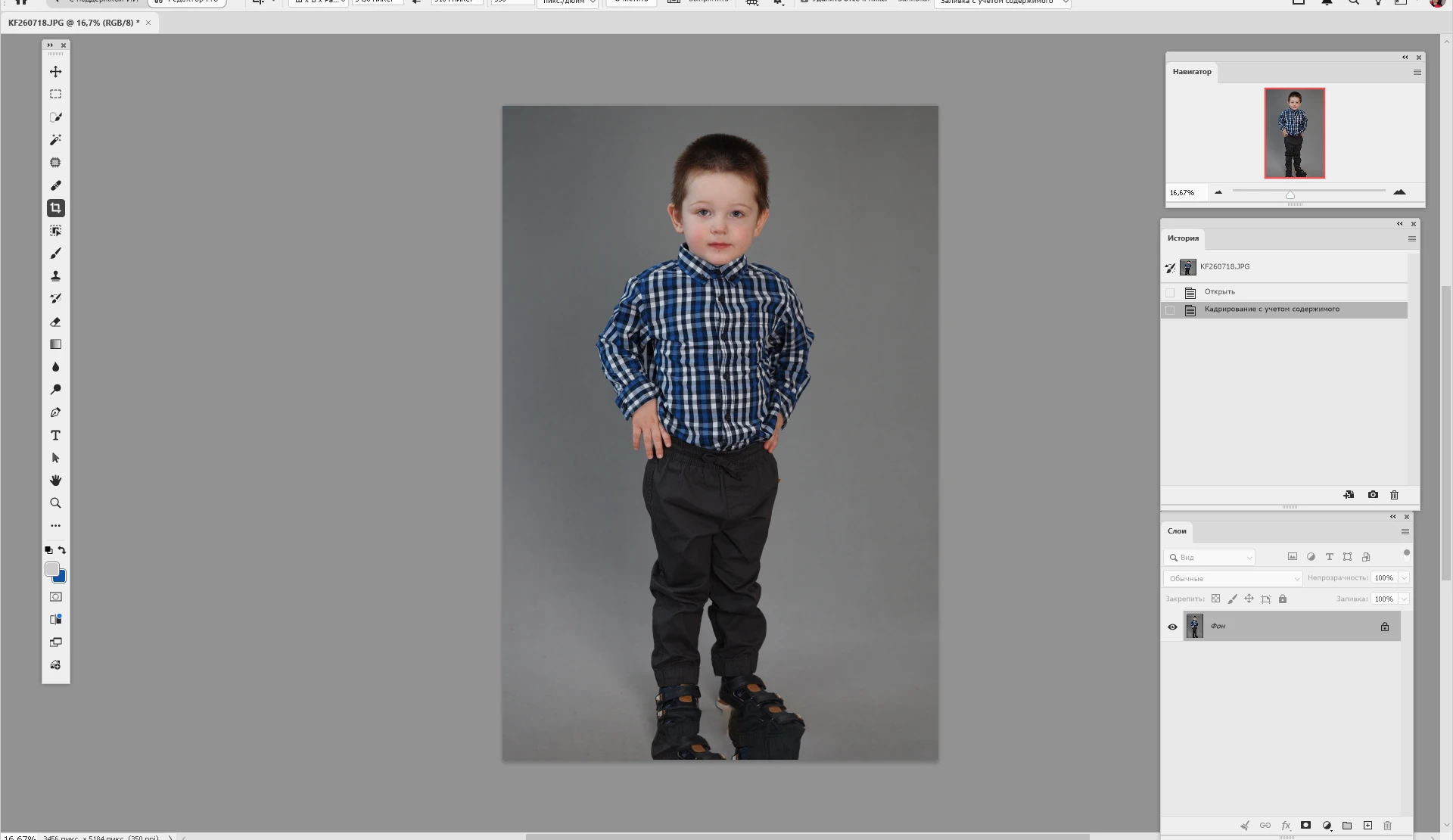
In some photographs, Photoshop incorrectly extends, stretches, or duplicates parts of the child's shoes or legs instead of generating the surrounding grey background.
This can happen even when the crop boundary does not intersect the child's body or clothing.
Steps to reproduce:
-
Open a full-length studio portrait with a uniform grey background.
-
Select the Crop Tool.
-
Set Fill to "Content-Aware Fill".
-
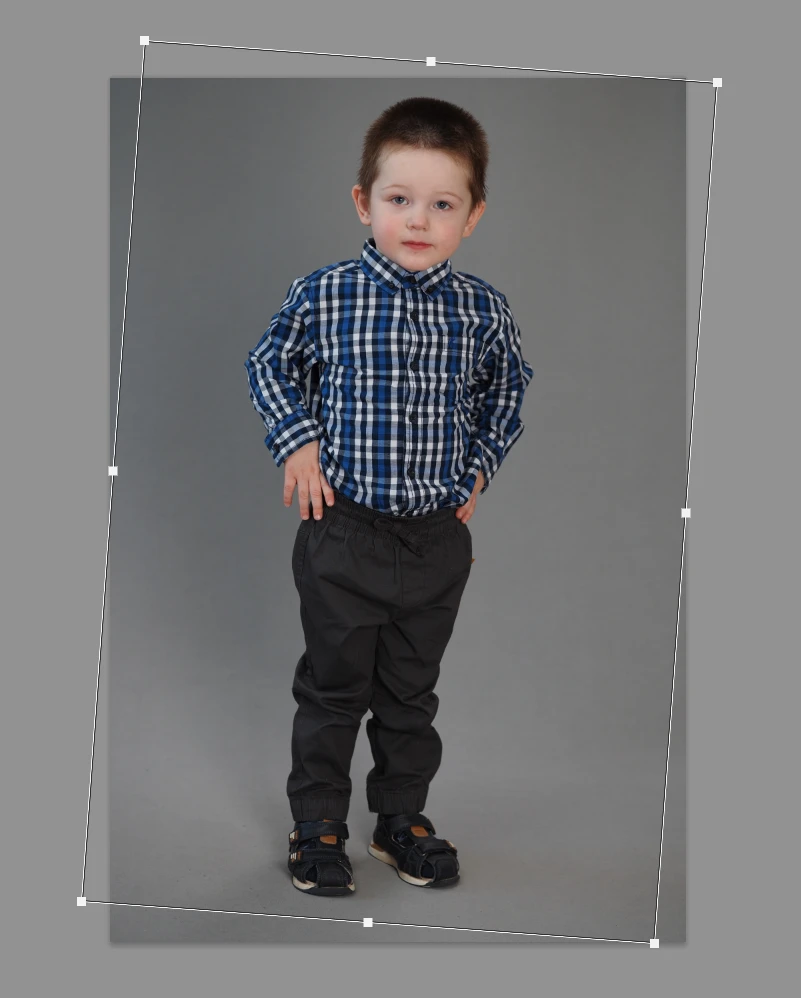
Slightly rotate or extend the crop beyond the original image boundaries.
-
Press Enter to apply the crop.
-
Examine the extended grey background, particularly the edges and areas near the subject's feet.
Expected result:
A smooth, natural continuation of the grey studio background without visible seams, unwanted subject duplication, or distortion.
Actual result:
Visible lines separating the original image from the generated background, inconsistent background texture, and sometimes distorted or duplicated shoes and legs.
This issue was not present in the earlier Photoshop versions I used. It appears to have been introduced by a recent update.
As a professional photographer processing large numbers of studio portraits, I depend on this feature for an efficient workflow. These defects now require additional manual retouching and significantly increase processing time.
I am attaching screenshots showing both the visible background seam and the incorrect duplication of the child's shoes.
Please investigate this regression and restore the previous reliability of Content-Aware Crop.
Thank you for your attention.
Application: Adobe Photoshop 28.0.0
Operating system: Windows
 AdChoices