

sukla
Known Participant
June 22, 2026

Photoshop Crashes / Does not open (Noticed at v27.7, 27.8) after/While "Measuring Memory"
  • June 22, 2026
  • 3 replies
  • 8 views

While opening photoshop the splash screen opens, but application crashes/is closed (no traces in task manager)

This is what i can pull up from application logs


Faulting application name: Photoshop.exe, version: 27.7.0.11, time stamp: 0x6a0642d7
Faulting module name: OpenCLOn12.dll, version: 0.0.0.0, time stamp: 0x6a03771e
Exception code: 0xc0000409
Fault offset: 0x00000000000eb625
Faulting process id: 0x6964
Faulting application start time: 0x1DD0203D061CAFF
Faulting application path: C:\Program Files\Adobe\Adobe Photoshop 2026\Photoshop.exe
Faulting module path: C:\Program Files\WindowsApps\Microsoft.D3DMappingLayers_1.2606.3.0_x64__8wekyb3d8bbwe\x64\OpenCLOn12.dll
Report Id: 7e342814-305a-4d88-b378-4a954f229196
Faulting package full name: 
Faulting package-relative application ID: 

=====================================================================


System is a Samsung Book 6 ULTRA with 32GB RAM / Core Ultra X7
 

    3 replies

    sukla
    suklaAuthor
    Known Participant
    June 22, 2026

    With a little help from claude:


    What's actually happening — the technical chain

    The faulting module is the key clue:


    OpenCLOn12.dll from Microsoft.D3DMappingLayers_1.2606.3.0
    Exception code: 0xc0000409

    This is not a standard Intel OpenCL driver. It's Microsoft's OpenCL-on-DirectX12 translation layer — a compatibility shim that emulates OpenCL calls by mapping them onto D3D12 underneath. Intel Arc GPUs (including your B390) ship with no native OpenCL runtime of their own — they rely entirely on this Microsoft layer. NVIDIA and AMD both have their own OpenCL implementations, so this issue is Arc-specific.

    Why P3 specifically triggers the crash

    Here's the chain of events during Photoshop startup:

    1. Photoshop reads the active Windows display ICC profile very early in startup — before GPU acceleration is even fully initialized. This happens during the "Measuring Memory" splash phase.
    2. A Display P3 profile signals to Photoshop that it's on a wide-gamut, likely 10-bit display. Photoshop then tries to set up a GPU-accelerated color pipeline that matches — initializing an OpenCL context with surface/texture formats appropriate for wide-gamut rendering.
    3. That wide-gamut OpenCL surface format request goes through OpenCLOn12.dll, which then has to translate it into D3D12 resource descriptors. This is where it breaks — the D3D Mapping Layer either doesn't support the requested format or has a bug in the negotiation code path for wide-gamut 10-bit surfaces.
    4. Exception 0xc0000409 is a STATUS_STACK_BUFFER_OVERRUN — Windows' own security check fires when a stack buffer overflows during execution. This almost always happens in format negotiation or buffer sizing code, where an unexpected input (the P3 profile metadata) causes a miscalculated allocation.
    5. With sRGB or AdobeRGB, Photoshop takes a completely different, well-tested code path — standard 8-bit surface formats that OpenCLOn12.dll handles without issue.
    MCS
    sukla
    suklaAuthor
    Known Participant
    June 22, 2026

    Figured out a FIX

    Display profile was set to P3 ( had changed to test something and had left it there)

    Works after setting it back to AdobeRGB / sRGB  and restarting the system

    For my desktop Monthly monitor calibration had created a new profile

    MCS
    D Fosse
    Community Expert
    Community Expert
    June 22, 2026

    I won’t pretend to understand a crash report, but it says the faulting module is OpenCL. So you can try to disable OpenCL in Preferences > Performance > Graphics Processor > Advanced.


    OpenCL is in any case being phased out and I don’t think it’s used much in Photoshop now.

    sukla
    suklaAuthor
    Known Participant
    June 22, 2026

    I can only disable if any app opens 
    (was working last week, This happened first on my desktop with an nVidia card … fixed after multiple restarts / reinstalls) … now on my laptop but only working version now there is a 1 major version number lower)

    The laptop is a Samsung Book 6 Ultra with a intel CoreUltra X7 (358H onboard B390GPU), 32 GB ram

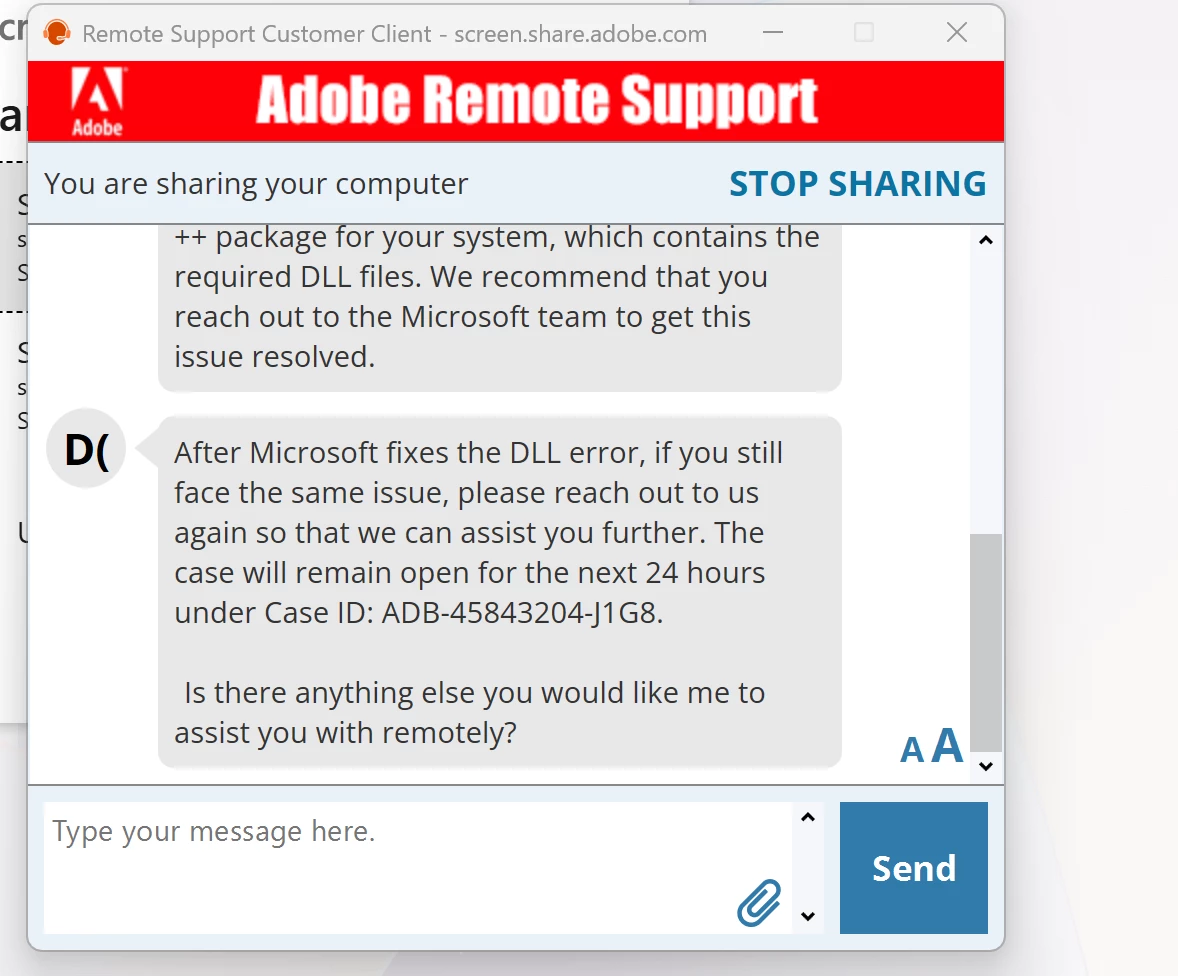
    Refer screenshot to what Adobe has to say


    ALSO (from 26.11.6)
    Pass:    DirectX available Pass:    DirectX feature level 12.2 available, feature level 12.0 required Pass:    Above required VRAM (19320 MB of 1500 MB required) GPU Detected: Intel(R) Arc(TM) B390 GPU (INTEL)

    MCS