Participant
November 16, 2024

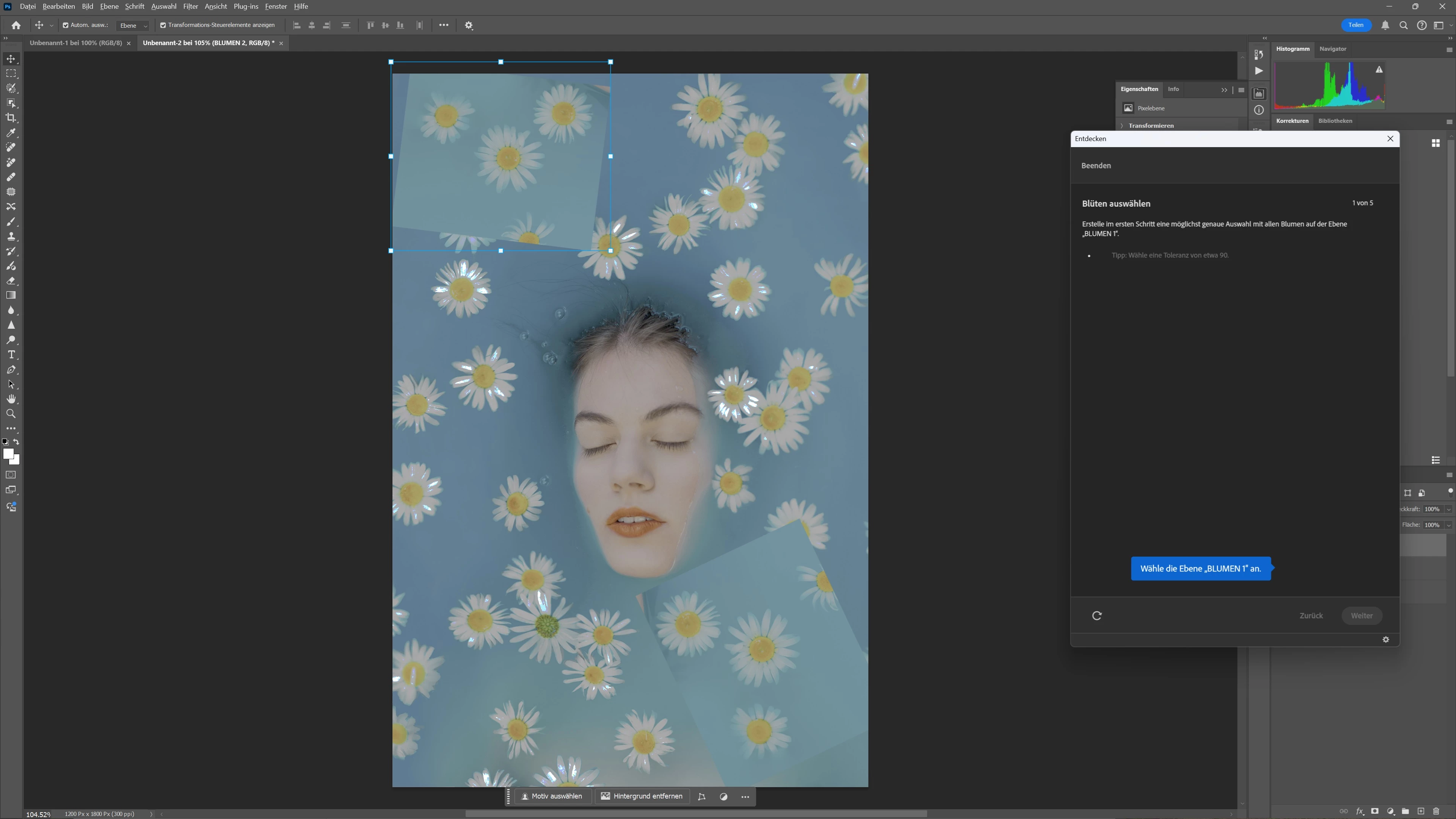
Photoshop showing dull colors

  • November 16, 2024
  • 1 reply
  • 88 views

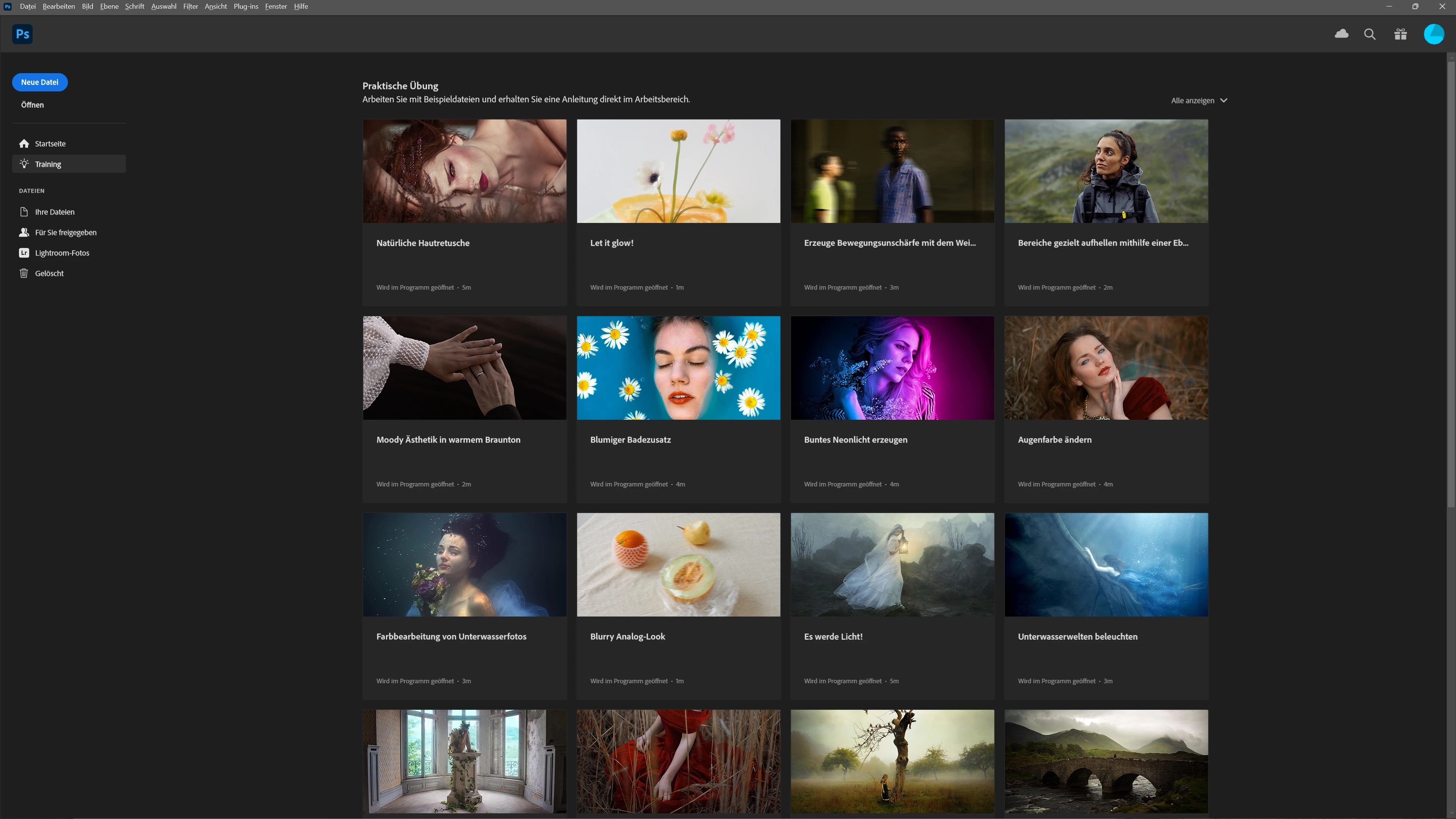
Photoshop is showing dull grey colors and highlighting burnt white areas. How can I change this view? It's for all pictures. My own, tutorials, everything.

Lightroom works fine.  It's the latest PS CC just installed and running on Win11.


Thanks for your support!
 

1 reply

D Fosse
Community Expert
Community Expert
November 16, 2024

The immediate suspicion goes to the monitor profile.The home screen isn't color managed and will be unsaffected by a bad monitor profile. Are you using a calibrator?


Aside from that, are you using HDR anywhere in your workflow? Is HDR enabled anywhere?