

Inspiring
Nov 6, 2026 11:04 AM UTC
Open for Voting

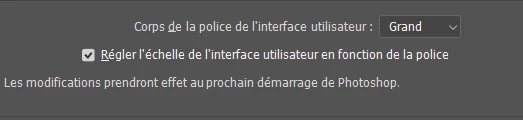
Polices qui ne s'aggrandissent pas dans les menus et les fenêtres malgré le choix à Grand dans les préférences du corps de la police de l'interface !

 

    1 reply

    Community Expert
    Nov 6, 2026 5:50 PM UTC

    In a first step try to reset the Photoshop preferences. Reset preferences in Photoshop | Photoshop

    Sometimes it may help.

    Remember to back up your settings before doing the preference reset: Back up and restore Photoshop preferences | Photoshop


    Translate
    My System: Intel i7-8700K - 64GB RAM - NVidia Geforce RTX 3060 - Windows 11 Pro 26H2 -- LR-Classic 15 - Photoshop 27 - Nik Collection 9 - PureRAW 6 - Topaz Photo AI