jsg19
Participant
June 25, 2026

ProPhoto RBG color profile doesn’t embed into PSD document

  • June 25, 2026
  • 2 replies
  • 0 views

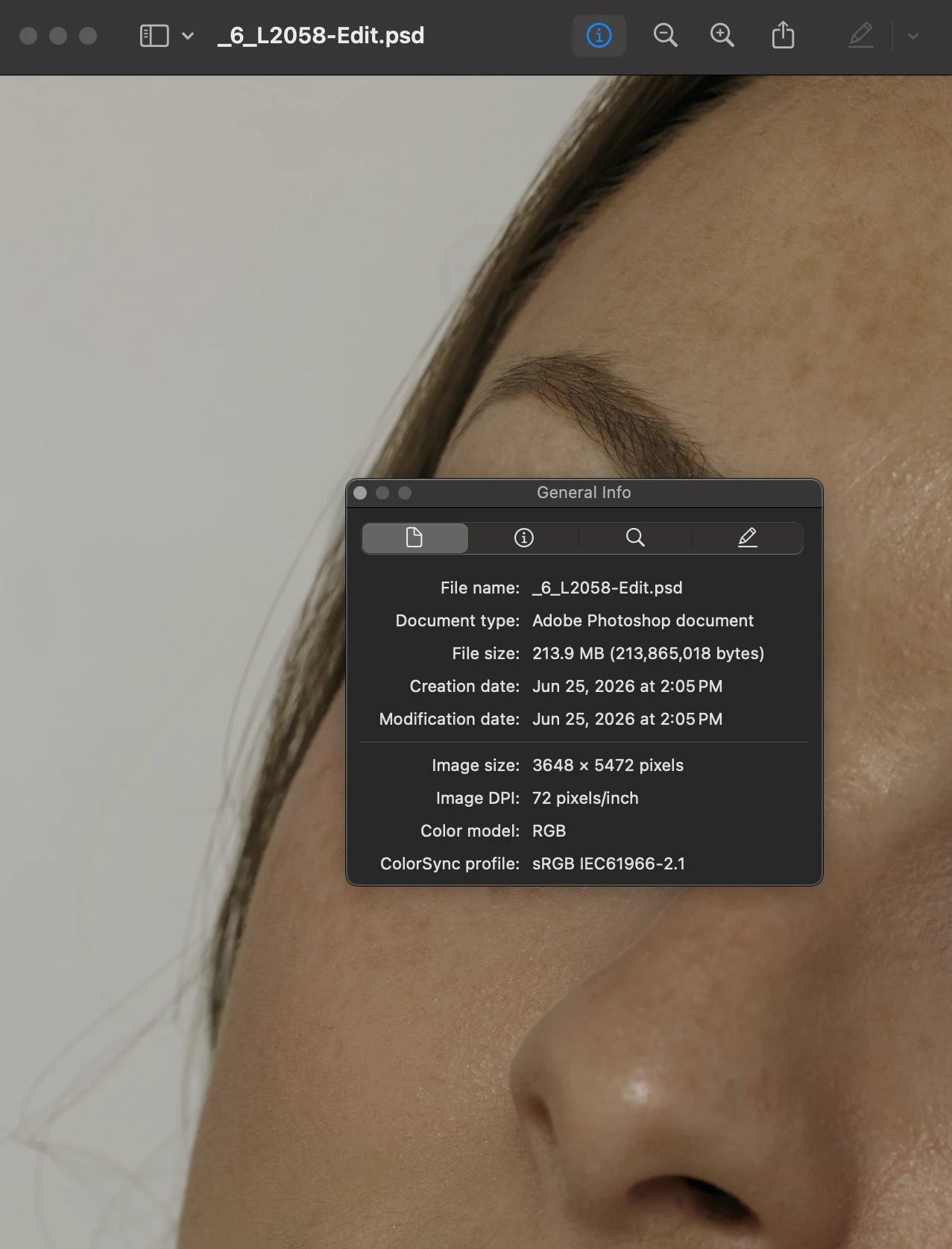
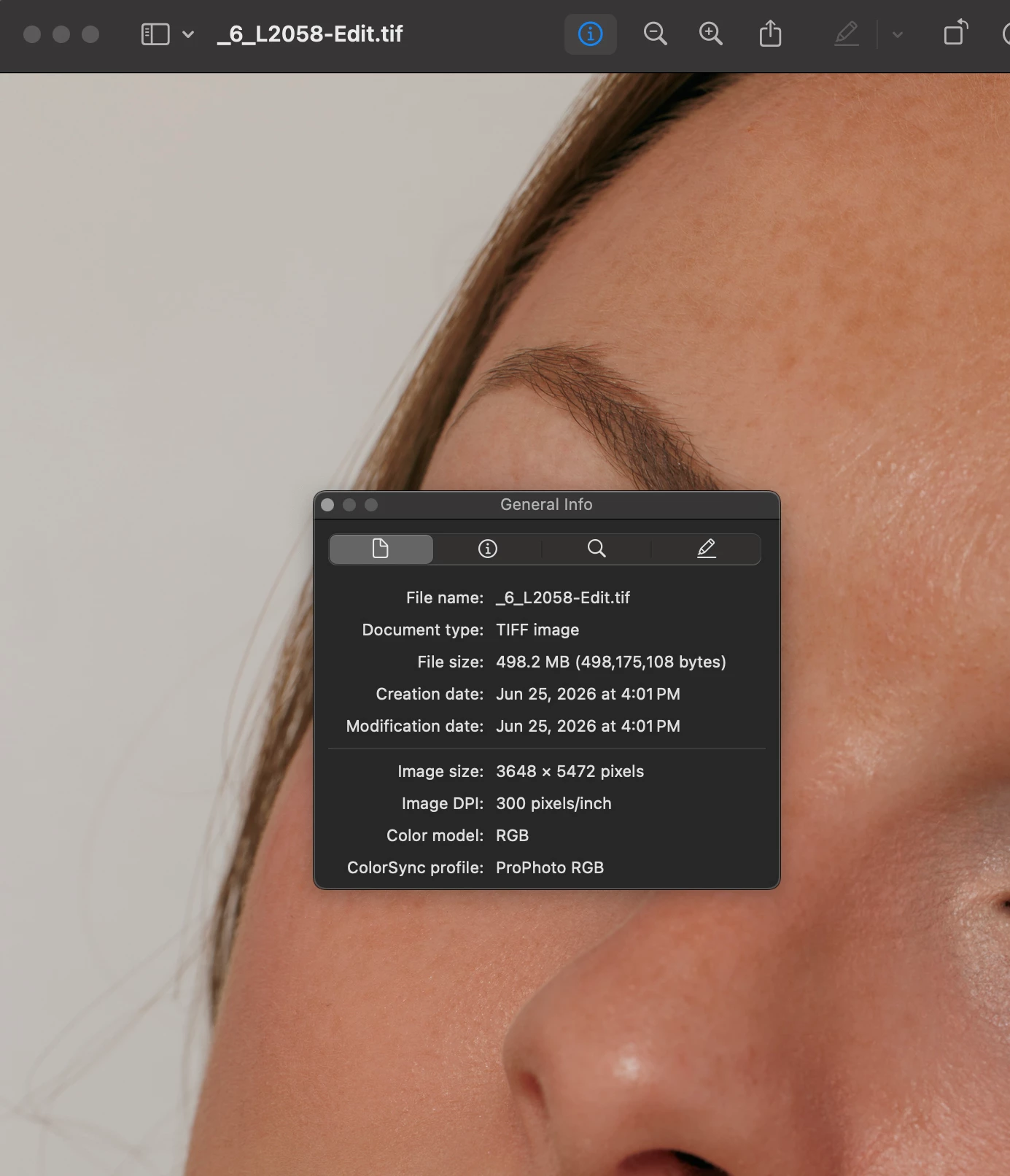
OS Sequoia 15.7.7, and have isolated this issue down to a problem with the color profile not embedding correctly in a PSD file. This directly affects the ‘Quick Preview’ on Mac.

Same files with no changes in workflow, both in Photoshop as ProPhoto RGB color profile, and both saved with box mark checked ‘Embedded Color Profile: ProPhoto RGB’
 

    2 replies

    D Fosse
    Community Expert
    Community Expert
    June 25, 2026

    First of all, reopen the file in Photoshop to check whether the profile is there or not. This will tell you if it’s a Photoshop problem or a MacOS problem:


    If it says “untagged” here, the profile really isn’t embedded. Then this is corrupt preferences.


    Go into your user account and locate the “Adobe Photoshop 2026 Settings” folder. Move the whole folder to your desktop so a new one can be rebuilt. Save out your custom actions and brushes first so they can be reloaded.


    This returns the application to fresh, out-of-the-box factory state.

    jsg19
    jsg19Author
    Participant
    June 26, 2026

    Hi, thanks for your reply and troubleshooting. It does say “ProPhoto RGB (16bpc)”. 

    My first assumption was that it was a OS problem, as it immediately happened when updating from Sequoia 15.6.1 to 15.7.7. Unfortunately it sounds like there is no fix with them. 

    D Fosse
    Community Expert
    Community Expert
    June 26, 2026

    @jsg19 

    Then the file is OK, Photoshop is doing what it should, and you need to find out why that other application isn’t reading the document profile correctly.

    J E L
    Community Expert
    Community Expert
    June 25, 2026

    Hi ​@jsg19, what happens if you try to assign the profile before saving? With your document open, go to Edit > Assign Profile. Select ProPhoto RGB from the list. Click OK. Then go to File > Save As or Save a Copy, and confirm the Embed Color Profile box is checked. 

    jsg19
    jsg19Author
    Participant
    June 25, 2026

    thanks for the suggestion, the issue still persists.

    J E L
    Community Expert
    Community Expert
    June 25, 2026

    Got it. Under Color Management Policies, have you set all three (RGB, CMYK, Gray) to Preserve Embedded Profiles?