


timz67519437
Inspiring
March 31, 2026
Question

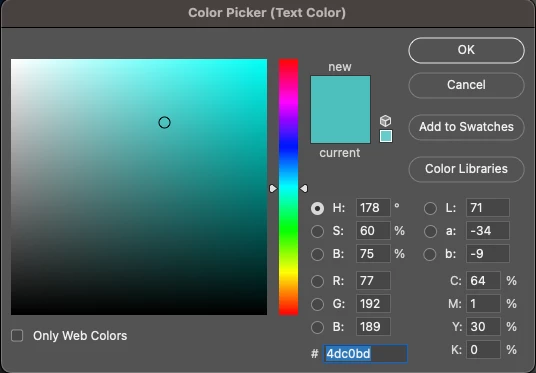
Ps 27.4 Issue: Cannot Paste Hex Codes in Color Picker on MacBook Pro (macOS Sequoia 15.7.5, M4 Max)

  • March 31, 2026
  • 4 replies
  • 32 views

After the latest Photoshop update to 27.4, I can no longer paste hex codes into the field in the color picker. I can select the text, delete it, type new text, but cannot paste in any text. It worked fine before this update.

This is a 2024 M4 Max MacBook Pro with 36GB memory on Mac OS Sequoia 15.7.5
 

4 replies

CMass
Legend
March 31, 2026

@timz67519437 It looks like you’ve tired all the basic trouble shooting steps with the help from ​@Jeff Arola, Thank you. I’m not seeing this issue on my end unfortunately, the next step would be to try uninstalling and reinstalling Photoshop. I am moving your post to questions until we reproduce this in house. 

^CMass

Jeff Arola
Community Expert
Community Expert
March 31, 2026

When you try pasting in the HEX Code are you using Cmd V or right clicking on the hex field and clicking Paste or going to Edit>Paste and do any of the mentioned ways work?

Jeff Arola
Community Expert
Community Expert
March 31, 2026

Can you give us an example of another application that your copying hex code from?

timz67519437
Inspiring
March 31, 2026

TextEdit, Chrome, CotEditor, Illustrator, anything else.

Jeff Arola
Community Expert
Community Expert
March 31, 2026

Seems to be working here with macOS Sequoia 15.7.5


If you go to Apple>System Settings>Privacy & Security>Full Disk Access is Adobe Photoshop 2026 shown and enabled?

timz67519437
Inspiring
March 31, 2026

It is enabled. I tried turning it off and back on. Pasting seems to work when I copy the text from the field and then paste it back in, but not when I copy a hex code from another app to paste in.