
Open for Voting
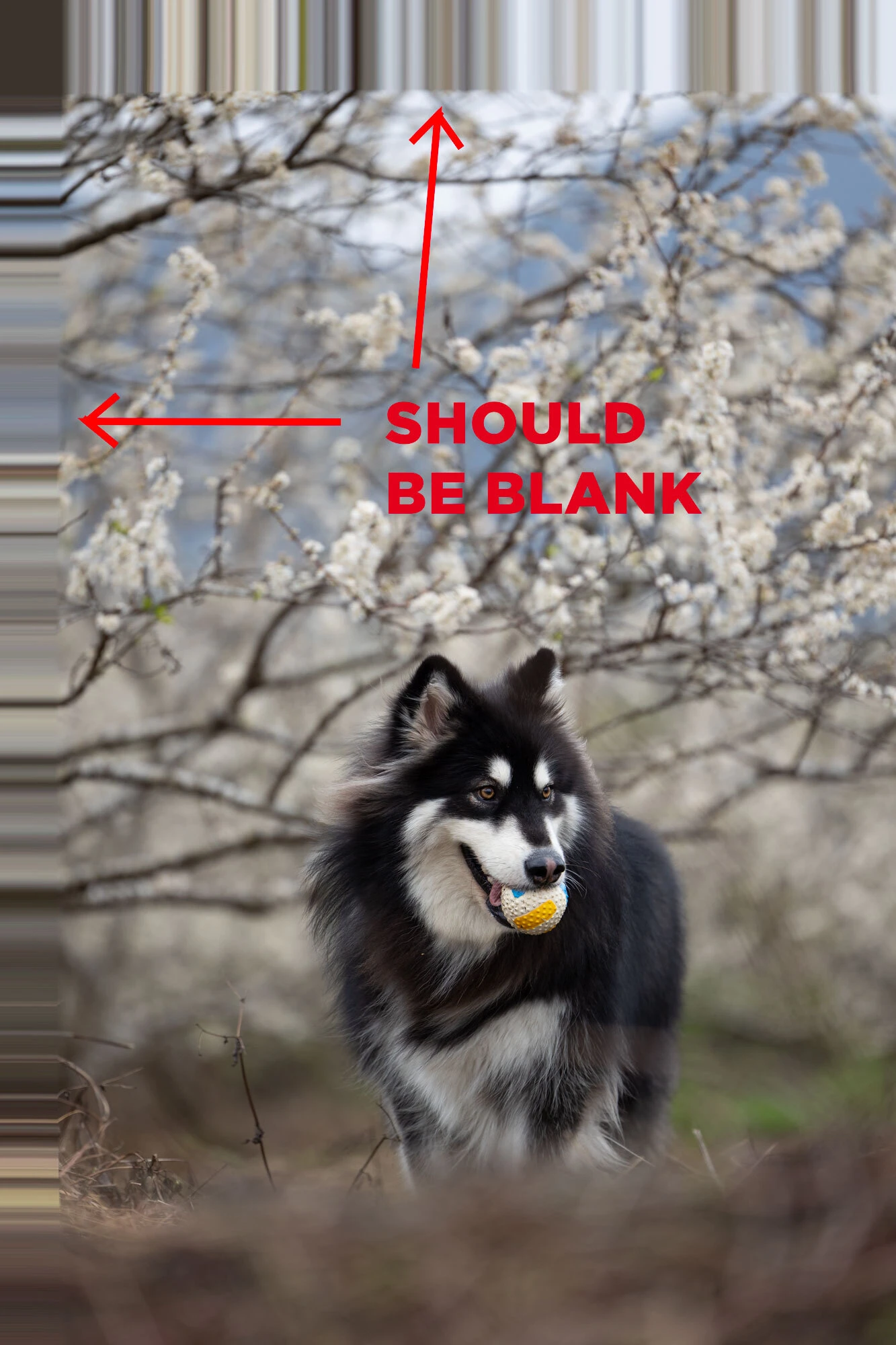
PS 28 / ACR 19 is filling blank area with stretched pixels from the edge
Not sure if this is caused by Photoshop or Camera Raw.
My money’s on Photoshop 2027. I find it the worst major release ever.
- macOS Golden Gate 27.2.1
- Mac Studio M4 MAX
- Photoshop 2027 28.0
- Camera Raw 19.0
Steps to reproduce:
- Open a raw file in ACR
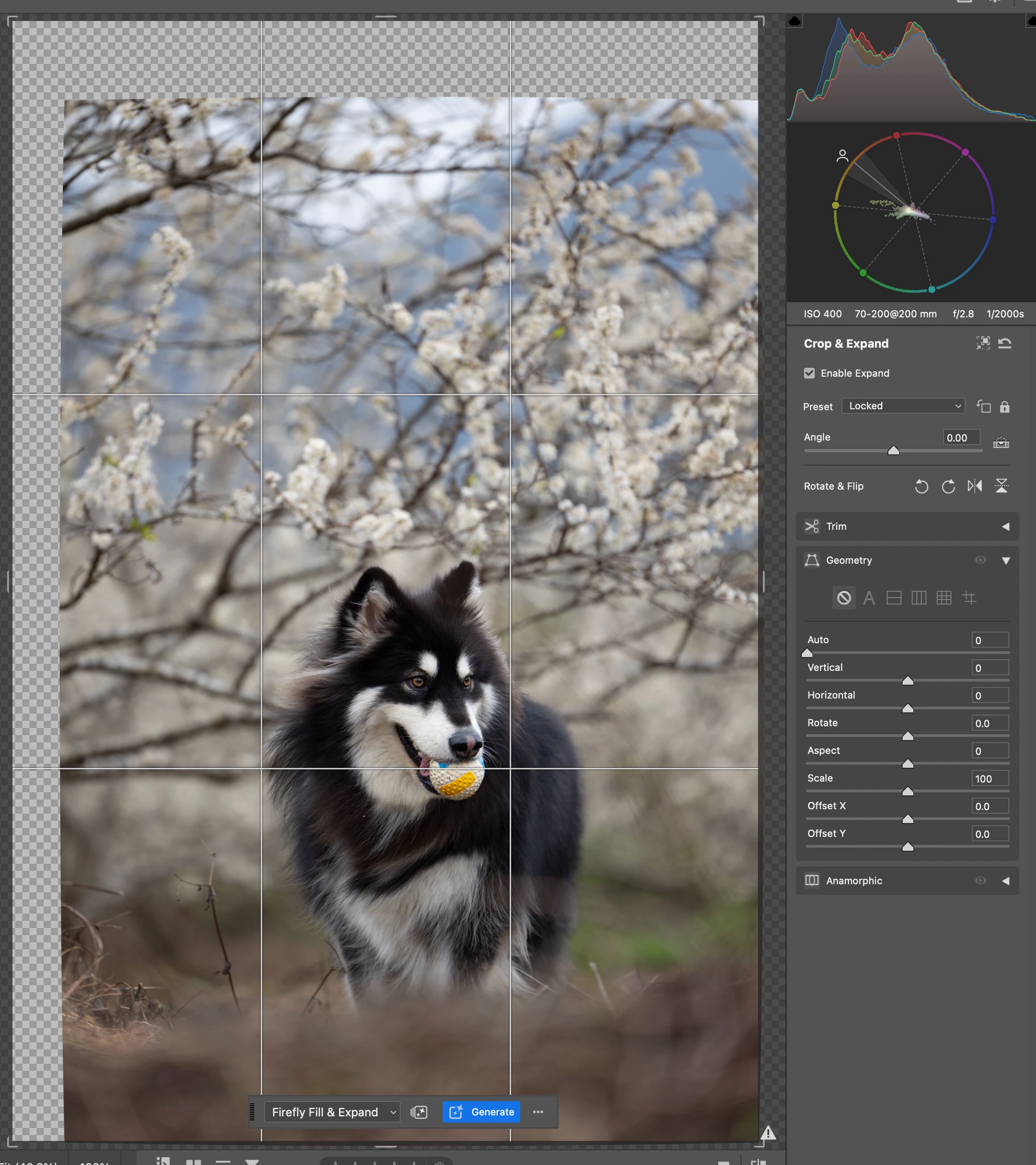
- Navigate to the Crop tab, check “Enable Expand”
- Drag a corner to expand the canvas, DO NOT use Generative AI to fill the blank
- Open the photo in Photoshop
- The blank should be left transparent, instead it is filled with the edge pixels stretched
See screenshots attached.
 AdChoices