

Participant
Oct 27, 2026 4:12 PM UTC
Open for Voting

semua tools tidak terlihat, adjustment tidak muncul juga

semua tools tidak terlihat, adjustment tidak muncul juga
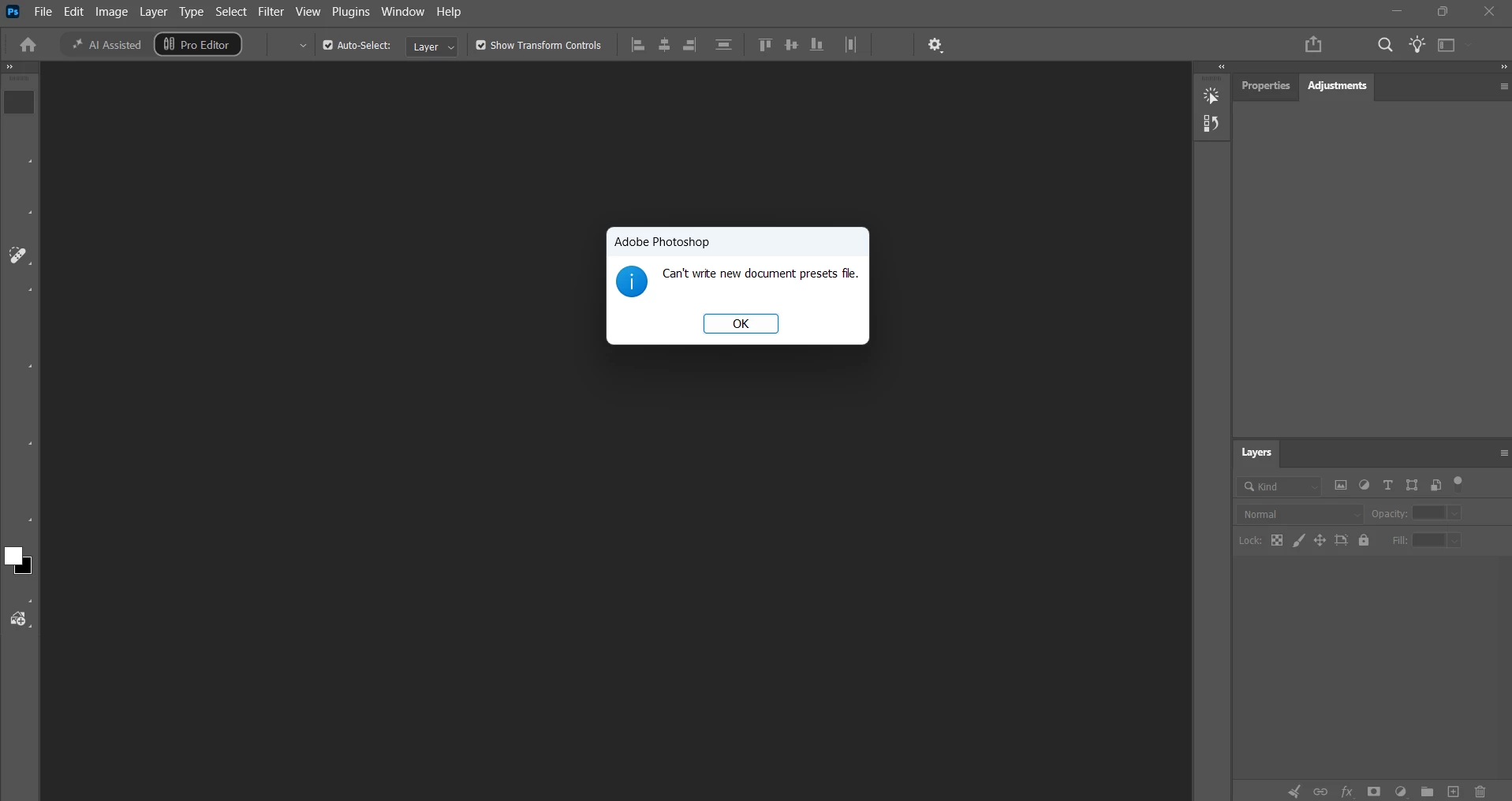
 

1 reply

Community Expert
Oct 27, 2026 5:57 PM UTC

Try to manually removing the preferences files. This is the most complete method for restoring to the default state. The manual method ensures all preferences which may be causing a problem.

Please follow the steps below:

  1. Quit Photoshop.
  2. Navigate to Photoshop's Preferences folder.
    MacOS: …Users/[user name]/Library/Preferences/Adobe Photoshop [version] Settings
    Windows: …Users/[user name]/AppData/Roaming/Adobe/Adobe Photoshop [version]/Adobe Photoshop [version] Settings
     
    Note: The User Library folder is hidden by default. To access the content in the hidden folders see here:
    MacOS: Access hidden macOS library files
    Windows: Show hidden files, folders, and filename extensions in Windows
     
  3. Drag the entire Adobe Photoshop [Version] Settings folder to a safe place to a backup your settings
  4. Open Photoshop.

 New preferences files with the default settings will be created automatically.

Translate
My System: Intel i7-8700K - 64GB RAM - NVidia Geforce RTX 3060 - Windows 11 Pro 26H2 -- LR-Classic 15 - Photoshop 27 - Nik Collection 9 - PureRAW 6 - Topaz Photo AI
