


Open for Voting
Shadow/Highlights numerical % adjustments not showing real time
Issue summary: When using the Shadows/Highlights dialog box, making adjustments in the numerical text % boxes on the right side do not show associated changes real time in the photo until everything is done and click OK.
Product and version: Photoshop v27.11.0 (fully updated).
Operating system: Windows 11 Pro (fully updated).
Steps to reproduce:
- Open a photo.
- Click Image > Adjustments > Shadows/Highlights…
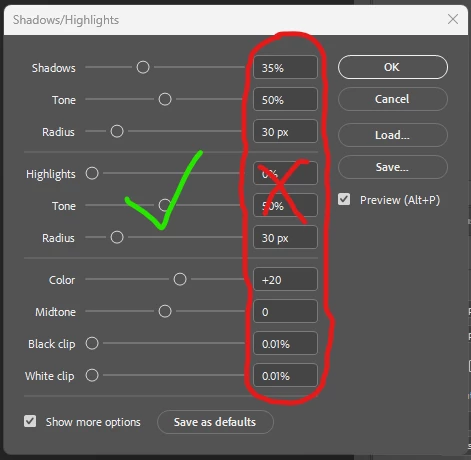
- When using the slider bar to make adjustments, the associated changes in shadows/highlights/etc. show up in the photo for real time visibility of the changes. This has always been the case and is the intended correct functionality.
- However, when making incremental adjustments using the numerical percentage number/text boxes on the right side, the associated changes in shadows/highlights/etc. do not show up at all until the entire window is closed by clicking OK. There is no real time feedback of changes at all. This was never previously the case, is inconsistent with the slider bar functionality, and of course provides reduced functionality by eliminating the intended real time visual feedback to actually see the changes being made. As it currently stands, one has to either use the coarser slider bars (which lack the easy granularity of using the numerical boxes) or click OK to see what the change looked like and then re-launch the window iteratively again to make changes, close window, look, re-open window, etc.
Expected result: The adjustments when using the numerical percentage text boxes should be displayed for real time viewing feedback, just like the slider bar still does and like the numerical text % boxes have always done in the past (until recently).
Actual result: There is no real time visual change to the photo until after the entire window is closed by clicking OK.
Attachment:
 AdChoices