


Open for Voting
Some Effects not visibly showing on new projects
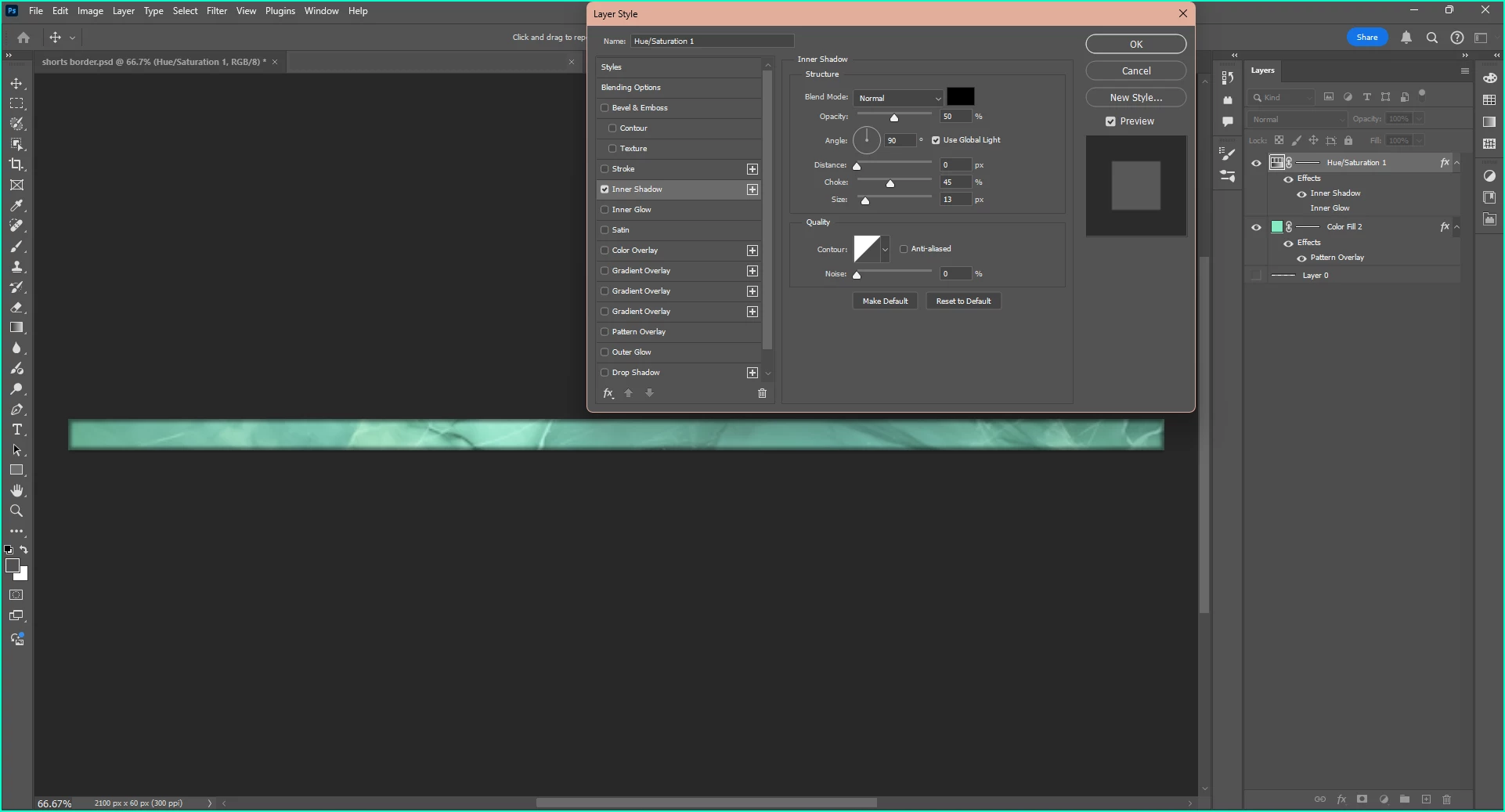
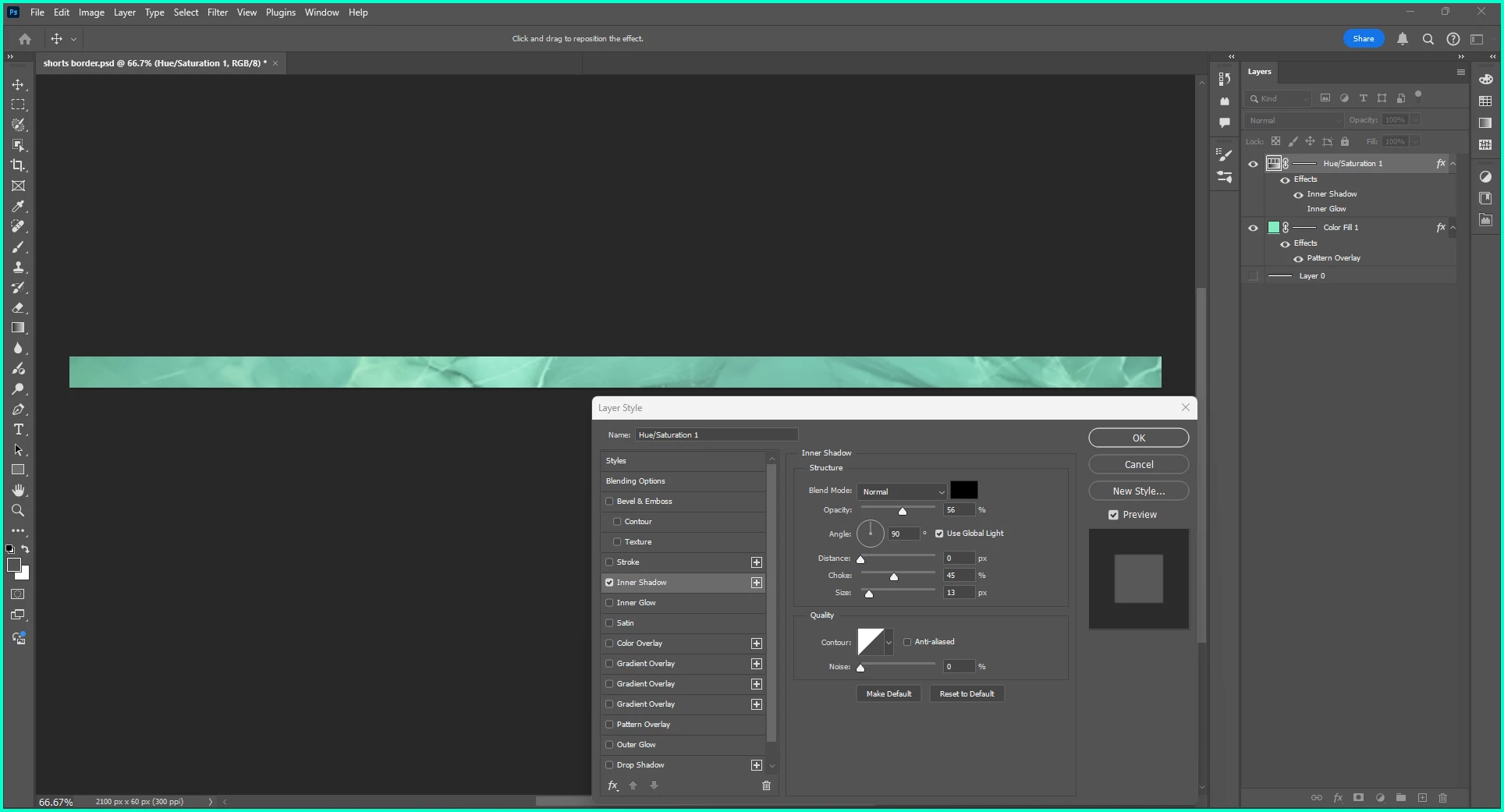
There are some Effect that are not visibly showing up on new projects. Below is my old project, where the Effect was visibly showing, and the new project where it is not visible. I also included the settings for each of the effects and my layers, to show that I duplicated the new project exactly from the old one, but yet it still does not show the Effect. The screenshots show it for the Inner Shadow effect, however, it also was the same issue with the Bevel and Emboss Effect. When the Bevel and Emboss Effect wasn't working, I did also make sure the style was not set to Stroke Emboss, and it wasn't, it was always set to Inner Bevel. Again, this was only on the new project. Bevel and Emboss works perfectly fine on the old project.
 AdChoices