
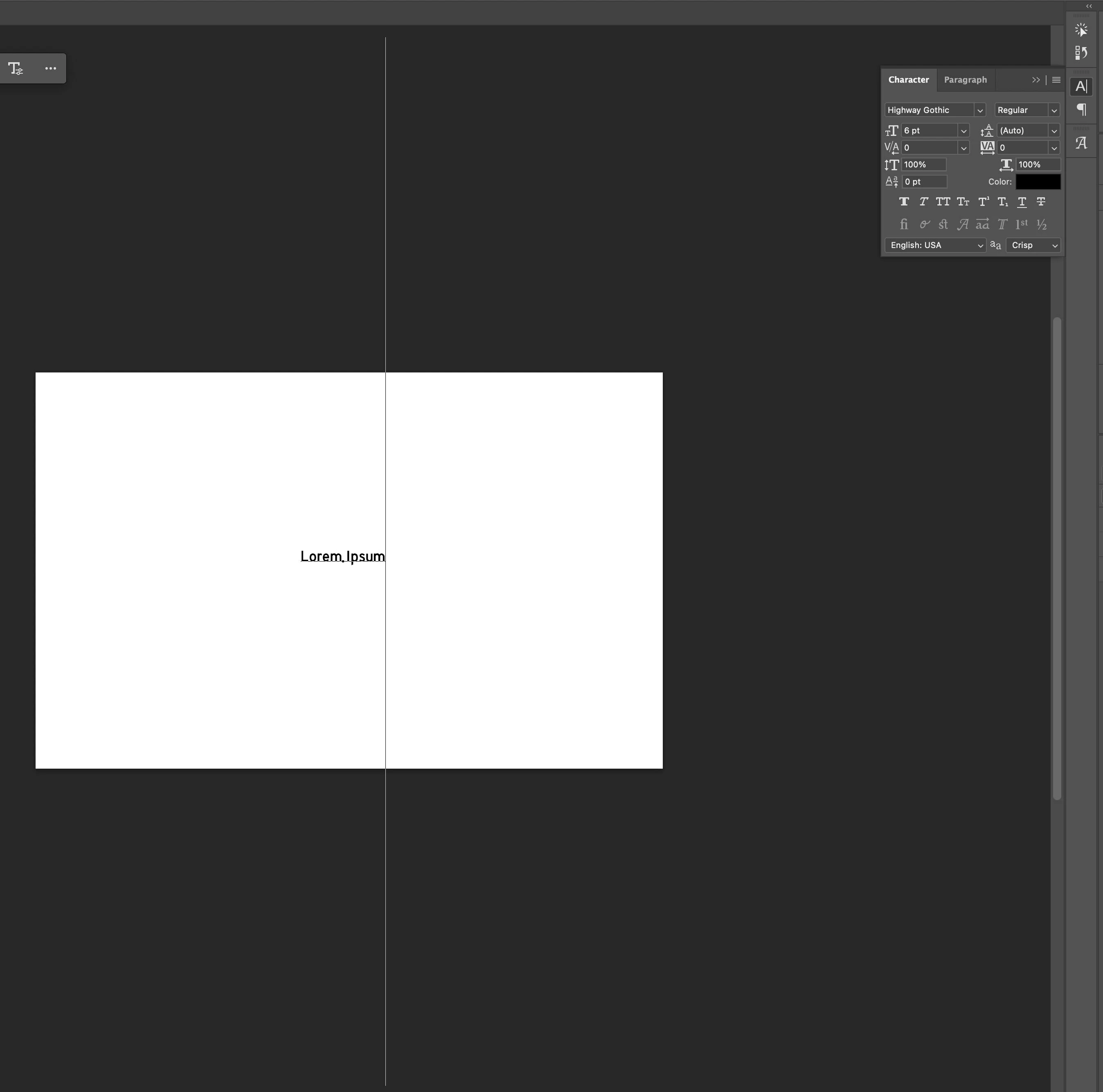
Text cursor for a particular font is gigantic, making it unusable. Even at 6 pt the cursor spans the entire screen. Font was used daily for 2 years without issue. Tried reinstalling, removing cache, resetting settings, resetting character panel.
One particular font on my system (Highway Gothic) suddenly has a bug on Photoshop. I’ve used it daily for 2 years and it continues to work without issue on other applications (including Adobe Animate).
On Photoshop, this particular font resizes the text cursor so ridiculously large it’s unusable. This began last week randomly. See the attached screenshot – default settings, 6 pt at 300 DPI, the cursor is more than double the size of the canvas.
Have tried deleting/reinstalling the font, deleting Photoshop’s font cache, the settings file, updating, resetting the character panel, and restarting my computer. I can’t get this font to go back to working normally.


 AdChoices