


Participant
October 18, 2026
Open for Voting

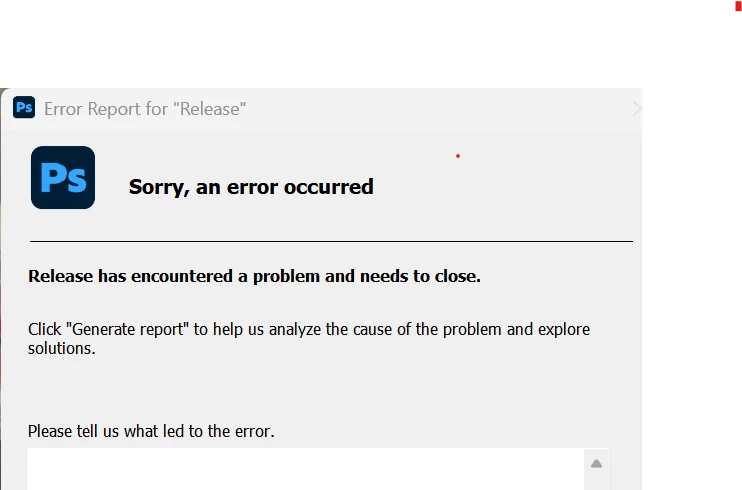
Trying to use 'Save as' or 'Save a copy'. PS stops and sends an error message - Sorry, an error occurred. Release has encountered a problem and needs to close. I am using Release 27.11.0

Open an existing file (psd, raw, jpg)

Select File from menu - Save as . .  or Save a copy.

Photoshop hangs and then launches error screen - 


    3 replies

    Participating Frequently
    October 18, 2026

    having same problem. tried all the work arounds but still happens

    Translate
    CORCTON34033231
    Community Expert
    Community Expert
    October 18, 2026

    Sorry you're hitting this crash. Adobe's official troubleshooting steps for Photoshop crashes or freezes are:

    1. Check for a known issue in Photoshop.

    2. Force quit and restart Photoshop, or restart your computer.

    3. Update Photoshop to the latest version.

    4. Reset Photoshop's preferences.

    5. Troubleshoot the GPU and graphics driver.

    6. Keep your macOS or Windows operating system up to date.

    Full guide: https://helpx.adobe.com/photoshop/kb/troubleshoot-crash-or-freeze.html

    If it still crashes after those steps, please add your operating system (and its version) and whether Save As crashes with every file or only certain ones — that will help narrow it down.

    Translate
    Participating Frequently
    October 18, 2026

    using Windows 11 - happens anytime I use remove tool and want to save image. tried all the work arounds posted. still happening


    Translate