


Participant
July 28, 2026

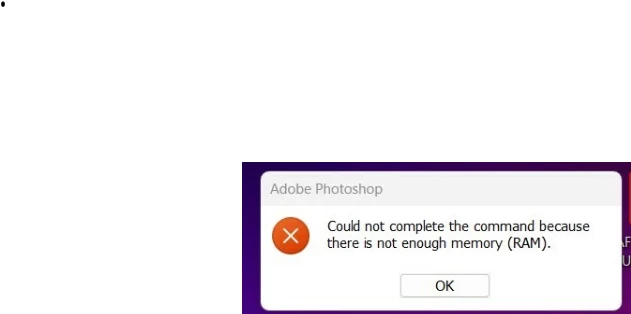
When running large batch jobs getting "Could not complete the command because there is not enough memory (RAM)"

  • July 28, 2026
  • 2 replies
  • 19 views

When running large batch jobs getting "Could not complete the command because there is not enough memory (RAM)" using Photoshop 2026 (2.8.0). Makes large batch jobs difficult in the extreme and was never, ever an issue in Photoshop 2025.
 

    2 replies

    @mj
    Community Expert
    Community Expert
    July 28, 2026

    Hi ​@dougr1988,

    Try resetting your Photoshop preferences:

    Close Photoshop. Navigate to your user directory and move the Adobe Photoshop 2026 Settings folder to your desktop to force Photoshop to build a clean preference file upon its next launch.

    or

     Hold down Ctrl + Alt + Shift (Windows) or Cmd + Option + Shift (Mac) while launching Photoshop, and click Yes when prompted to rebuild the settings file.

    Let us know if this works for you.


    D Fosse
    Community Expert
    Community Expert
    July 28, 2026

    I’d recommend the first. That’s the most complete. The second method only resets a subset of the first.

    D Fosse
    Community Expert
    Community Expert
    July 28, 2026

    Duplicate thread, already answered in the other thread - as far as possible without seeing System Info.


    I’ll just repost my latest post there:

    “Photoshop has always recycled memory during a single session. Lots of people think this is a bug, but it’s deliberate and by design, and there are very good reasons for why it needs to work this way.


    However, what has changed in recent years, is the way the GPU is actively used in processing, and GPU memory consumption. That may be your problem here, and as I said, the root cause may be corrupt preferences/settings. Preferences contain a lot more than your own user settings; they contain the full application configuration including hidden and system-dependent parameters. Preferences are rewritten on every application exit and can get corrupted in e.g. irregular shutdowns.


    If you post the full Help > System Info from Photoshop, we might be able to spot something.”