
2024 Lag - Premiere Pro interface freezed
I went to the "Windows" then "Workspaces" and pressed the "Reset to saved layout" button. After that, my workspace went south... I was trying to move workspaces to put them back in their place but it made it just worse. Each workspace that I'm trying to move duplicates on the screen as you can see on the screenshot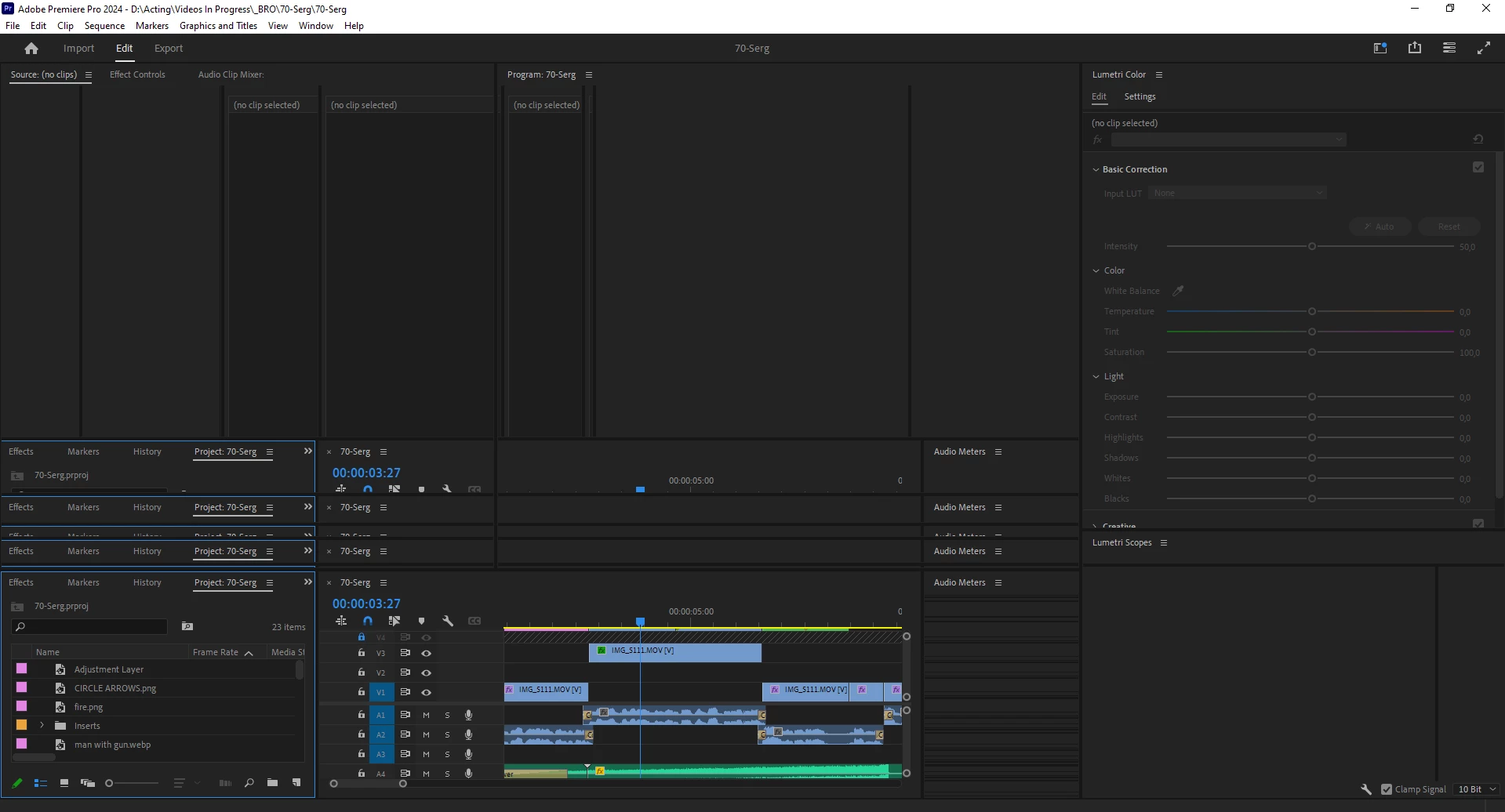
It happens when i'm swithing to one of my personal workspaces. If i'm not switching to it - all good.
I've already tried to clean up the cash, restart the PC, and even reinstall the Premiere Pro! Didn't work!
Did anybody face this issue?


 AdChoices