
Adobe Premiere glitching on C200 footage - glitch is NOT present in video file
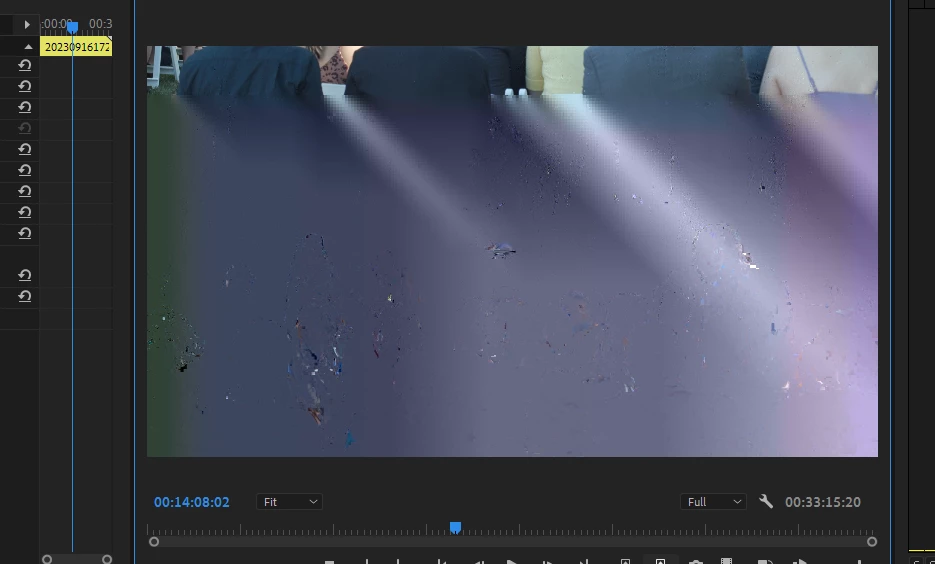
Ok so I've been working with footage from a C200; shot this right after getting the camera. Didn't want to mess with canon RAW as I'd had the camera a day or two. Everything seemed to go ok but in viewing the footage in Premiere, every once in a while I get these glitches. They look like data corruption. But I checked the original clip in windows media player and there's no glitch. What's even weirder is that if I stop at the glitch in the time line, it's there for a second then goes away. But if I play the timeline back it's there, sometimes for 2 frames, sometimes for 3. If I export frame, it's not there, but if I export a clip of that part of the timeline it shows up. Windows 10 128 GB ram, GeForce RTX2070 Super. No issues with 4K footage before and drivers are all up to date.
Going to try running the original clip through Media Encoder and see if Premiere likes that clip any better but this is pretty frustrating. Anyone else have this issue?
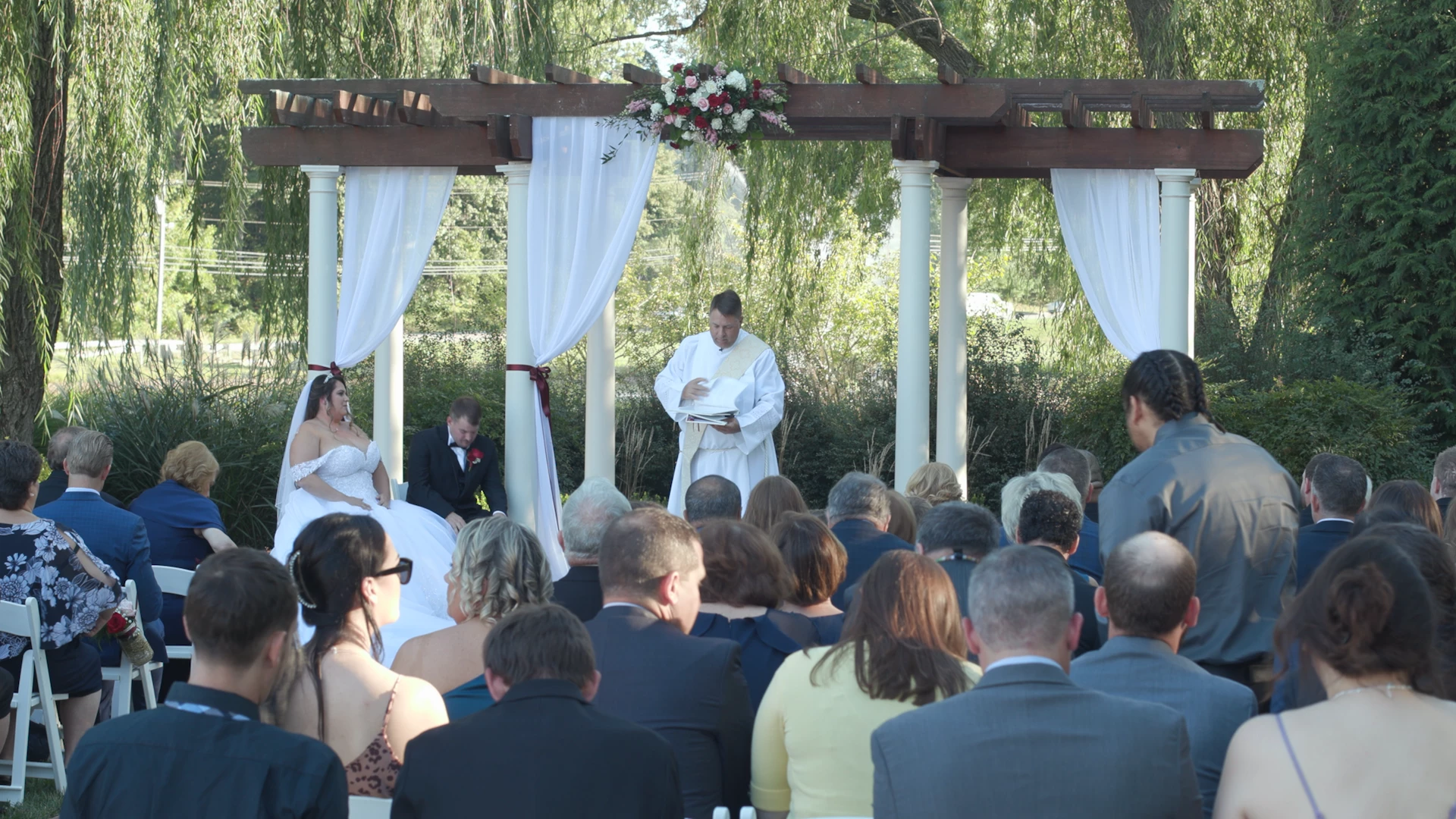
Attached are an ungraded frame export of the frame in question and a screenshot of how it appears in Premiere.


 AdChoices