
January 26, 2026

Adobe Premiere Pro UI bug

  • January 26, 2026
  • 2 replies
  • 33 views

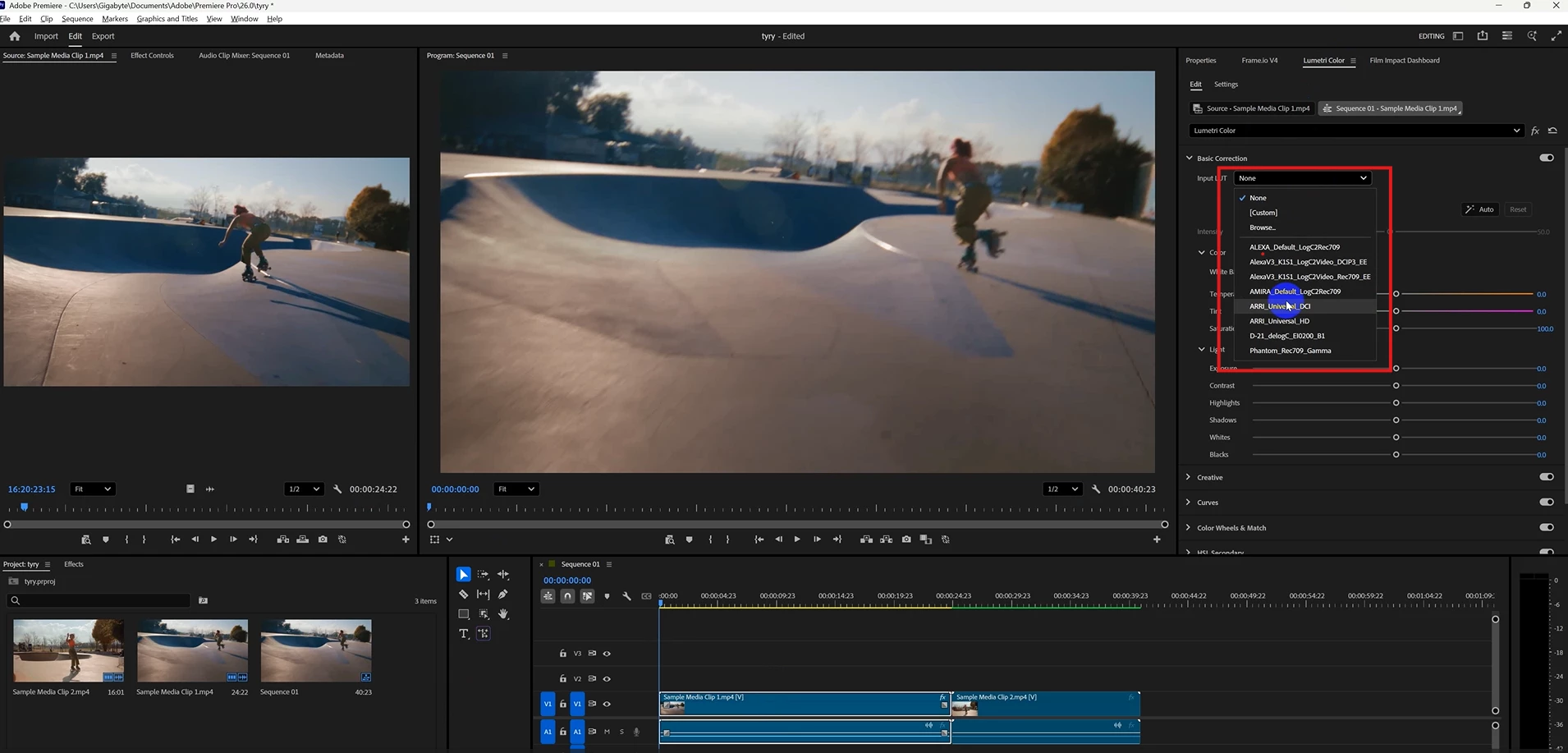
I have met Adobe Premiere Pro versions 25 and 26. I cannot scroll or select anything in Lumetri Color in the Input LUT button. It auto refreshes and disappears immediately.

Note: This is my computer specification

1. Windows 11 Pro
2. OS version 25H2
3. Graphic Card Model Nvidia Geforce RTX 4070Ti
4. System RAM 64GB


You can check this issue below. I also uploaded the video for reference.
 

2 replies

January 27, 2026

Hi @Dani_V. 


I have been trying this (resetting your preferences) solution many times. I also tried to use my keyboard arrows and select, but it still didn't work. I tried to uninstall and reinstallmany timese also. 

This issue has been met in Adobe Premiere Pro version 25, 26, and after effect also.

- The issue is for all function select or click the dropdown. it disappear immediately. (both Adobe Premiere Pro and After Effects)

Noted:

This issue can be solved after I install the Adobe After Effects and Adobe Premiere Pro version 24.

So, I think the issue is for Adobe application version.


Community Manager
January 26, 2026

Hi @47556951, 

Sorry you've been experiencing issues. Are any other dropdowns or panels affected apart from Lumetri/LUTs, and can you click on "Browse..." from the dropdown (or is does this affect the entire drop-down)?

Have you tried resetting your preferences

Are you able to select from the dropdown with your keyboard arrrows + enter instead? Or select them within the Lumetri effect under the Effect Controls panel? 

Sorry for the frustration, 
Dani