
Participant
July 17, 2024

Audio glitches on cross fades and fade up/down

  • July 17, 2024
  • 3 replies
  • 261 views

I'm getting audio glitches on audio crossfades.

Audio is from a 48K 16 bit WAV files (actually audio came from Adobe Enhance Audio website.) Content is voice.

I'm generally using 1 frame crossfades or 1 frame fade up/down to smooth out audio editing.


On playback, the glithces are there intermittently and sometimes it sounds fine. However, the glitches are there in the exports. I had 9 crossfades in this timeline. Everyone had a glitch in the export.


  1. Version of the app: 24.5.0 (Build 57)
  2. Platform and OS version: Mac Ventura 13.6.7, M1 Max


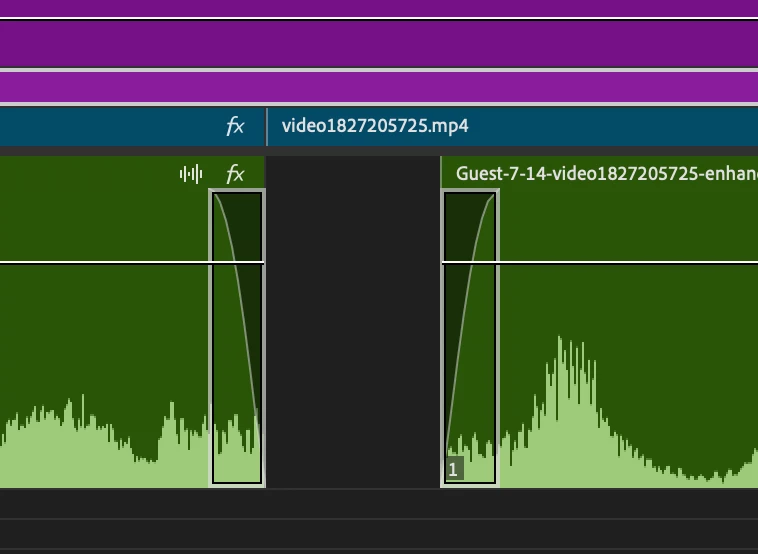
I'm attaching a screenshot of a fade down that sounded glitchy. These were originally 1 frame transitions. I tried changing to 2 frame transitions and the audio still glitched on export. However, I was more likely to hear it clean on playback with the 2 frame transition.


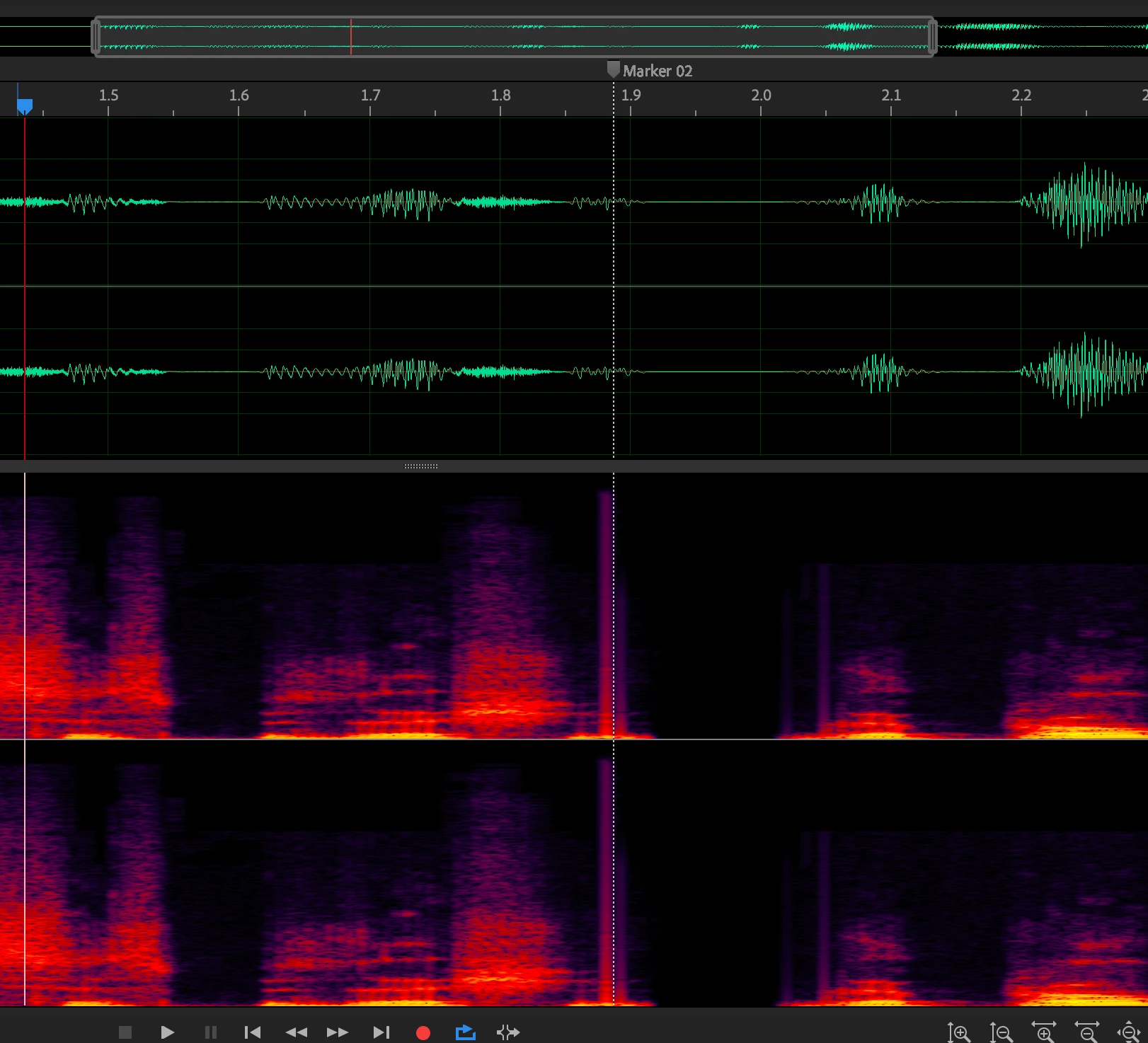
Here's a waveform and spectrum view of the exported audio from that section of the timeline. The glitch is the spot where the marker is --note how the whole spectrum lights up there. This full spectrum glitch is not in the original audio--only on the export.


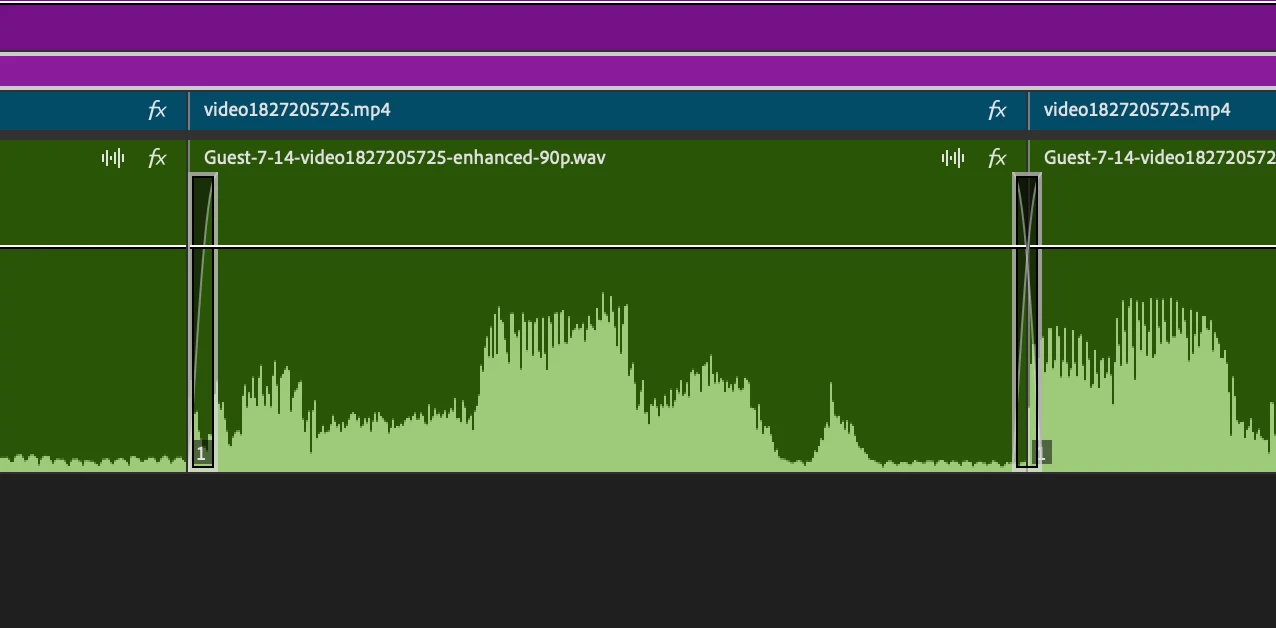
Here's a section with 2 audio crossfades in the timeline.
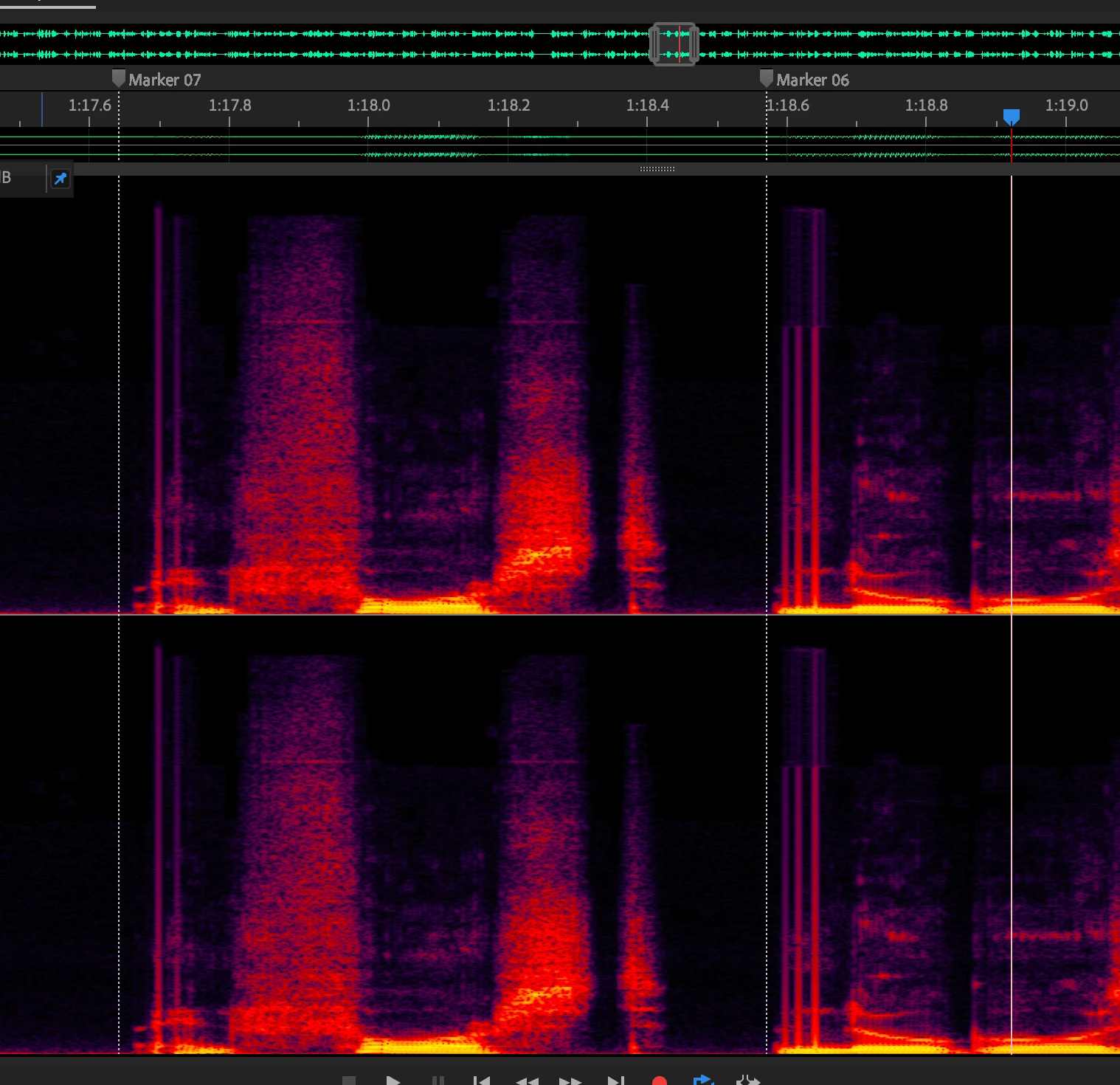
 And here's the corresponding spectrum view with the glitches marked. These glitches correspond to where the two crossfades are in the timeline.


This topic has been closed for replies.

3 replies

Participant
July 18, 2024

Thanks for the reply. I was working in a 30p 48 KHz sequence. I think it's a timeline that I copied from the Adobe social media templates, as this was for a social video--thus all the tiny audio edits.


I have not been able to recreate this issue after starting a new project and even working with the same media. I had started this problematic project in some earlier version of Premiere v24 (don't remember which.) But I was having an issue with pasting attributes, so I decided to try the new version of Premiere. So I upgraded Premiere in the middle of working on this project.


I plan to try and similar workflow within the week. I'll check back in if I have the same issue.


Matt

Kevin J. Monahan Jr.
Community Manager
Community Manager
July 17, 2024

The status of this bug report has been updated.

Kevin Monahan - Sr. Community and Engagement Strategist – Adobe Pro Video and Audio
Kevin J. Monahan Jr.
Community Manager
Community Manager
July 17, 2024

Hello Matt,

I'm Kevin, one of the moderators here. Thanks for filing the bug report and for providing excellent information and screenshots. I understand that you're getting audio glitches with Premiere Pro 24.5. Everything should work. If you like, we can try troubleshooting.

  • Can you check Sequence Settings and ensure that the audio sample rate matches that of your .wav file?
  • You might test these .wav files in a new sequence that matches audio sample rates. Try the same in a new project.
  • Do you have another version of Premiere Pro installed you can use to check these .wav files?
  • Does the same thing happen with other .wav files or just ones you received from those you exported from Adobe Labs' beta audio tool?


I hope the team, an Adobe Expert, or a community member will chime in with more advice. I hope you can get an answer shortly.


Sorry for the hassle.


Thanks,

Kevin

Kevin Monahan - Sr. Community and Engagement Strategist – Adobe Pro Video and Audio