Participating Frequently
April 13, 2026

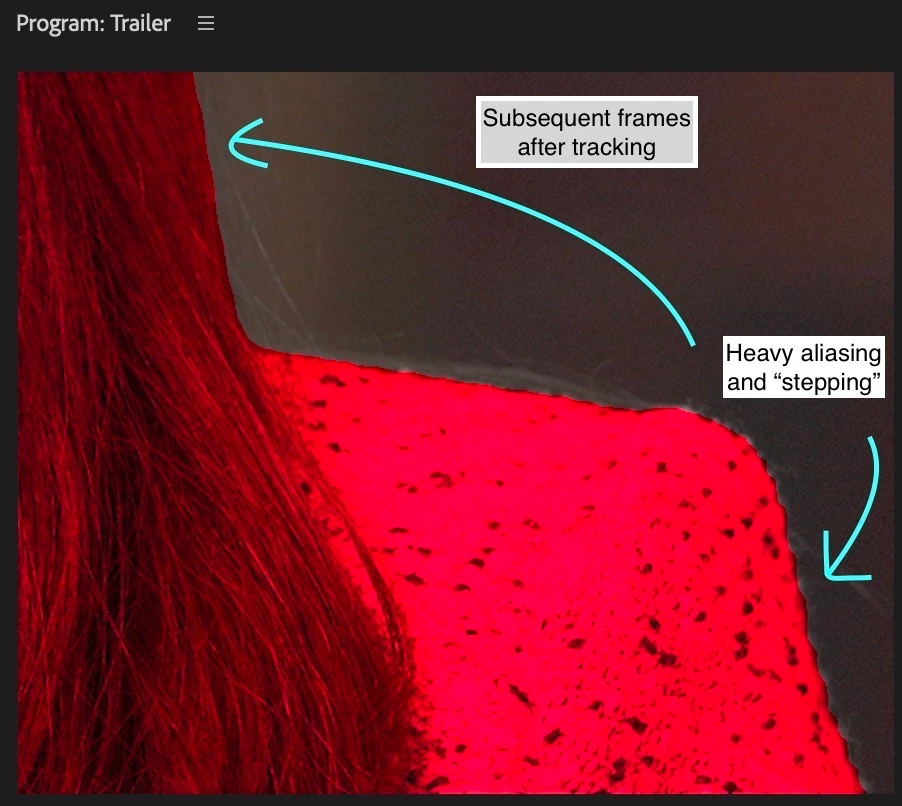
Bad aliasing in Object Mask after initial mask

  • April 13, 2026
  • 2 replies
  • 40 views
  • Issue: After the initial mask is produced, all subsequent masking done by “Object Mask” has severe aliasing/stepping. 
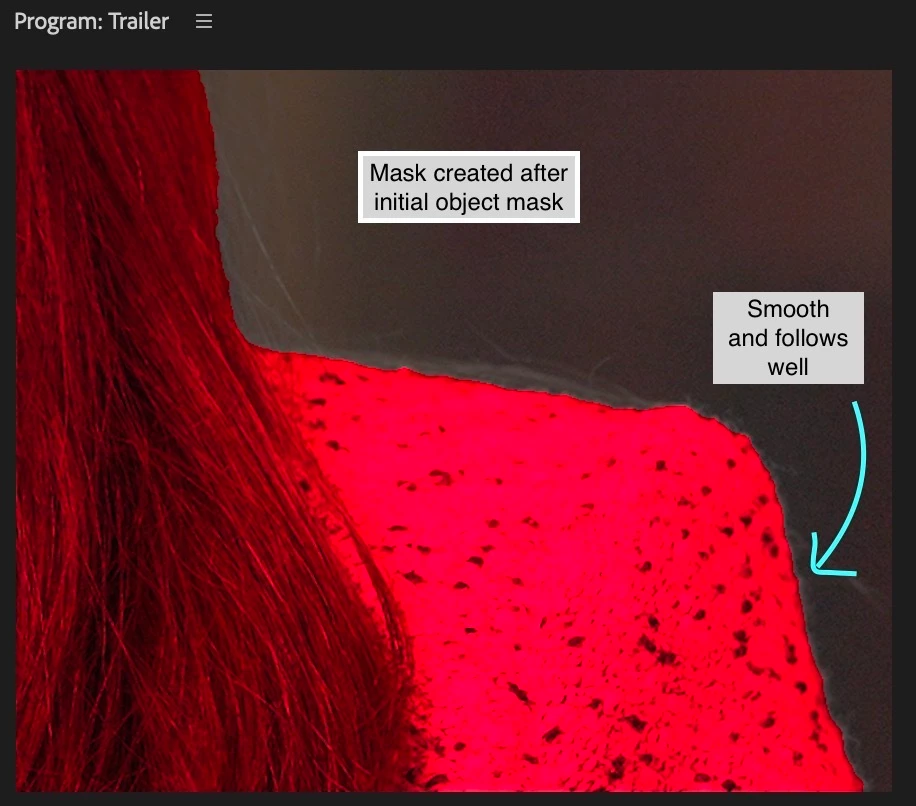
  • Steps to Reproduce: When I click on Object Mask on any object, the first mask visual is very good. Once you click on “track selected mask” in any direction and any number of frames, all subsequent masking has very severe aliasing.
  • Expected Result: I would expect that the really good and clean first mask that is created would continue throughtout the tracking.
  • Premiere Version: 26.0.1 and 26.0.2
  • Operating System: Both on Windows 11 and MacOS (currently on Sequoia 15.5)
  • This was recreated on a friend’s machine as well.
 

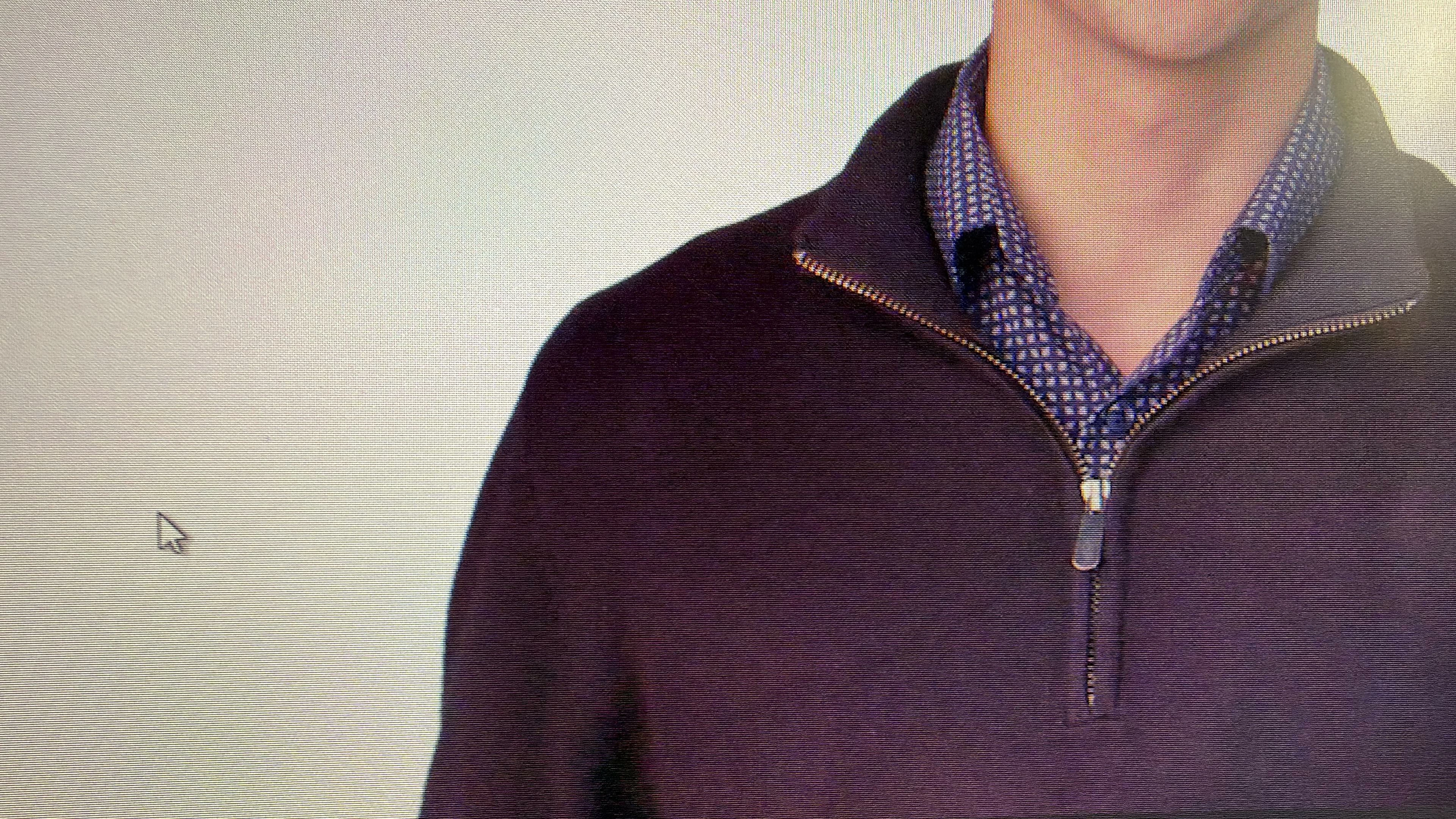
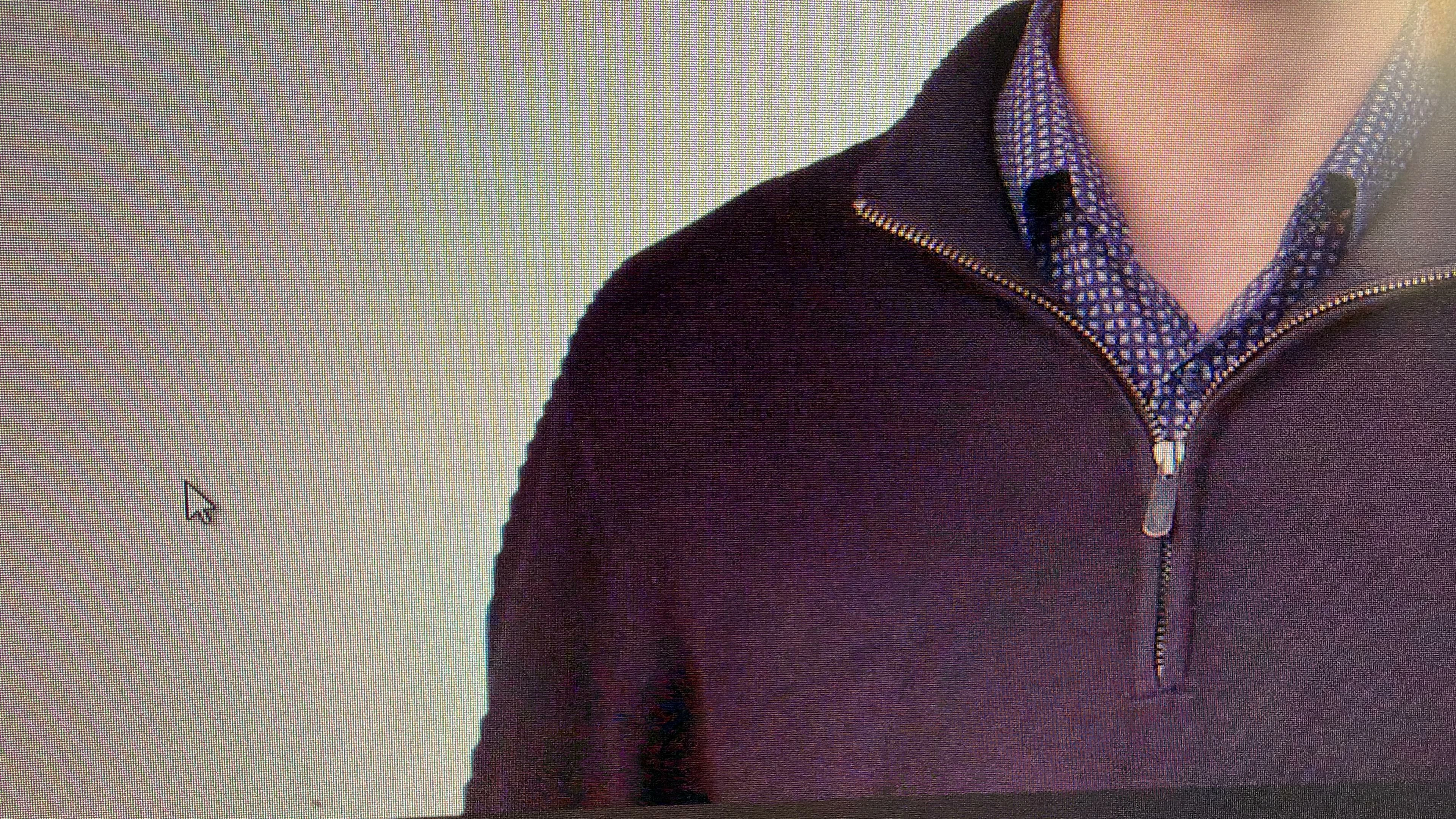
Friend’s footage. Initially a clean and good mask.
Subsequent frames are heavily aliased. This is true even if there is a Frame Hold.


    2 replies

    jamieclarke
    Community Manager
    Community Manager
    April 13, 2026

    Hi ​@DKhab ​@Ann Bens - I can reproduce this issue and will file a bug. After applying an object mask aliasing is observed after tracking.  We’ll keep this thread updated as we learn more. Sorry for the trouble, and thank you for reporting it. 

    DKhabAuthor
    Participating Frequently
    April 13, 2026

    Appreciate it Jamie. Thanks for your quick response.

    jamieclarke
    Community Manager
    Community Manager
    April 13, 2026

    Hi ​@DKhab -   Thanks for submitting your bug report. We need a few more details to try to help with the issue.  I saw your post on the APPE forum as well.  Can you send one of these files and a project to jamiec@adobe.com and I will take a look.


    Can you check your sequence settings and uncheck “Composite in Linear Color” let us know if that helps your issue.

    Ann Bens
    Community Expert
    Community Expert
    April 13, 2026

    I have seen this too in the most current beta 26.3.0. b39/40/42

    Object mask with tracking,  matching sequence, canon xf avc 4K intraframe

    W11pro, RTX 5060 (595.79)

    In this project I have 5 object masks.

    2 out of 3 have this aliasing.

    Trying to reproduce but now I am experiencing the missing outline and color overlay on the masks which was not in previous build