



Bug Report — Custom Effect Presets Not Appearing in Effects Panel (Premiere Pro 26.00)
Subject: Bug Report — Custom Effect Presets Not Appearing in Effects Panel (Premiere Pro 26.00)
Hello Adobe Support / Premiere Pro Product Team,
I would like to report a bug in Adobe Premiere Pro version **26.00** related to saving and displaying custom effect presets.
**Issue Summary**
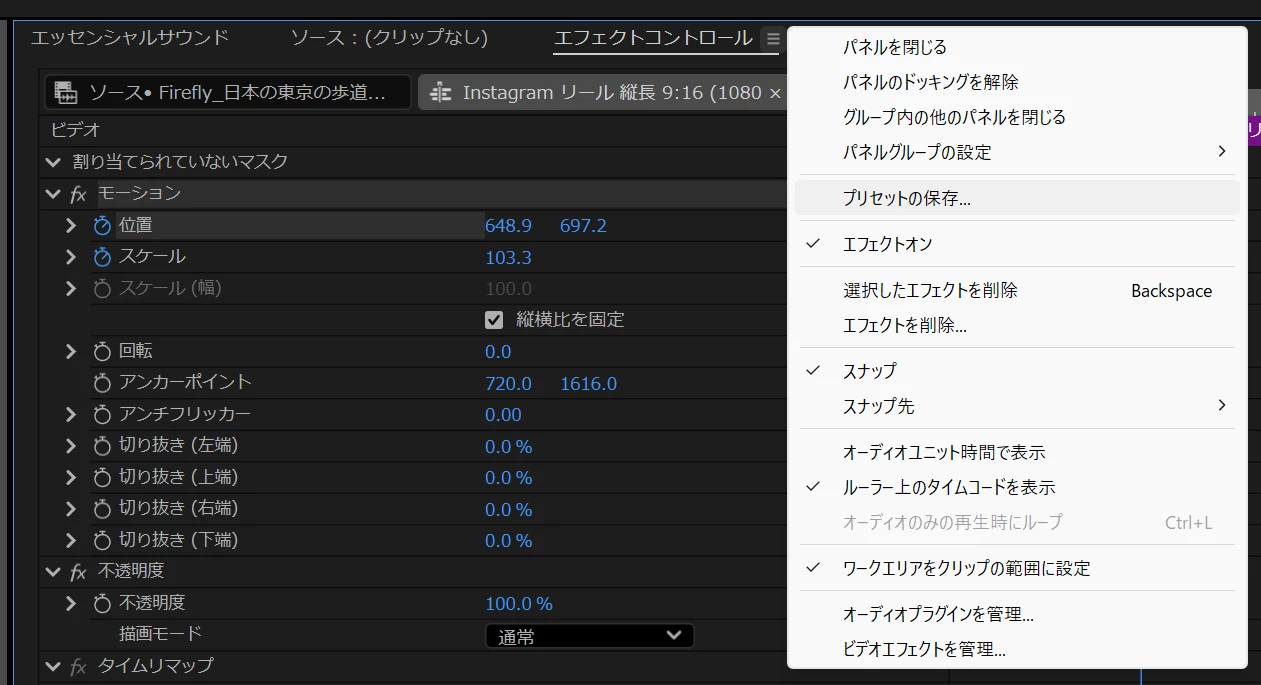
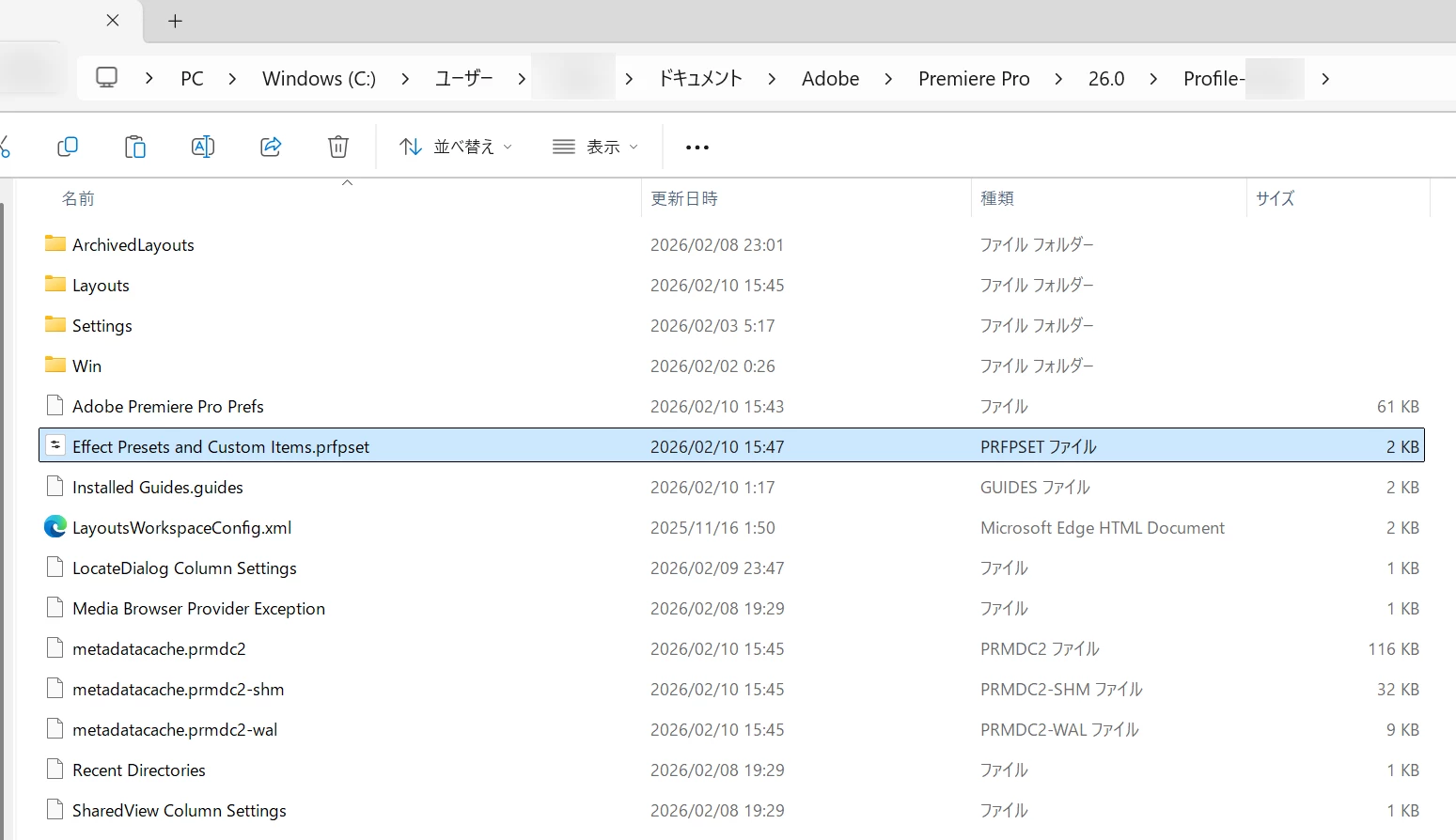
When I save a custom effect preset (via Effect Controls → right-click → “Save Preset”), Premiere Pro successfully generates the preset file (e.g., “Effect Presets and Custom Items.prfpset”), but the preset **does not appear in the Effects panel** under “Presets.”
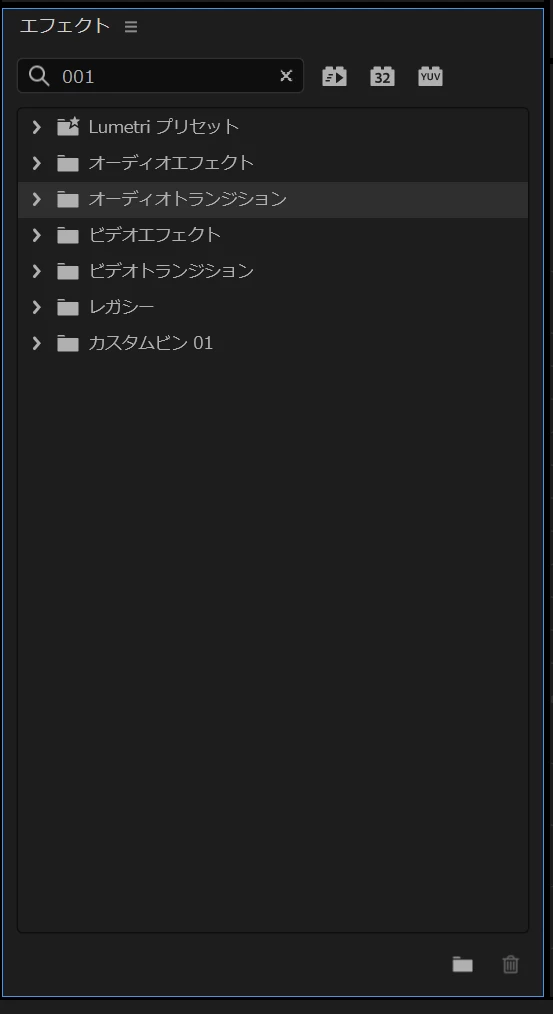
In some cases, the folder appears briefly but disappears when the Effects panel is closed and reopened. The preset never stays visible even after restarting the application.
**Steps to Reproduce**
1. Open Adobe Premiere Pro 26.00.
2. Apply motion/keyframe adjustments to a clip.
3. Open **Effect Controls**.
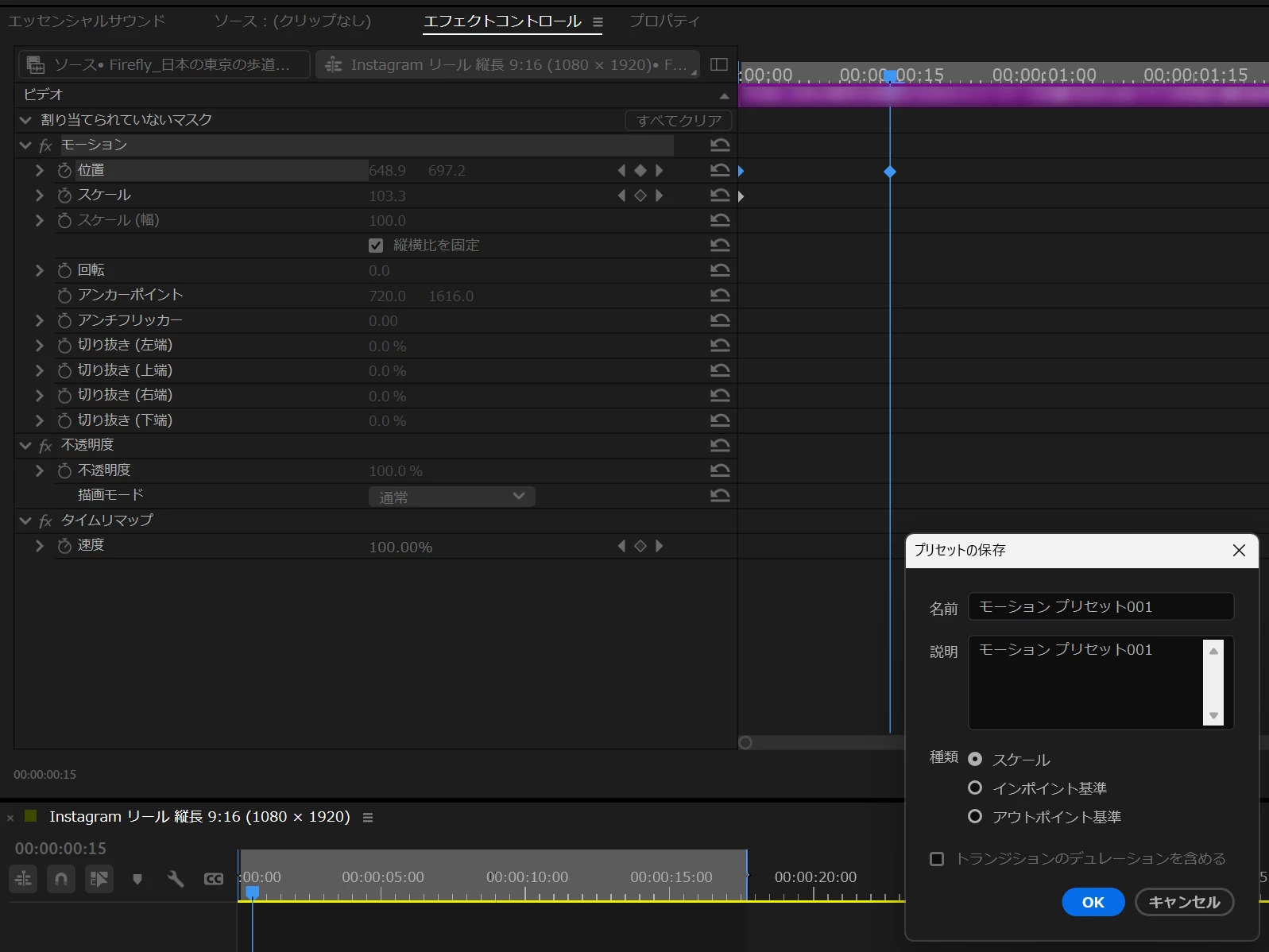
4. Right-click the effect group (e.g., Motion / Transform) and select **Save Preset…**.
5. Name the preset and click OK.
6. Open the **Effects** panel — the preset does not appear under *Presets*.
7. Close and reopen the Effects panel — the *Presets* folder disappears.
**Expected Result**
Saved custom presets should remain visible in the Effects panel under *Presets* and be reusable in other projects.
**Actual Result**
The preset does not show up and is not accessible via the UI even though the `.prfpset` file is created on disk.
**Additional Details**
– This issue persists after restarting Premiere Pro.
– Environment preferences reset and media cache clearing have been attempted.
– The problem occurs in both new and existing projects.
– The file *Effect Presets and Custom Items.prfpset* is created but not reflected in the UI.
**System / Software Info**
Premiere Pro Version: 26.00
OS: Windows 11 Pro 25H2
Computer:
Intel(R) Core(TM) i7-14700F (2.10 GHz)
64GB(32GB×2)
NVIDIA GeForce RTX 4070 Ti SUPER 16GB GDDR6X
Please investigate this as a bug in the preset system for version 26.00. Thank you
 AdChoices