

seanmcnally98
Known Participant
November 15, 2025

BUG: Transcript panel doesn't mark in/out points when highlight extends over a cut

  • November 15, 2025
  • 5 replies
  • 110 views

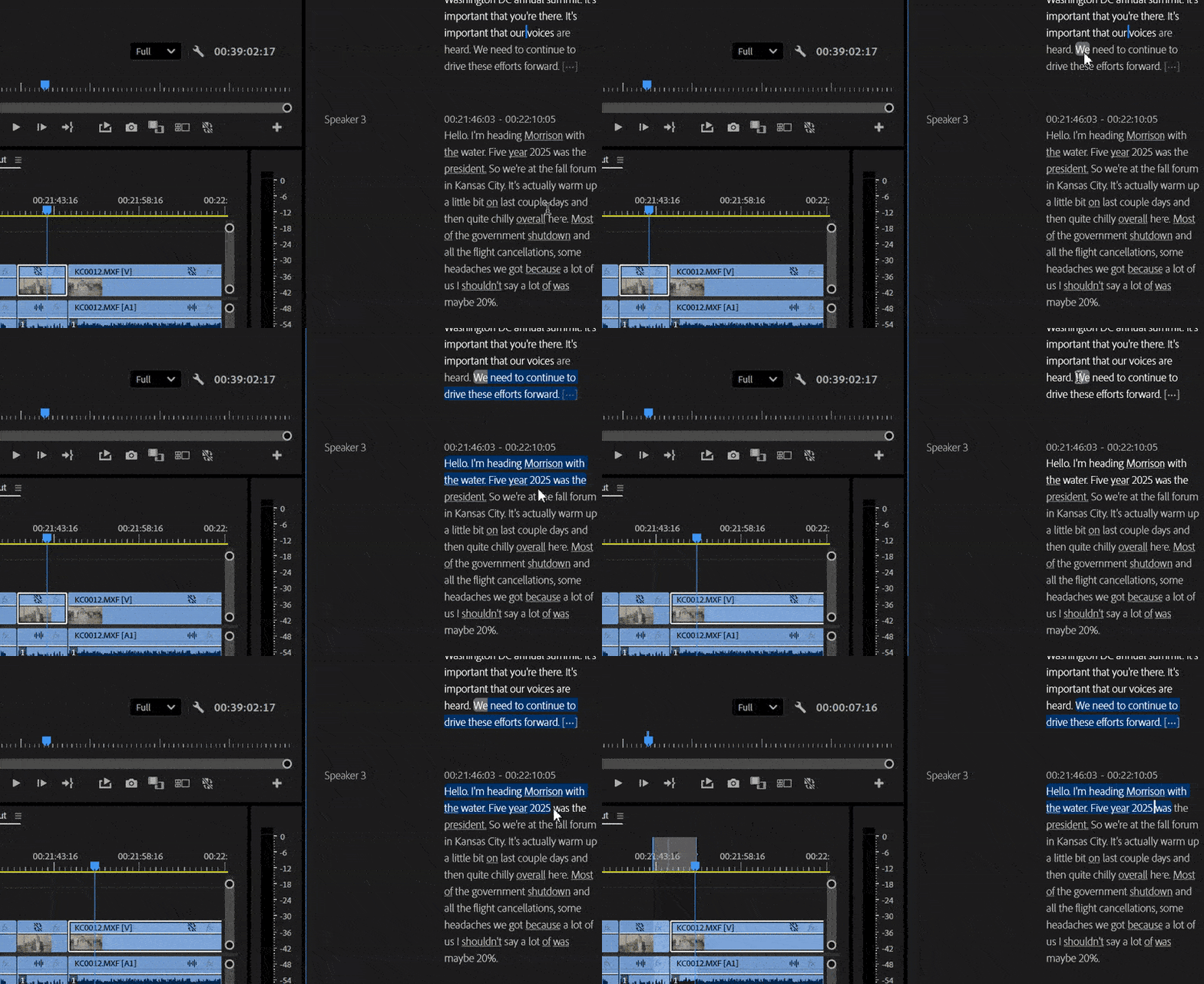
If you use the Text panel's transcript feature for text-based editing, you'll know how annoying this bug is.  If you try to highlight text which spans over a cut in the timeline, the highlight will fail the first time, then work the second time.  The highlight itself does not show up in the text panel the first time, and the in/out points are not placed.  This only happens when the attempted highlight crosses a cut.  See the video below for an example.


Premiere Version 25.5.0 (Build 13)

Windows 10 Pro 22H2

5 replies

seanmcnally98
Known Participant
November 20, 2025

Hey there, I am still getting this issue in 25.6.1 (Build 2).  It does not happen as consistently, but it is still happening.

jamieclarke
Community Manager
Community Manager
November 19, 2025

Updating Status to Fixed in 25.6.1

jamieclarke
Community Manager
Community Manager
November 17, 2025

Thank you @Stan Jones you are correct this has been fixed in Premiere Pro version 25.6.1.

Stan Jones
Community Expert
Community Expert
November 17, 2025

@seanmcnally98,


Confirmed in PR 25.5.0 on Win 11.


I tested first in PR Beta 26.0.0.30, and it appears to be fixed there.


I hope it is fixed in 25.6.x when it is available.


Stan


jamieclarke
Community Manager
Community Manager
November 17, 2025

Hi @seanmcnally98 -  Thanks for submitting your bug report. 


I can reproduce this issue only on windows and will file a bug. We’ll keep this thread updated as we learn more. Sorry for the trouble, and thank you for reporting it.