


Inspiring
March 16, 2023

BUG: Use Previews....Doesn't Use Previews.

  • March 16, 2023
  • 146 replies
  • 16569 views

This workflow has been broken for a long time and I would really love to fix this one. I know this used to be on uservoice but I can't find the old bug. 


Steps:


1. Set sequence preview file to "Apple ProRes 422HQ" or whatever your favorite is. 

2. Render Sequence to full green.

3. Go to Export, Select an H.264 preset, check "use previews"

4. Watch as PrPro doesn't acess a single preview on disk and instead renders the whole timeline from scratch. 


From my current example I have a .png sequence from blender than I've rendered to green in the timeline.


Export->H.264, use previews checked...


Look at windows resource monitor, why is premiere chewing up PNGs when it should just be referencing the preview files I JUST RENDERED. 
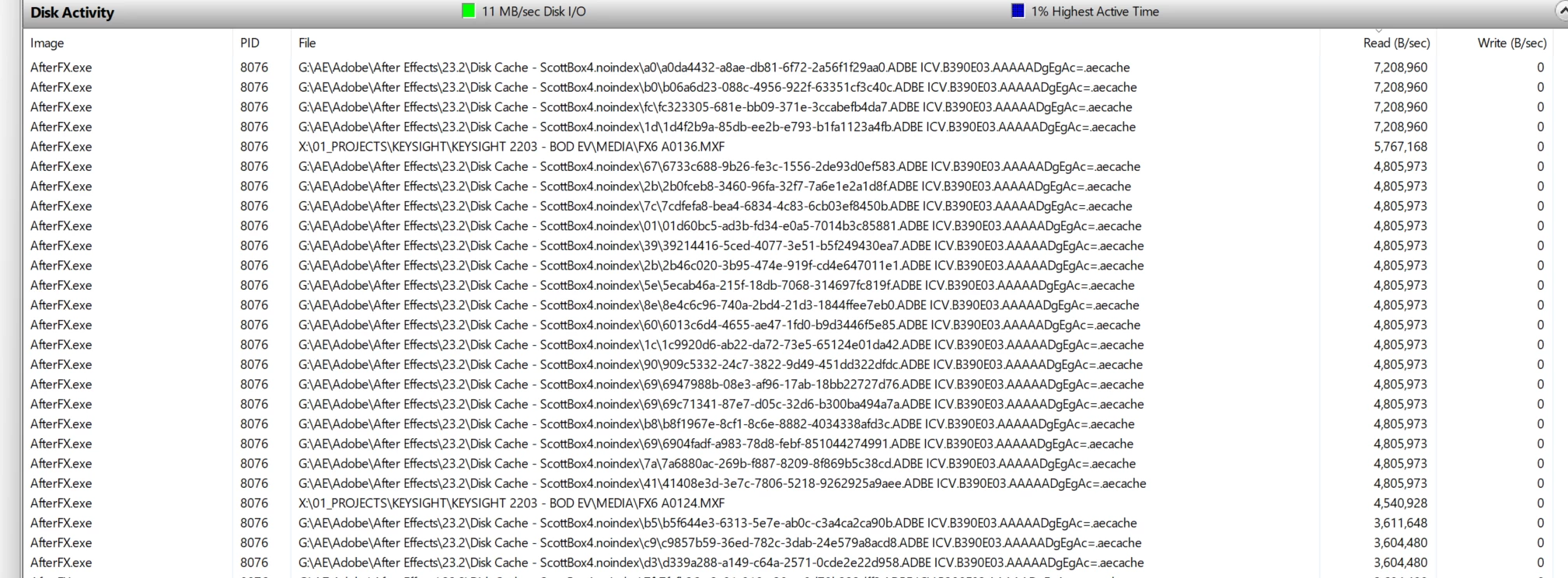
.aecache files being acessed for no reason. 
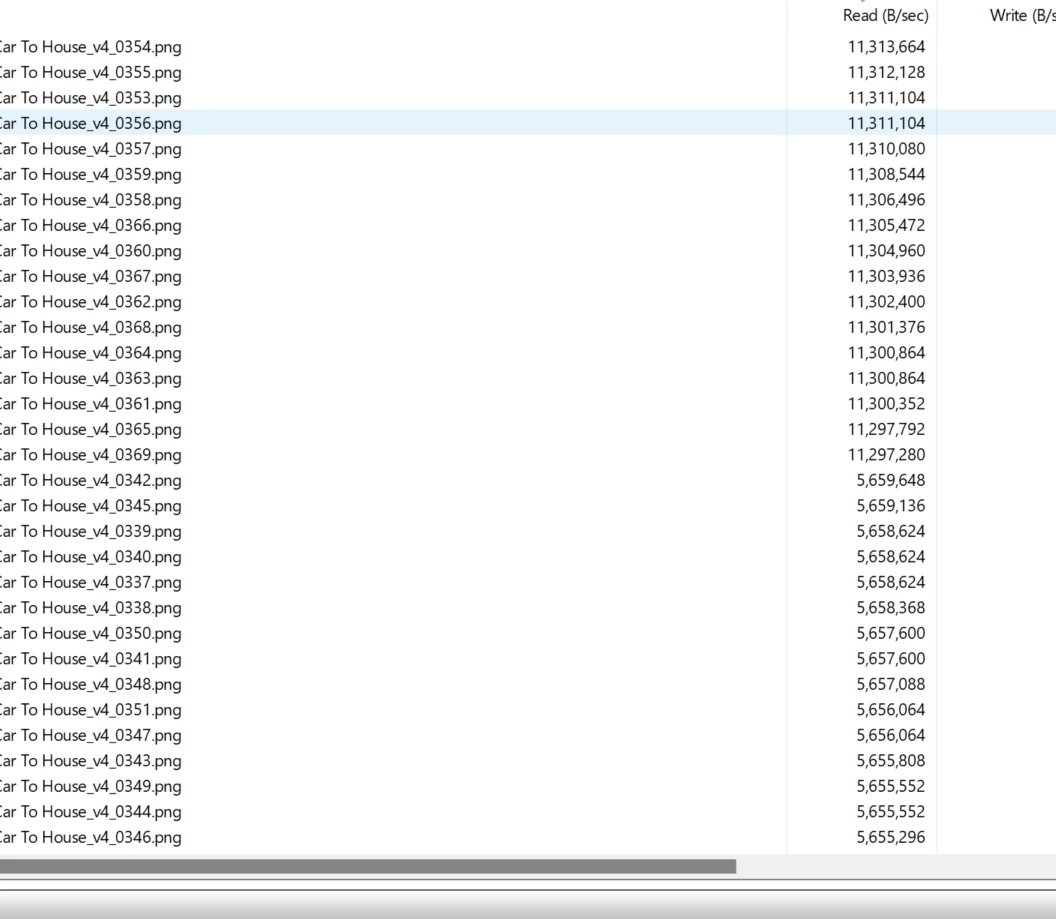
.png sequence being read. WHY. 


146 replies

Scott.C.Author
Inspiring
December 20, 2023

Hi Neil,


As I've explained before in this thread there is no technical reason why Premiere Pro can't use the preview files that are ProResLT or 422HQ files on disk and pass those into the H.264 encoder, bypassing the source media. We aren't dealing with the days where the default seqeunce preview was a low quality Mpeg file. 


My workflow is typically very AE heavy and I use dynamic links to build transitions, lower thirds, graphics, and any other manner of basic VFX (screen replacements etc) that I then assmble in Premiere. I know "render and replace" exists, and use it begrudginly from time to time, but  often times these things need to remain as live dynamic links, and its very convienient to be able to bash CTRL+E to jump in and tweak a screen graphic or other effect.


I use the previews to get smooth playback and "render as I go," which is a pretty typical way to work. Of coruse I can then output that to a ProRes422 file; smart rendering still works, but I don't want to send a 100GB ProRes422hq file to client. I don't have a need for that until final delivery typically. So its an uncecessary extra step to generate a ProRes quicktime and then drop that into media encoder. Rendering straight to h.264 can take forever on certain jobs since it doesn't bother to use the preview files on disk which are of high quality.  


Look I'm a workflow nerd at heart, and I hate anything that is throwing a wrench in the pipeline, espscially when it worked in a superior way in previous iterations (don't get me started on the neuvo export window in general)  Media Encoder sometimes follows the old behavior of using the preview files on disk but does this inconsistently at best, which is par for the course with AME. 


If they could give us this, along with having preview files go mysteriously red when you close the forground AE process I would sing the praises of the Pr dev team, but it looks like they are moving away from what could be a huge timesaver which makes me unhappy. 

R Neil Haugen
Legend
December 20, 2023

I don't think they use previews with long-GOP media. As your cuts aren't limited to iframes, anything has to be encoded "fresh". Premiere has no muxing capabilities.


So that may explain the difference. Match source specifically matches to H.264. Match sequence doesn't, as H.264 isn't part of the sequence metadata. It's just a clip type used on the sequence. Which likely will have different codecs.


Edit:


An easy way to check, is have a sequence with mostly say ProRes or DNX on it, all intraframe. Try the match source option, and see if it shows "use previews" as an option.

Everyone's mileage always varies ...
Scott.C.Author
Inspiring
December 20, 2023

From latest beta...


No use previews when using match source h.264...


Comes back when you use the match seqeunce setting...


Ryan Fritzsche
Inspiring
December 20, 2023

Seriously?!  

Scott.C.Author
Inspiring
December 20, 2023

I was messing around with the Beta today and they removed "use previews" altogether in the export window when not using the "match sequence preview" preset. Frustrating... instead of restoring the old feature / or fixing the bug they just seem fit to remove it from the interface. I love shouting into the void. 

Scott.C.Author
Inspiring
November 16, 2023

I had sort of abandoned hope for this but, I was troubleshooting an AME bug today and noticed that my exports were going really fast. Mind you this only works in AME. 


So I have a green rendered timeline full of AE comps to ProRes422LT, and sent to Media Encoder for na H.264 export with "use previews" checked and with "import native" turned off.


The renders went very fast, and when I checked resource monitor it was in fact using the .PRV folder and not working AE to re-render all the comps. 


So that old workaround seems like it might be working again. Weird that it only seems to work in AME and it still seems inconsistent overall. Of course the last render crashed for .... reasons. 


Still hoping they merge whatever the code is into a unified exporter that just works. I grow tired of all the use native / use headless prpro / Premiere VS AME circus just to get a fast and consistent export. 

Scott.C.Author
Inspiring
October 24, 2023

Seems like there is a new bug related to use previews. Can you fix this new bug and also restore the old functionality where use previews was codec agnostic?  

MobyTrix
Known Participant
October 21, 2023

Kevin, I just tested with the beta as you suggetsed and the issue is still there.


This is really easy for Adobe to reproduce:  Use Quicktime Prores 422 HQ as the sequenece preview settings, then try to export using previews to exactly the same thing (quicktime, prores 422 hq).  This used to work in previous versions.  Can you fast-track this into the system somehow?

Kevin J. Monahan Jr.
Legend
October 19, 2023

Is it working for you in Beta? Let us know!


Thanks,

Kevin

Kevin Monahan - Sr. Community and Engagement Strategist – Adobe Pro Video and Audio
Known Participant
October 19, 2023

Same for me, since 24 Premiere is not using my preview files to export.