

[BUG] White horizontal block artifacts on export — AMD RX 5600 XT, Windows 11, Premiere Pro 2026
**[BUG] White horizontal block artifacts on export — AMD RX 5600 XT, Windows 11, Premiere Pro 2026**
I've been experiencing persistent white horizontal block artifacts on exported footage in Adobe Premiere Pro 2026 and I haven't been able to find a permanent fix despite extensive troubleshooting. I'm hoping someone here has encountered this and found a solution.
---
**System Specs:**
- CPU: AMD Ryzen 7 3700X 8-Core (3.60 GHz)
- GPU: AMD Radeon RX 5600 XT (6GB GDDR6)
- RAM: 32GB (2400 MT/s)
- Storage: 1.81 TB
- OS: Windows 11 Pro (Version 25H2, Build 26200.8457)
- Motherboard: B550M AORUS ELITE
- Adobe Premiere Pro 2026
- Adobe Media Encoder 2026
- AMD Adrenalin Driver: 25.10.2
---
**Project Setup:**
- Source footage: Sony A6400, H.264 MP4, 1920x1080, some clips tagged xvYCC709 color space
- Sequence: 1920x1080, 30fps, Progressive, Rec. 709
- Export: H.264, CBR 15 Mbps, Progressive, Rec. 709, via Media Encoder
- Files sourced from Box Drive (company policy, local storage not permitted)
- Timeline contains nested sequences with time remapping applied
---
**The Problem:**
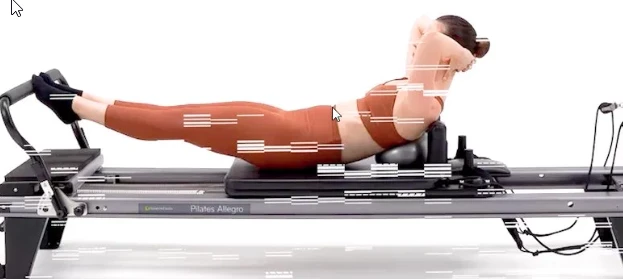
White horizontal block artifacts appear scattered across frames during export. The glitch is particularly severe on clips that have **time remapping** applied, including on pre-transcoded clips. The issue started around November 2025 and has been consistent since.
**Sample screenshot attached.**
---
**What I've already tried:**
- DDU clean uninstall + AMD driver rollback to 25.10.2
- Disabled H264/HEVC hardware accelerated decoding AND encoding in Preferences > Media
- Made all Box Drive footage available offline before exporting
- Modify > Interpret Footage → set xvYCC709 clips to Rec. 709
- Verified sequence color space is Rec. 709 throughout
- Software Encoding in Media Encoder (not GPU)
- Pre-transcoding footage before export (partially helps but glitch still appears)
**Note:** The same project exports cleanly on a MacBook (latest Premiere version), suggesting this is a Windows/AMD-specific issue.
---
Any help is greatly appreciated. This has been affecting my production workflow for months.
Thank you!


 AdChoices