
Participant
October 1, 2024

Changes made to "Media Cache Management" in Preferences will not save on exit. Can someone help?

  • October 1, 2024
  • 17 replies
  • 1695 views

Hello Adobe Premiere Pro users,


I'm trying to make a change to the "Media Cache Management" settings in Premiere Pro's Preferences.
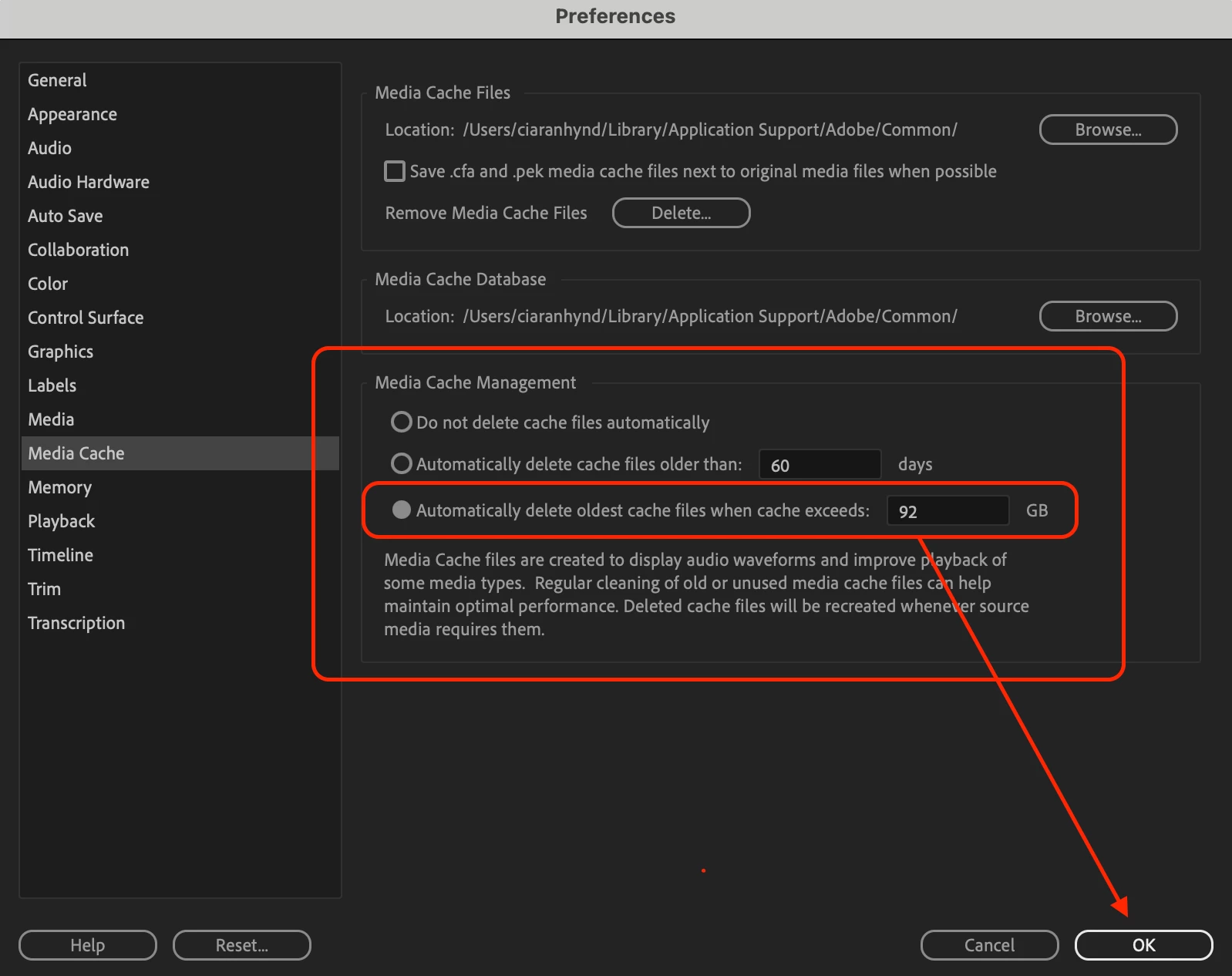


The option for "Automatically delete media cache files when cache exeeds:" is currently set to 92 GB.


This seems a bit too high for me. I'd like to change this setting.


When I change this setting, click Ok, exit Preferences, and then re-open Preferences, the setting has not saved.


I have also tried re-starting Premiere Pro, but my new configuration has still not activated.


My Premiere Pro app is up to date.


Can anyone help?


Many thanks,

Ciaran

17 replies

Kellie Marsh
Participant
December 27, 2024

Me too on v25.1

I look forward to this being resolved especially as my settings will not change from "Automatically delete oldest cache files when cache exceeds: 926gb"!! This recently caused my mac to go into a crash/boot loop as there wasn't enough accessible storage for the mac to run properly, had to reinstall a fresh copy. Fortunately I had a very recent time machine backup.

Big delay in work.

Inspiring
December 15, 2024

Same problem!

v25.1

Participant
December 11, 2024

Same problem here (v25.0.0)

Theo Kooijmans
Known Participant
November 20, 2024

When you set a size limit with the mediacache setting it's changes to a high value after restart.

It does not hold the given size value.


steps,

goto prefs and set mediacache size to 50GB

result

restart Premiere and look to this setting again, it has changes to a very high value


Version Cc2025.0.0 

jamieclarke
Community Manager
Community Manager
October 23, 2024

updating status

jstrawn
Legend
October 7, 2024

Thank you for reporting this to us, Ciaran. I was able to try this in a recent beta build and it looks like it has already been fixed. Can you try it in a beta build (like. Pr25.1xBeta034 or higher) as well and let us know if it still happens for you or not? You can use the Beta tab in the CC Desktop app to install the latest public Beta build. Beta builds can co-exist with production builds, so you don't need to uninstall anything or worry about version conflicts.

jamieclarke
Community Manager
Community Manager
October 3, 2024

Hi thank you for your report, we are investigating.