

P: "Clear In" & "Clear Out" function is not working when opening a sequence in the Source Monitor
Hi,
Context:
I'm using Premiere Pro daily with a timeline opened in my Source Monitor to have a similar configuration to the "Toggle Source/Record" from Avid. I find this workflow to be a lot more precise and pleasing than pancaked timelines, as you can anticipate exactly the start and end frame when putting clips on the program timeline and use the two monitors efficiently.
This way of working in Premiere actually works, but there are a few annoying bugs and small things missing that are really painful when using this workflow daily. In the current behavior, Premiere constantly reminds me that it was not designed for that. This bug has been here for a long time and is one of the reasons this workflow sometimes feels painful (see this , this and this topic).
How to reproduce the bug:
- Open a sequence in the Source Monitor
- Choose the option “Open Sequence in Timeline” to view the Source Sequence in a timeline
- Add both an In and Out point
- Try to use the “Clear in” or “Clear out” function.
- It will clear BOTH In & Out points (same as “Clear In & Out”)
- Expected behavior: Clear only the In point for the “Clear In” function. Let the Out point where it was.
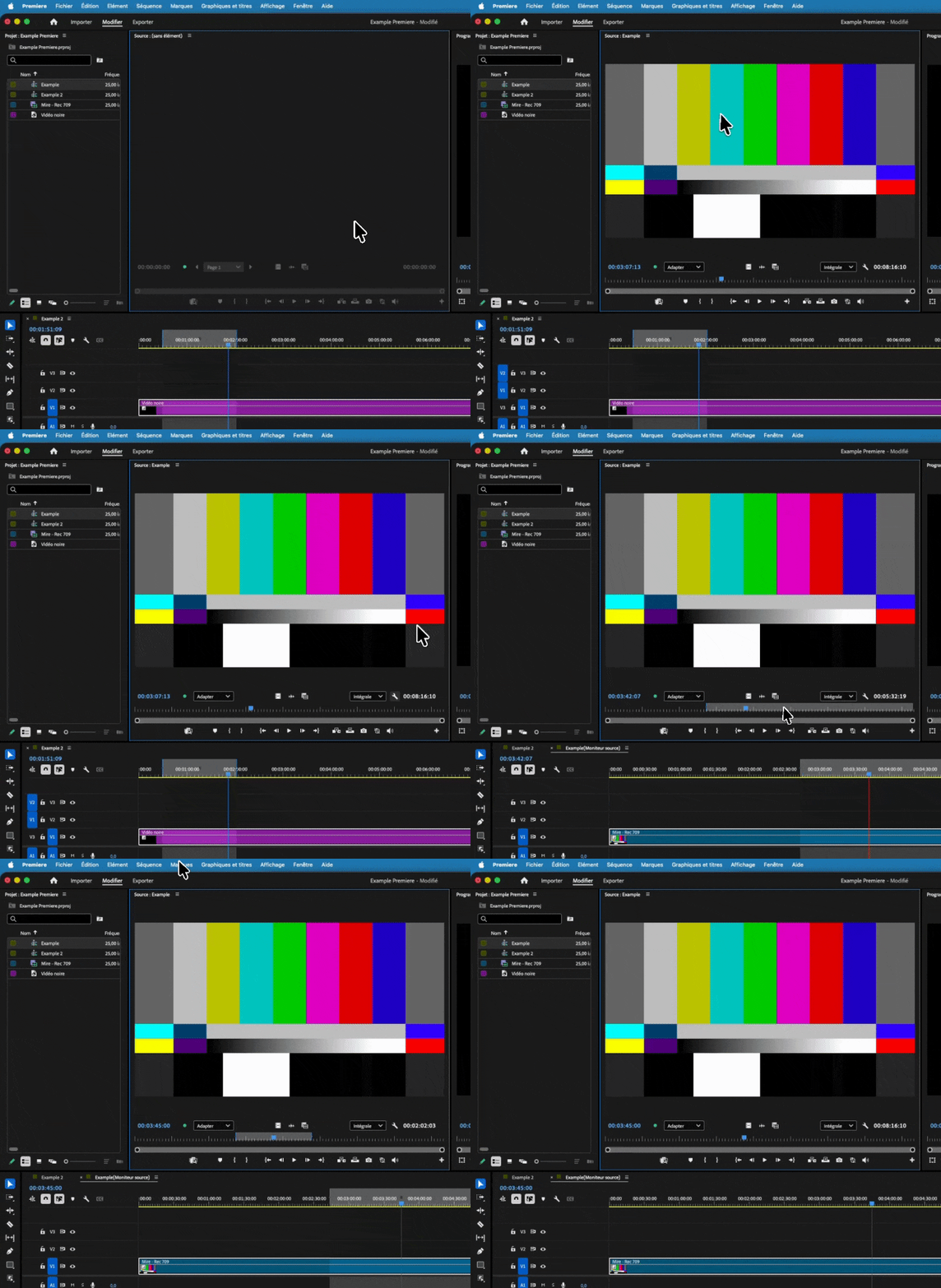
(Attached video below shows more.)
For my workflow, I constantly use the “Open Sequence in Timeline” as said earlier. I add my clips to my Program timeline only with in/out point from the source monitor, then with Insert & Replace functions. So this is critical for me !
I noticed the “Clear In” and “Clear Out” features work as expected:
- in the Program Monitor.
- in the Source Monitor when I open an element that is not a sequence.
- in the Source Monitor when I open a sequence but BEFORE I use the “Open Sequence in Timeline” feature
Sidenote :
I think there is a global “”synchronization”” issue between the in and out points that are in the Source Monitor panel and the In and Out points that are in the timeline panel on a sequence opened in the Source Monitor.
Because I also frequently encounter another issue where I put an In and Out point in the source monitor panel, and when I go back to the visual representation of the source sequence in a timeline, there are still my old In and Out points. I didn’t manage to reproduce this bug consistently (sometimes it happens, and sometimes it doesn't). That’s why I didn’t open an issue for it, but this feature and workflow really need to be reworked.
System:
Adobe Premiere 26.3.0 (Build 93)
Also tested and managed to reproduce the bug in Adobe Premiere (Beta) 26.5.0 StaticLib (Build 31)
Macbook Pro M4 Pro - 48GB Ram - MacOS Tahoe 26.1
Thanks! ✨


 AdChoices