
Clip timecodes reverting to audio time units (instead of SMPTE code) at random.
I'm compiling segments for a show that I'm editing, and I've found various clips at random are reverting to showing audio time units rather than SMPTE timecode, despite nothing being set to show audio timecode units.
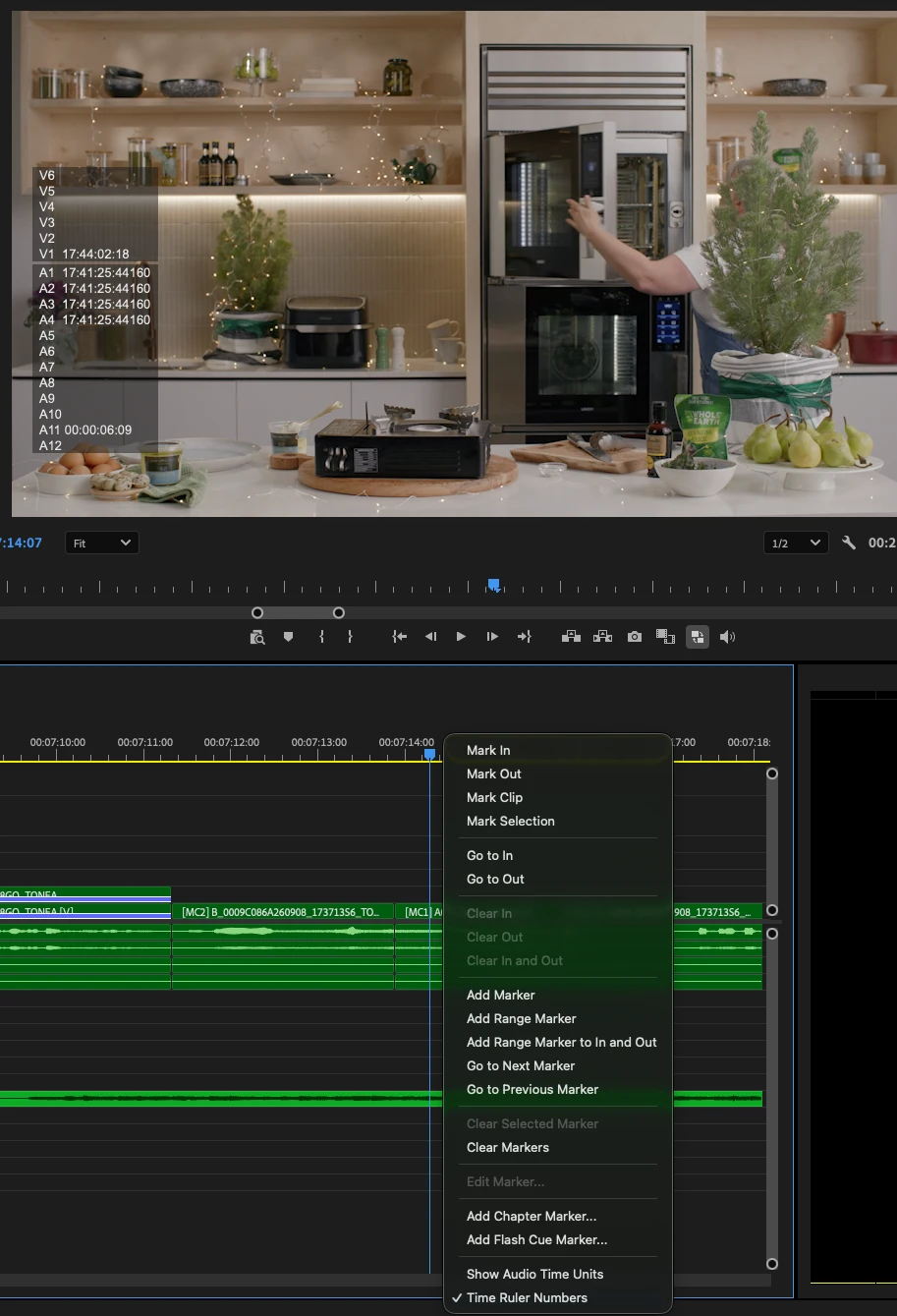
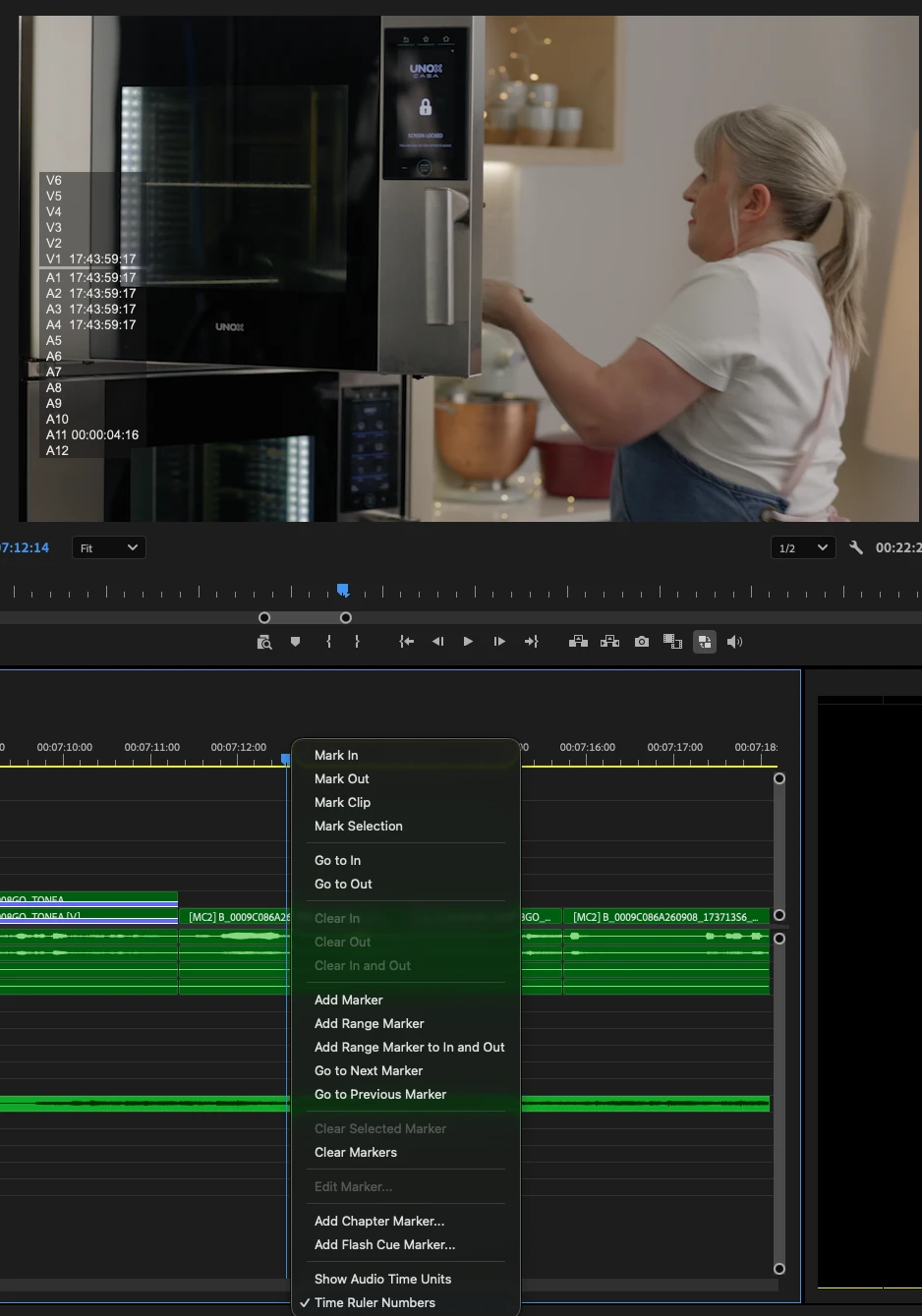
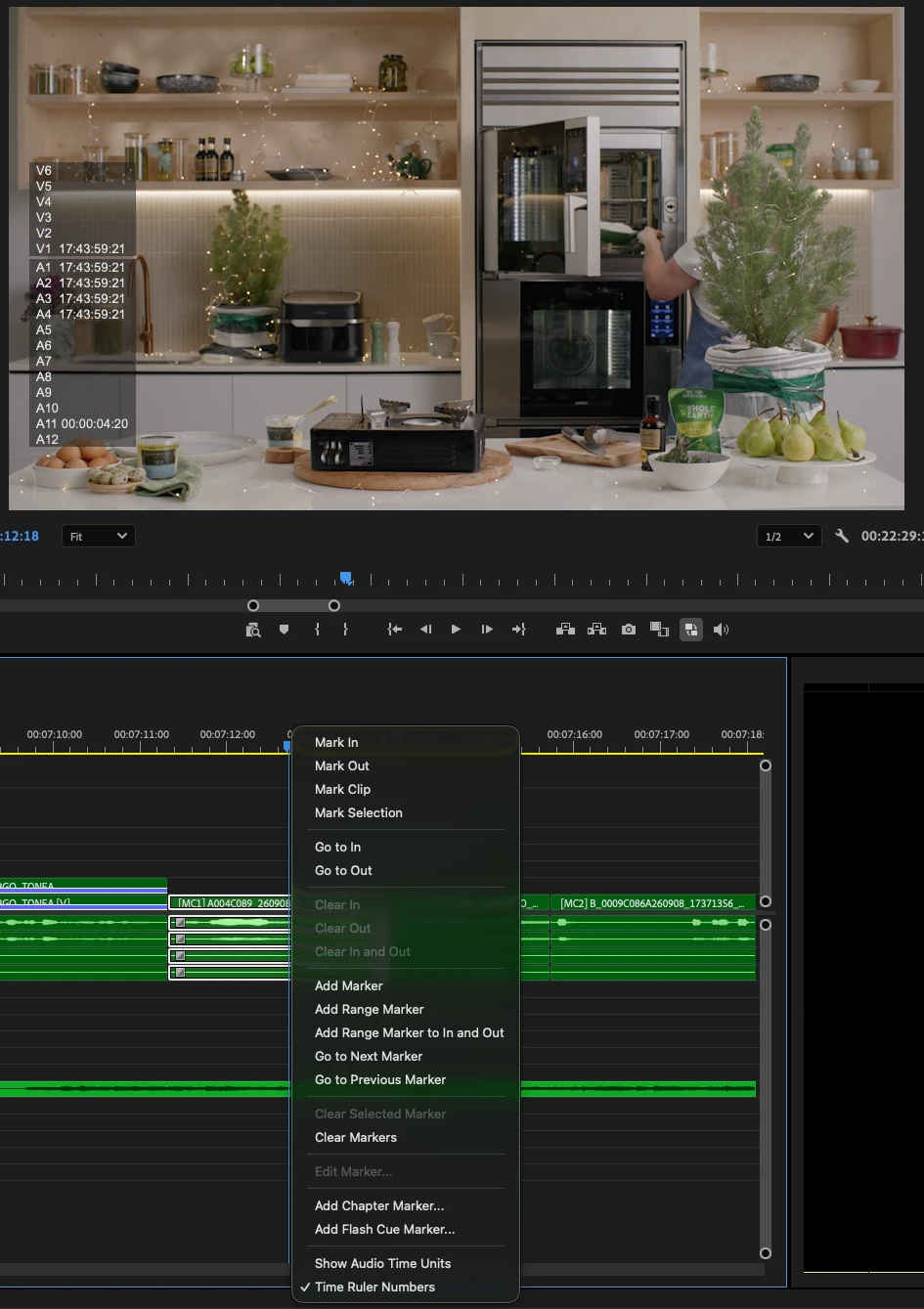
In photos below, in this particular sequence I've edited from the same multicam master clip, and different sections of the same multicam clip are showing audio timeunits or SMPTE timecode
In the first frame, the audio has reverted to displaying audio time units, despite the timeline being set to SMPTE timecode (Time Ruler Numbers); in the second screen grab, the clip immediately prior is showing the correct audio timecode, on the same timeline. In the the third frame, I've flicked the multicam angle of the clip over to show the same angle as the clip following it (which is displaying audio time units), to show that a different portion of the same multicam clip is displaying the correct SMPTE timecode for the audio
I've tried re-booting & resetting the Premiere app preferences, but haven't had any luck in stopping this issue from occuring
I'd love to hear any suggestions about how to keep the correct timecode being shown (I've found that having audio time units enabled while editing will lead to other problems in premiere when Premiere will start to cut half of a video frame)
Premiere 26.5.2
Mac OS 26.6.2
M1 MacBook Pro 2021 64GB RAM
 AdChoices