

archiesully
Participant
February 7, 2023

Dynamic link color difference

  • February 7, 2023
  • 12 replies
  • 1514 views

Premiere 23.0

After Effects 23.1


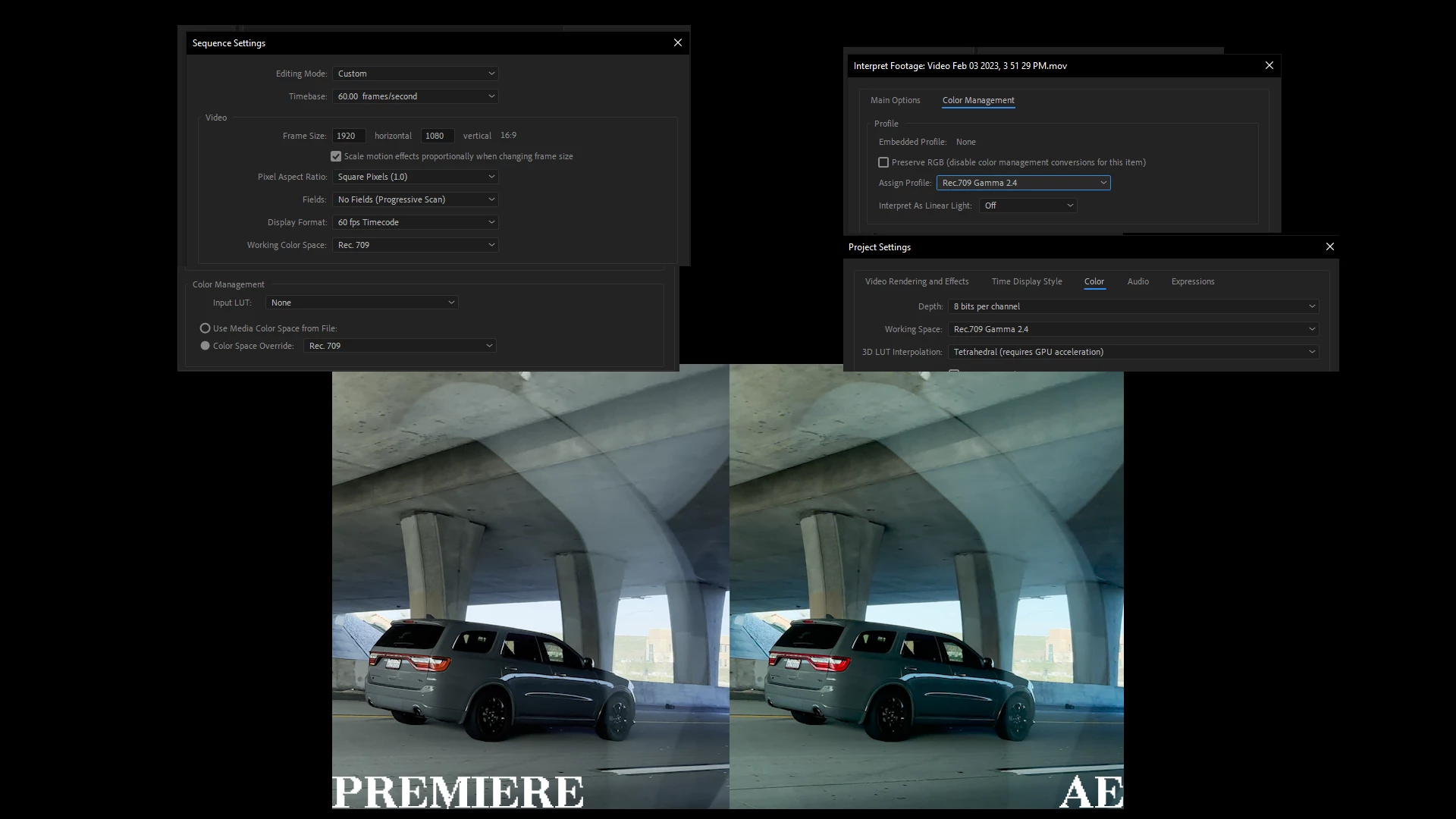
When using dynamic link the color in my footage changes, everything is set correctly within the color space options to my knowledge they're all in rec 709 everywhere where a color space option is available, shown in my image down below.


I'm pretty sure this footage was shot on a Samsung phone however I've had this exact same issue with Apple phones too. I've had this issue for a long time it's not something new or exclusive to this set of footage or these versions of software. 


Any help is appreciated, thank you.
 

This topic has been closed for replies.

12 replies

archiesully
Participant
February 8, 2023

I've already done that, please check the image that I posted.

R Neil Haugen
Legend
February 7, 2023

In Premiere, the clip color management settings are in the Project panel's context menu system.


Select one or more of those clips, right-click/Modify/Intepret Footage.


Make sure the clip is Rec.709, if not, use the Override-To option to set the clip to Rec.709 in Premiere.


Neil

Everyone's mileage always varies ...