

Investigating
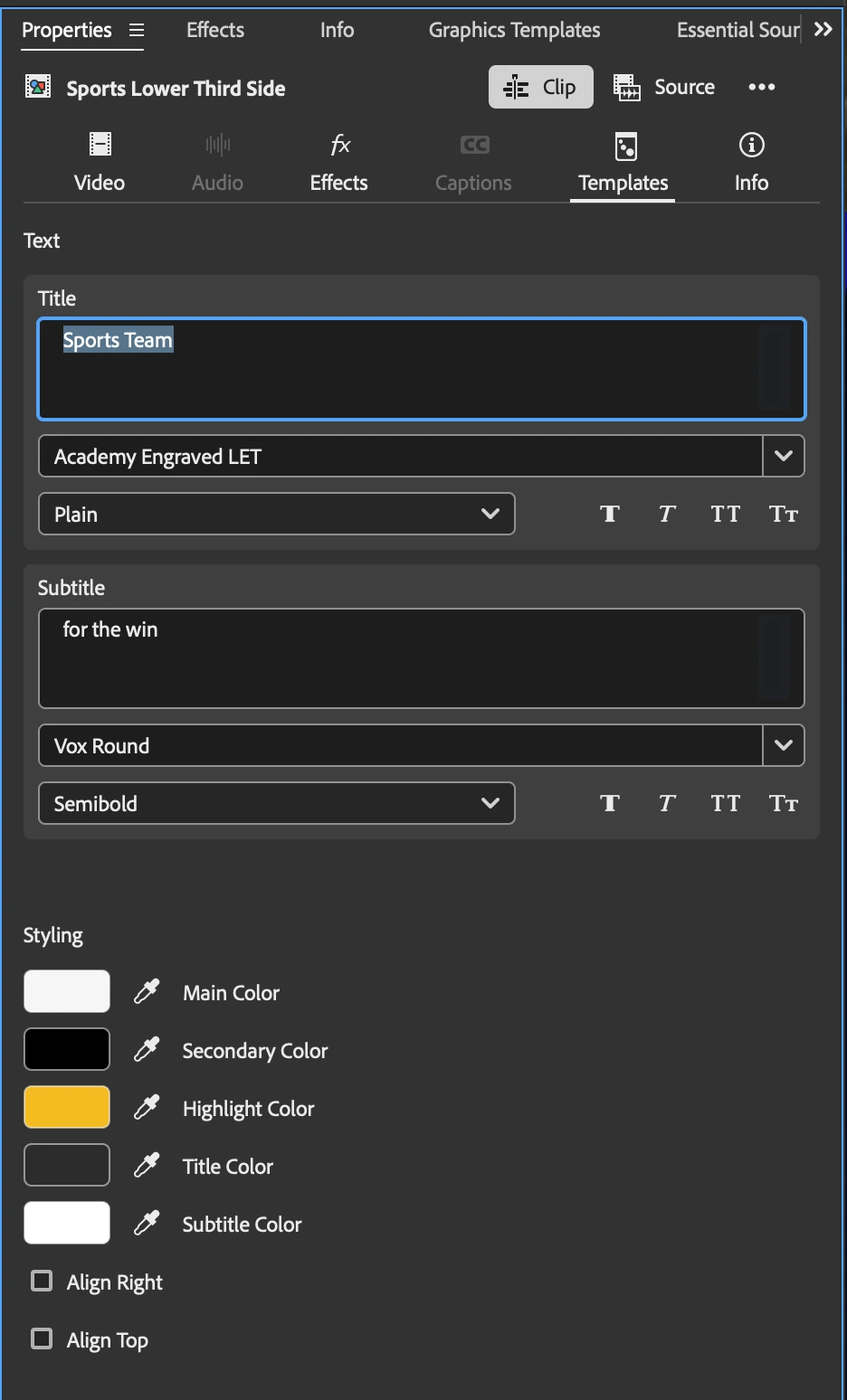
Editable text within the Properties panel Templates tab will not click to highlight
- Issue: I cannot click+drag to highlight, nor double click to highlight single word or line on the editable text within the Properties panel Templates tab.
- Steps to Reproduce: I tested the behavior occurred on a baked in local template Sports Lower Third Side as well as my own templates.
- Expected Result: Click+drag highlights text, or double click highlights a single word or whole line
- Actual Result: The only way to edit text is to click into the field and use a keyboard to navigate and edit text. My cursor icon does change from MacOS default to text highlight cursor with a line though it.
- Screen Recording: I cannot upload a screen recording at this time. This format only let’s me upload images.
- Premiere Version: Premiere 27.0.0 (build 88)
- Operating System: MacOS Golden Gate 27.2.1
- Chip (Mac Only): M5 Max
Helpful Context
Comparing when and where the issue occurs helps us narrow down the cause:
- Does it affect all projects or only some? Yes
- Does it affect new, empty projects? Yes
- When did the problem first begin? In Premiere Beta 27.(?). Now present in Premiere 27.0.0
-
 AdChoices