
Error "invalid frame size or frame rate" when trying to export. Can't change this nor resolution.
Hello,
yesterday night I started getting a new problem with the newest version of Premiere.
I was working on a project (Full-HD sequence with 25fps) and when I wanted to export I got a very weird notification for the first time.
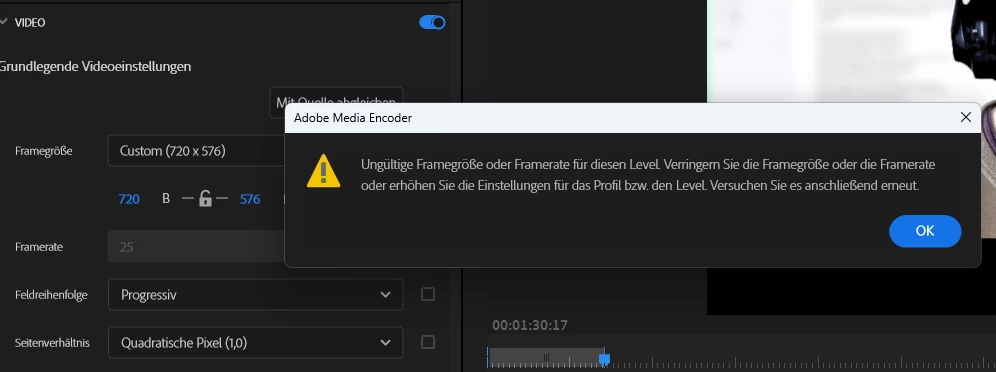
Every time I tried changing this weird resolution showing up here I automatically received this message saying something like "Invalid frame size or frame rate for this level. Reduce frame size or frame rate or increase settings for the profil / the level". I then tried both but nothing worked. I don't know why it gives me this weird resolution 720x576 in the first place.
Today, I started working on a completely different project. Again, 1920x1080 sequence and 25 fps and the same error pops up. I should mention I have ALWAYS worked with these kinds of videofiles and never had I stumbled upon this, so it's not possible it's a corrupt raw video or something.
The work-around is using the 2023 version of Premiere. I don't get the problem there. But this means I can't open my newest files created with the 2024 version now.
Any ideas?
 AdChoices