
Inspiring
February 19, 2024

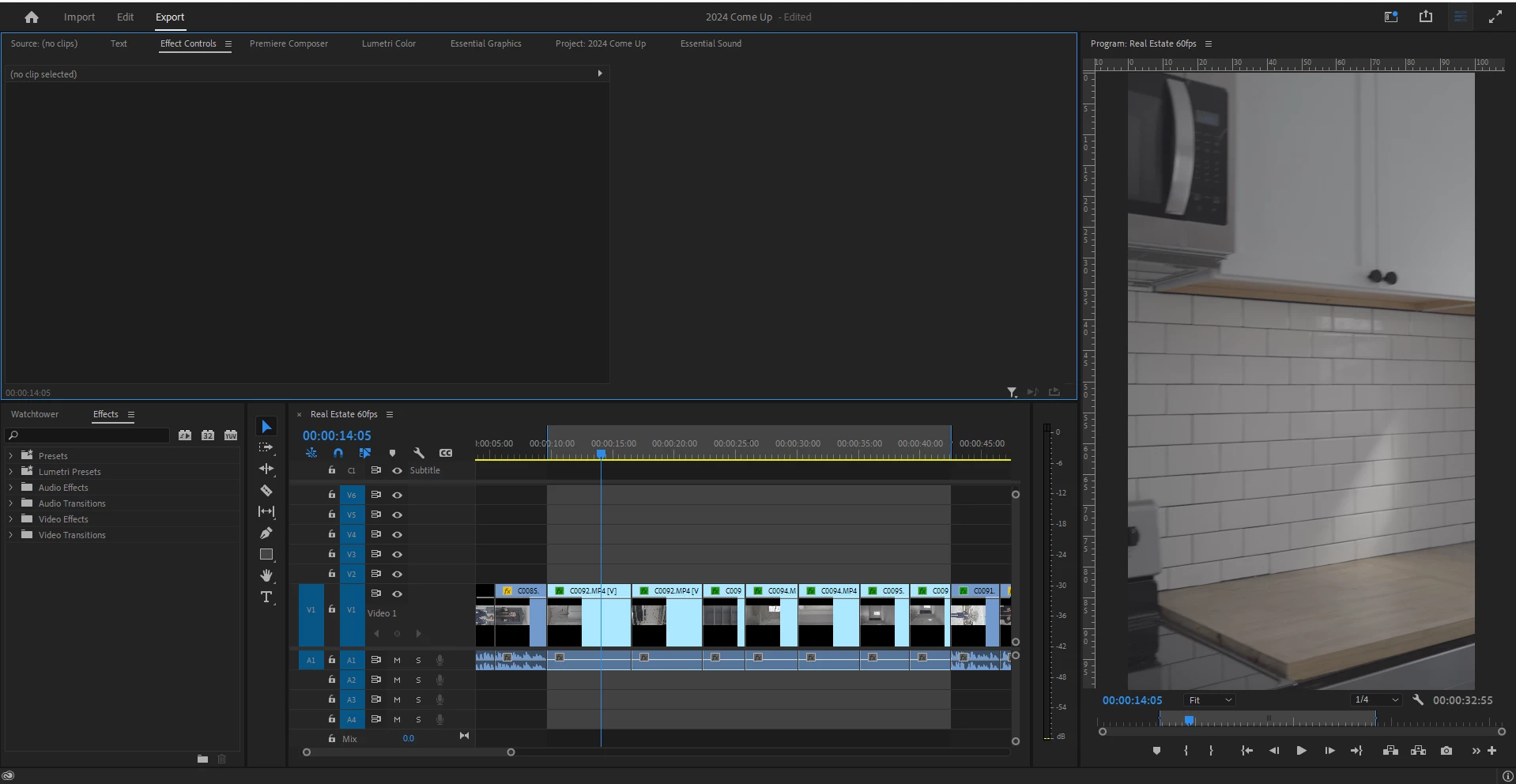
Export button not working

  • February 19, 2024
  • 4 replies
  • 429 views

Hi All,


Please see the screenshot below for an example of what I am referencing. I am not sure what is going on, I opened PrP with plug-ins disabled as I thought that might have been the cause of the issue, but whenever i go to the "Export" tab above, it just has it selected but does not go to the export window for me to export. I have my sequence selected and with in/out so that is not the issue. Is this caused by an extension? or what can I do to figure out the root cause of this.
 

4 replies

Inspiring
February 19, 2024

Yes, no luck with that either. I believe something in my software is causing the issue and I'm not sure how to figure it out. So I believe I'm going to take the route shown in the link below to completely reinstall PrP. But is there anything else I should look out for or save prior to doing this?


https://helpx.adobe.com/creative-cloud/kb/cc-cleaner-tool-installation-problems.html

Ann Bens
Community Expert
Community Expert
February 19, 2024

Did you try Quick Export?

Inspiring
February 19, 2024

I had already gone through right before this and reset preferences. I still need to either save and restart the entire application and go export first thing, or sometimes i get lucky and by waiting a few minutes it will go through.

Ann Bens
Community Expert
Community Expert
February 19, 2024