




Acknowledged
Frame.io Panel Won't Log In
The Issue
On macOS, when upgrading from one version of Premiere to another, the Frame.io panel will get stuck when attempting to log in.It won’t open your browser to the Frame.io authentication flow when you try to log in.
The Fix
Our team is investigating the root cause of the issue. This is our number one priority for the Frame.io panel in Premiere. However, you don’t have to wait for us to get logged into Premiere.
The Workaround
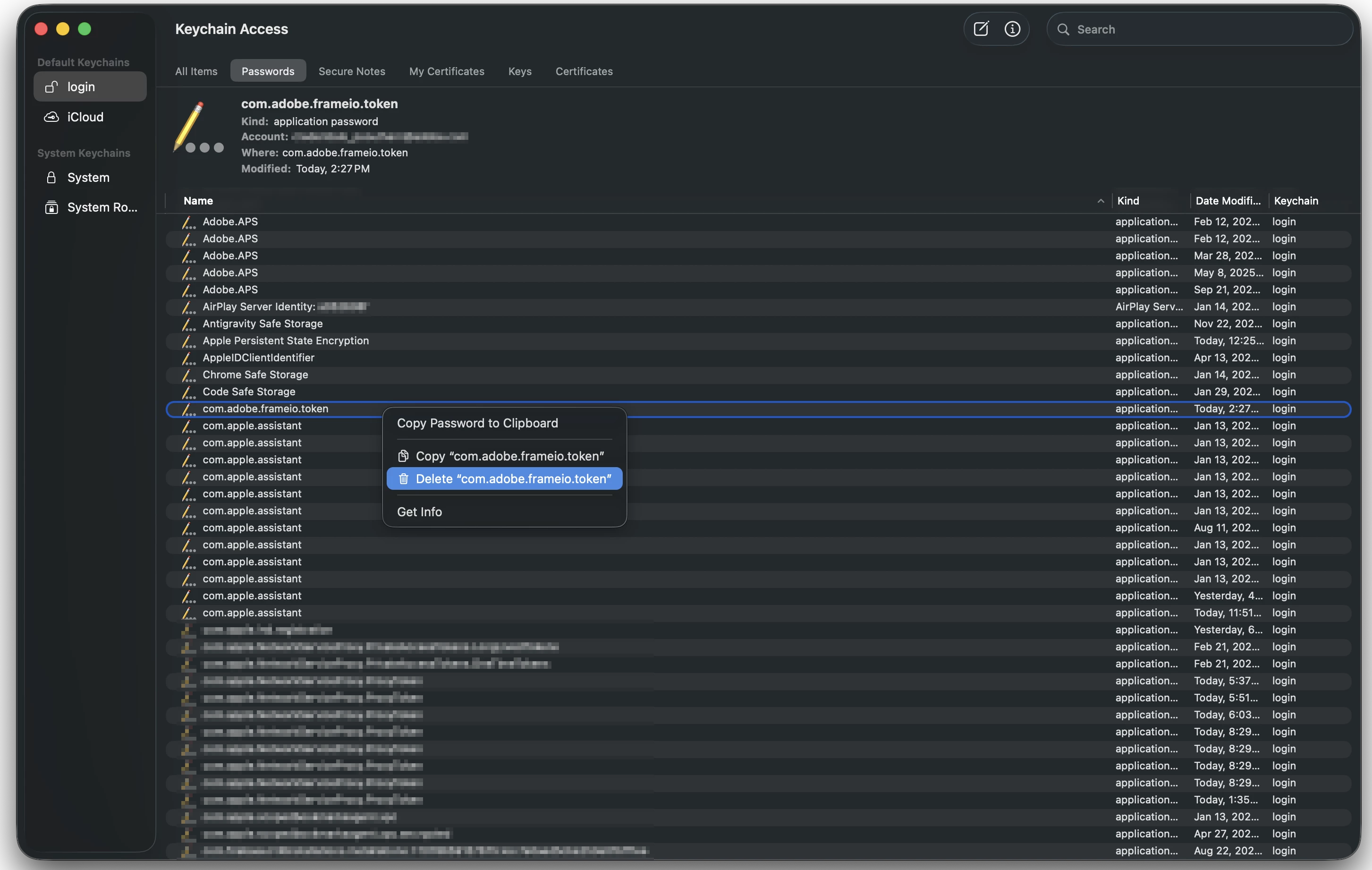
In the short-term, you can log into the Frame.io panel if you delete the authentication token that was created in a previous version of Premiere.
- Close Premiere
- Go to Keychain Access (not Passwords)
- Under ‘Login Items’, scroll down to ‘com.adobe.frameio.token’
- Right-click the token and select ‘Delete’
- If prompted, confirm you want to delete the token
- Re-open Premiere and log into the Frame.io panel
 AdChoices