
Participant
April 6, 2026

Glitch with the mogrt in the latest Premiere Pro 26.0.2 on a Mac.

  • April 6, 2026
  • 1 reply
  • 55 views

I just tried using it in Premiere and got a strange glitch that I can’t troubleshoot.

I’m running Premiere 26.0.2 on a Mac.

Screenshot attached illustrates the issue. The color fields stay regardless of rendering, timeline size, and frame rate.

btw, it works fine in Premiere Pro 2025 and older versions. The issue is only with the 2026 version.
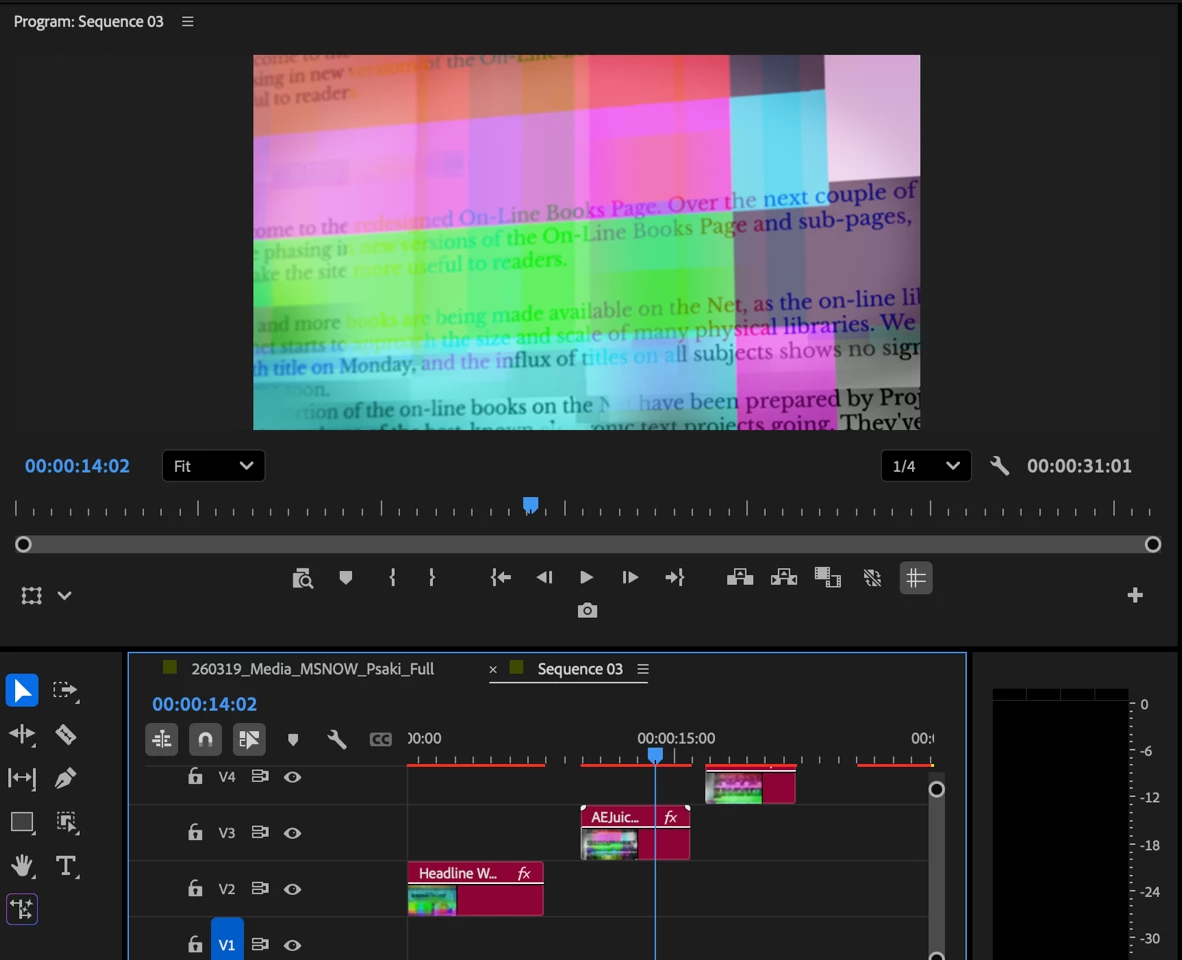
Here is a link for the file: https://we.tl/t-QuN48F454DVPj6dm

    1 reply

    Community Manager
    April 6, 2026

    Hi ​@Ruslan_AEJuice ,


    Thanks for the screenshot and the file link. I was able to reproduce the issue on my machine as well. I thought it might be related to a different issue, but I also tested the Beta, and the issue persists there as well. 

    Can you tell me where this mogrt came from?  Have you had issues with any other mogrts?

    Appreciate you flagging this—I hope we can help resolve it soon.

    Participant
    April 6, 2026

    I used those files in the 2024 and 2025 versions, and they work perfectly, once I updated them to the 2026 version → I get that glitch. If I downgrade the Premiere Pro → it became usable again. No idea why it is so in 2026.

    I used it from AEJuice.

    Community Manager
    April 7, 2026

    Hi ​@Ruslan_AEJuice

    Thanks for the additional detail. Good to know it's from AEJuice.  Looking at their website, their plugins are currently listed as compatible up to CC 2024, with no mention of Premiere 2025 or 2026. It's possible the issue is related to a compatibility gap on their end rather than a Premiere bug.
     

    Could you let me know if you are using their free Starter Pack? It would also be worth reaching out to AEJuice support directly to ask if they have a v26-compatible version in the works: https://aejuice.com/contact