

Sj21971565us3n
Participant
September 6, 2024

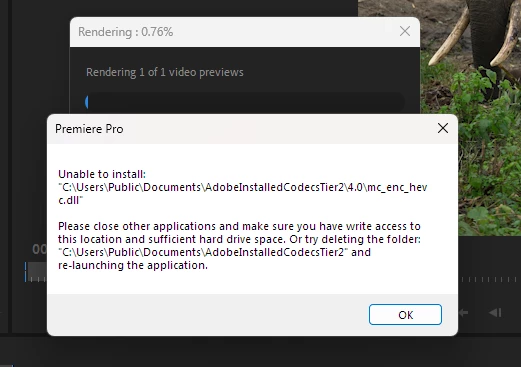
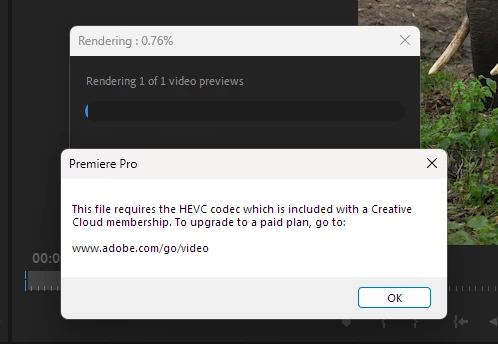
HEVC Codec error

  • September 6, 2024
  • 1 reply
  • 619 views

I'm a paid user. I have all the latest components on my computer and my machine is running Windows 11 with all the latest updates why I'm getting such an error?  Please send me the proper solution for this. I'm not able to edit anything because of this error. I do have the paid version of the Davinci Resolve Studio. Please don't make me switch there. 

This topic has been closed for replies.

1 reply

Kevin-Monahan
Community Manager
Community Manager
September 7, 2024

Hello @SJ films_org,

Thanks for the bug report. I got a response from assisted support, and they said to make sure proper read-write permissions are granted to:

C:\Users\Public\Documents\AdobeInstalledCodecsTier2 folder.


Can you try that? See also this document for how to change permissions for other crucial folders: Preferences folder read-only error.


Let me know how it goes after doing so.


Thanks,
Kevin

Kevin Monahan - Sr. Community & Engagement Strategist – Pro Video and Audio