
Participating Frequently
May 14, 2025

How to Fix Adobe Premiere Pro Home Screen Is Thick

  • May 14, 2025
  • 7 replies
  • 539 views

The initial screen with projects Premier 2025 (25.0.0) mac os disappeared. I found a message on the forum that you can fix it in the folder (/Library/Application Support/Adobe/UXP/extensions) rename the folder ~UXP
When I went to the folder /Library/Application Support/Adobe
There is no folder UXP/extensions
I created it again.
This did not help me.
Tell me how to fix this problem?
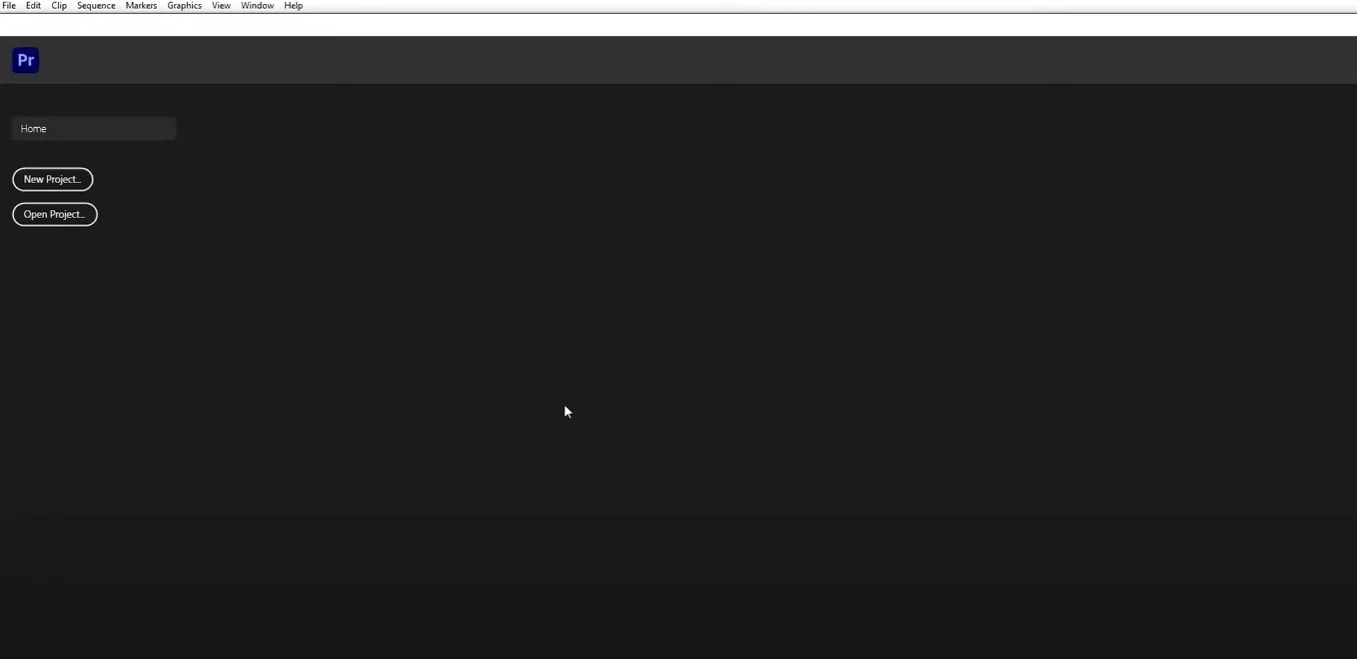
7 replies

MyerPj
Community Expert
Community Expert
May 15, 2025

That's a good reason for sticking with the version you started on.

As for copying/moving Adobe files around, I'm pretty sure you won't find much help here in these forums.

Participating Frequently
May 15, 2025

I hope for your help)

Participating Frequently
May 15, 2025

Thank you for your answers!
I do not update the program while I have several important projects with plugins in progress.
I had a bad experience with Premier after a recent update. The project opened, but the transitions and effects did not work correctly.
In the picture, the buttons new project and open project work.
I have a second MacBook with the same version of Premier.
Can I copy some files from the Premier Pro system folder?
I want to try to copy and replace files in the folder.
In which folder are the files responsible for the work of the home screen with projects?

MyerPj
Community Expert
Community Expert
May 14, 2025

Hmmm... if that doesn't fix it, it becomes more difficult. When you reset the prefs, of course, it won't have any options there until you've opened a project or two and go back in. We're on 25.2.3 currently, are you holding on to 25.0.0 for a reason?


Community Manager
May 14, 2025

Hi @Nikolas33508345nhwv

Thanks for the message and the screenshot.  Obviously, that's not what you want to see.  Did this start suddenly?  Was there an update performed? What happens if you create a new project/ open a project from the menu on the left?

Participating Frequently
May 14, 2025

Thanks for your advice, but I couldn't do it. The screen still has no projects. What else would you recommend?

MyerPj
Community Expert
Community Expert
May 14, 2025

You may want to reset you preference back to stock. Hold down shift as you start PP and respond to the dialog that pops up.