



How to Report a Problem
Help us improve Premiere! If you’ve encountered a technical issue or found an error in our documentation, please let us know.
Help Us See What You’re Seeing
To help our engineering team resolve this as quickly as possible, we need to see exactly what’s happening on your end. Detailed reproduction steps allow us to jump straight into the fix. Please use this template:
- Issue: A short description of the problem.
- Steps to Reproduce: A numbered list of the exact steps needed to replicate the issue.
- Expected Result: What should happen after the final step?
- Actual Result: What actually occurred?
- Screen Recording: If possible, include a recording of your screen showing the issue.
- Premiere Version: How to find the exact version of Premiere you're using.
- Operating System: Specify Windows or macOS, along with the version.
- Chip (Mac Only): Specify which M-series Chip or CPU/GPU combo.
- GPU and Driver (Windows only): Please let us know your video card and driver version. We recommend updating to the most recent version; for NVIDIA users, we strongly recommend the Studio version of the driver.
- Video Format: If the issue relates to playback or export, please specify the format (and ideally share a sample video).
- Project Size: About how big is your project file? Is it in a Production? Approximately how many clips are involved in a rough estimate?
Helpful Context
Comparing when and where the issue occurs helps us narrow down the cause:
- Does it affect all projects or only some?
- Does it affect new, empty projects?
- When did the problem first begin?
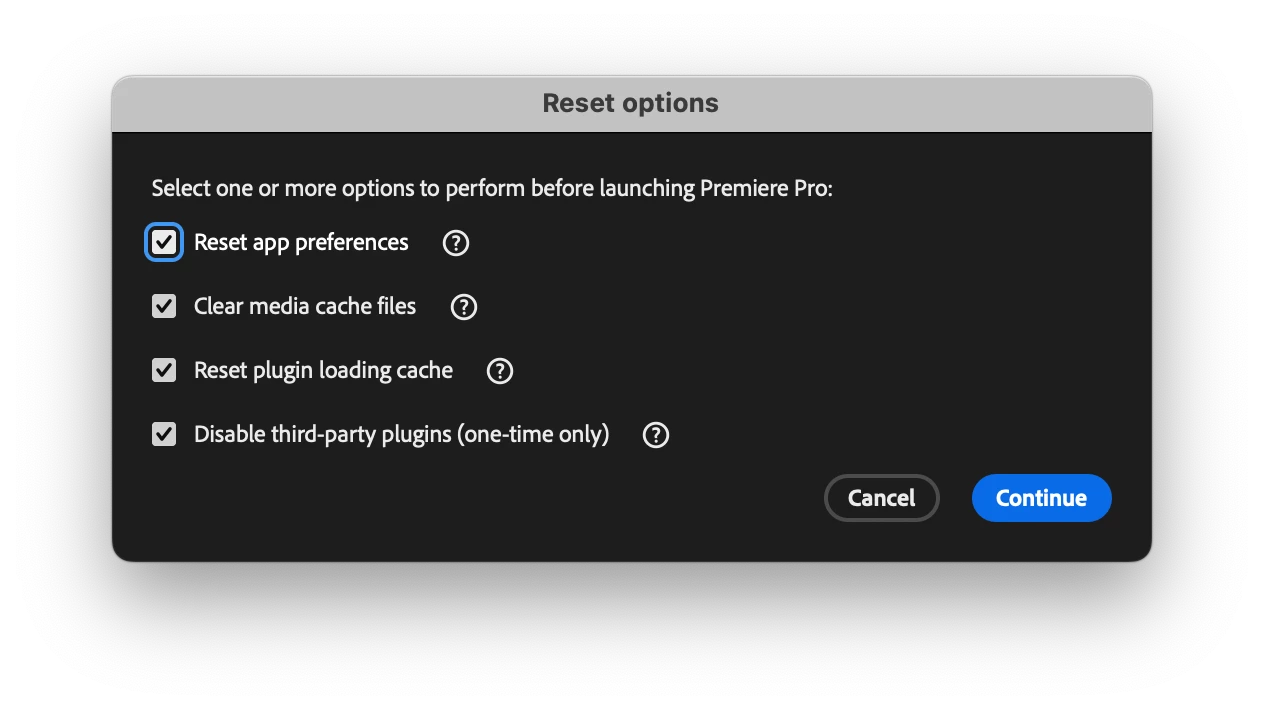
Troubleshooting Tip: Try launching Premiere while holding the Shift key. Check all four options in the dialog to see if the problem persists after a reset.
How to Submit
Provide the information above by visiting the Bugs section of this forum and clicking "Post to Community." Ensure the Bug conversation type is selected.
Why do reports have upvotes?
We use upvotes to understand how many users are affected by a specific problem. Please upvote a report only if you have experienced the issue yourself to ensure the count accurately reflects the community's experience.
Thank you for taking the time to report a problem—your input is invaluable to us!
 AdChoices