
Participating Frequently
August 24, 2025

I am Getting Pixilation during Editting

  • August 24, 2025
  • 8 replies
  • 216 views

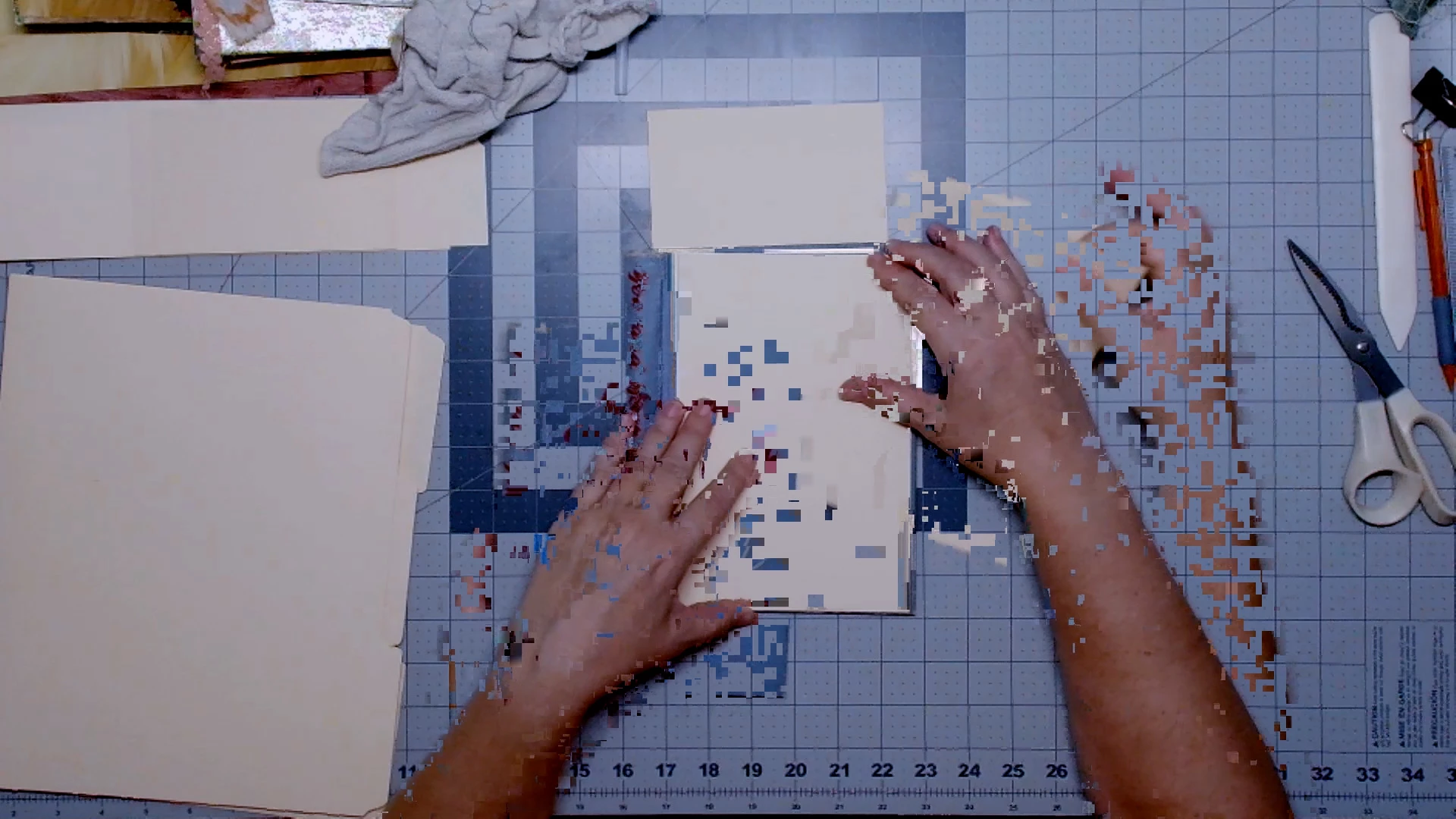
When I am editting videos now, there is pixilation when I stop in the track to edit. It happens when I pause and then skip back to a previous spot, the images pixilate into one another, or sometimes all I have to do is click the play/stop button. Then it can also happen if I remove or extract a section of video. In some cases, playing back over the footage will clear it and in other cases the artifacts stay and are in the final product. This was happening on an old laptop that I had, with Windows 10 and thought that outdated tech may have been the issue, however I have upgraded to a brand new system and I am still having the problem. I am running Premiere Pro 25.4 on Windows 11. The GPU is Nvdia RTX 5090 with an Intel Core Ultra 9. I have tried going into the Sequence settings and setting to 29.97 fps Non-Drop-Frame and 29.97 Drop-Frame. In the Preferences under Media I have the boxes checked for H264/HVEC hardware accelerated decoding and encoding. My resolution is set 1920x1080. 

I can not give you any concrete way to replicate the problem, becase it occurs randomly throughout my editting. One time I will stop the video, back track and extract a section with no problem and then the next it pixilates the screen, like two frames are trying to occupy the same spot at the same time. My subscription to your program is not worth this headache and I do not want to pay this much for a product that does work properly. If a resolution is forth coming, I'll stay. I like the program...when it's working.
8 replies

Community Manager
August 28, 2025

Hi Paper Old & New,

We're sorry to hear about this. Would you mind sharing a download link for one of the sample media with which you are experiencing this issue? It will help diagnose it properly at our end. 


Thanks,

Sumeet

Peru Bob
Community Expert
Community Expert
August 27, 2025

Don't use a Game driver.

Try a different Studio driver instead.

Participating Frequently
August 27, 2025
I will look into these suggestions and I have seen where there have been
issues with the 5090, but just a reminder, thus started on my old laptop.
It was a Nvdia 30 series I am pretty sure. So, it was happening outside the
5090.
R Neil Haugen
Legend
August 26, 2025

What is showing in the picture you just loaded up top is probably a GPU issue ... that's typically a 'bad' driver, but there are many of the new 50 series cards that have tremendous troubles like this across all the pro video apps.


Some got past that with changing drivers, some made changes in the BIOS of their system, and some simply RMA'd the card back and the replacement is working correctly. 


So try a GPU driver change from Nvidia Studio driver from their website.

Everyone's mileage always varies ...
Participating Frequently
August 27, 2025
I selected the Studio at set up. So, switch to the Game driver?
Participating Frequently
August 26, 2025

So I cleared the cache. Thanks for the suggestion. I was editting and I tried taking a vid of my screen so that you could see. I do put an intro on the beginning of the video, if they do not match perfectly with frame rate and resolution and all of that when I put them together, can that cause this? The funny thing, it was fine until just about a month or so ago and I have been using this program with the intro adding for about 2 and a half years. 


Oops! Can I not upload a short video to this post? 

Participating Frequently
August 26, 2025
Okay, so I tried making the intro sequence match the video footage. Still
had problems. Also tried opening the footage on its own to edit first and
then add in the into at the end...still got some pixilating.
Okay, so last thing to ask about:
Camera is the Logitech MX Brio (new, about 5months) and I have been using
Corel Multi-Cam Capture Lite (about 3 years). They were working fine
together for a bit, but could there be an issue in there somewhere?
Show quoted text
R Neil Haugen
Legend
August 26, 2025

There are options for full/1/2 and so on on the lower left of the program monitor, but in the Progam monitor menu are options for during playback and pause.

Everyone's mileage always varies ...
Peru Bob
Community Expert
Community Expert
August 24, 2025

@R Neil Haugen 
I wonder if this could be related to the RTX50 series issues reported?

I did see a reply where a newly released driver can fix some issues.

Participating Frequently
August 26, 2025
I hope it all evens out with updates and the like.
Peru Bob
Community Expert
Community Expert
August 24, 2025
Participating Frequently
August 26, 2025
I will try this ASAP
R Neil Haugen
Legend
August 24, 2025

What do you have your timeline playback options set to?


Full? Half? Quarter?


Do you have the high quality set to on?


These are in the Program monitor menus. 

Everyone's mileage always varies ...
Participating Frequently
August 26, 2025
I have been setting my playback to full. It seems to rest to half when I
close and reopen. Is there a way to get it to stay?