
Participant
September 21, 2026

I CAN'T IMPORT ANY FILES FROM MY CAMERA.
  • September 21, 2026
  • 3 replies
  • 31 views

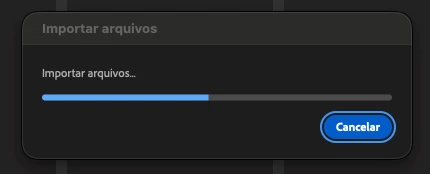
Premiere is no longer importing any files from my FX30 camera; I’ve tried both new and old files. I updated my Mac, but that didn't work. I installed an older version of Premiere, but that didn't work either. As shown in the screenshot, it gets stuck on the loading screen.

Camera settings:
XAVC HS 4K
200M 422 10BIT
SLOG3

MacBook Pro M4 Pro / 24GB RAM

I was able to import the files into other programs, but it doesn't work in Premiere.

I converted the files from .mp4 to .mov and it worked, but going through that process every time isn't feasible.

I'm Brazilian, so sorry if my English isn't perfect.
I'm desperate and don't know what to do; my work is falling behind because of this.

    3 replies

    Amy the Stuv
    Community Manager
    Community Manager
    September 21, 2026

    Hello ​@MarlonVCA 

    Welcome to the Premiere Forums. We are sorry you are experiencing this issue. We could use a few more specifics to help us identify what’s going on here.

    • Premiere Version: The exact version of Premiere you're using, and the versions you already tested in.
    • Import Process: How are you attempting to import the files? Through the Project Window, Right Click, Import? Through the Media Browser? From the Import Mode Screen?
    • Describe what’s happening: Is there any error that pops up or does nothing happen? Your screenshot looks like something is importing, does it just never complete?  Have you tried importing one file at a time?

    I would recommend at this time trying Premiere version 26.3.2 because there is a known issue we are working on that may impact your media if it is H264 / HEVC Long Gop encoded, but if it is Intra, it would be fine in 26.5.1


    I’m also curious, did you use Adobe Media Encoder to convert the files to get them to work or another program?


    Hoping to help,

    Amy

    MarlonVCAAuthor
    Participant
    September 21, 2026

    Tested versions: 26.5.1 / 26.5 / 26.3.2 / 25.6.6 / 25.0 [None worked]

    Import process: It doesn't work via the import window or the media browser (Finder).

    What is happening: No error message appears; it just gets stuck on the loading screen indefinitely. I tried adding the videos one by one—which was working at first—but eventually, it simply refuses to import any more and stays stuck as shown in the screenshot.

    Regarding Media Encoder: It would likely work if I converted the files; as I mentioned, I did convert the files from .mp4 to .mov using Shutter Encoder and they imported successfully. However, doing this process every time isn't feasible—I need to deliver the materials quickly. Only Premiere is having this issue; I tested with DaVinci, and all the files were accepted without any problems.

    Amy the Stuv
    Community Manager
    Community Manager
    September 21, 2026

    I messaged you privately with an upload link to share some files if that’s at all possible.


    Of the files that do import, are you able to play them?


    If you turn uncheck Analyze All imported Media to search for visuals or audio in Media Analysis and Transcription Preferences, are you able to import?


    This can be turned on later but the analysis may slow things down, so I would recommend starting with it off, then turning it on and letting it run overnight for some of these more highly compressed codecs.