

xelxfelipemartinez
Participant
May 25, 2026

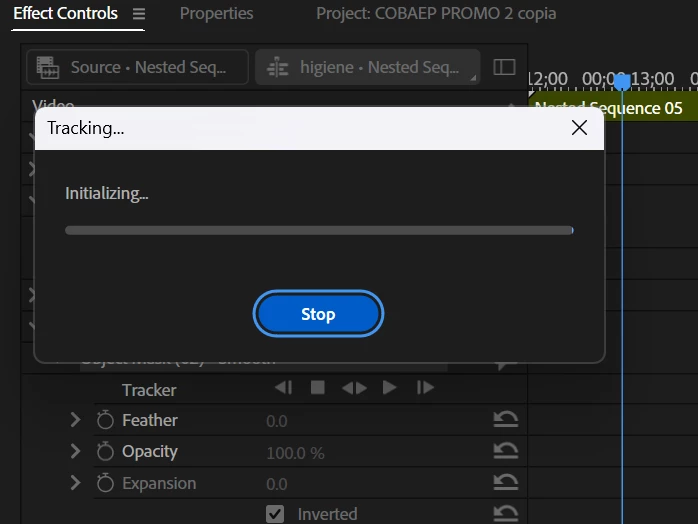
In Adobe Premiere Pro 2026, when I create a mask and apply it, for example, to a Gaussian Blur, and then try to make it track, it just keeps loading and does nothing.
  • May 25, 2026
  • 1 reply
  • 14 views

In Adobe Premiere Pro 2026, when I create a mask and apply it, for example, to a Gaussian Blur, and then try to make it track, it just keeps loading and does nothing.


    1 reply

    IanB_360
    Community Manager
    Community Manager
    May 25, 2026

    Hi ​@xelxfelipemartinez 
    Thanks for the report.A few questions to help narrow this down:

    • Which version/build of Premiere Pro 2026 are you using?
    • What operating system are you running?
    • Does this happen with all media or only specific clips?
    • What codec is the footage (H.264, HEVC, ProRes, etc.)?
    • Does the issue occur in a brand-new project with a simple test clip?
    • When tracking appears to be stuck, does Premiere remain responsive or does the entire application become unresponsive?

    What is your order of operations and the workflow?  Have you tried applying the mask first, then applying the Gaussian Blur afterward? If you then take the unassigned mask and drag it into the Gaussian Blur effect, does it behave as you would expect?

    Here to help
    Ian